÷
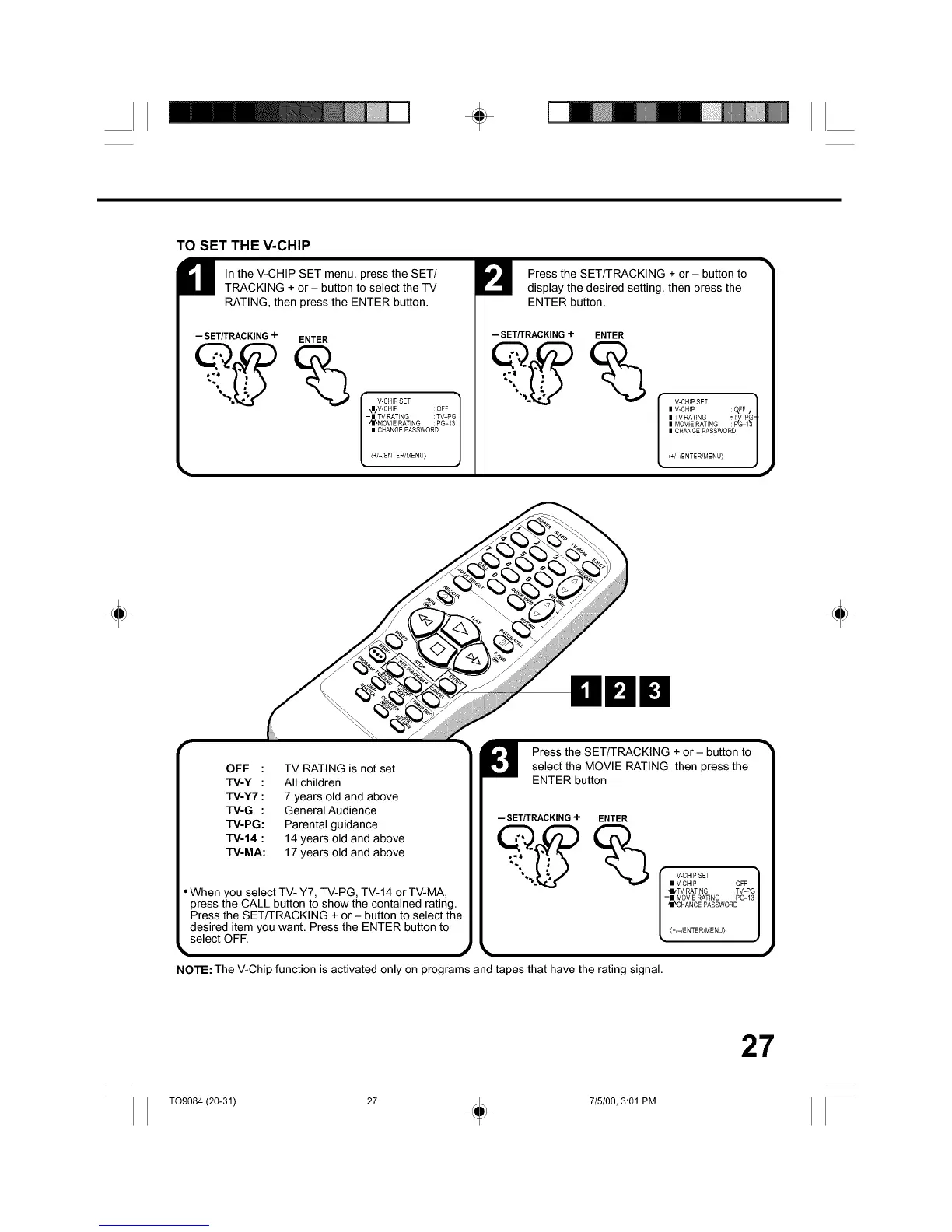
TO SET THE V-CHIP
M In the V-CHIP SET menu, press the SET/
TRACKING + or - button to select the TV
RATING, then press the ENTER button.
--SET/TRACKING+ ENTER
I V-CHIP SET 1
\N/V-CHIP : OFF
- | TV RATING : TV-PG
ilIkMOVIE RAT(NG : PG-13
(+/-/ENTER/MENU}
Press the SET/TRACKING + or- button to
display the desired setting, then press the
ENTER button.
--SET/TRACKING+ ENTER
V-CHP SET 1
I V-CHP : Q,FF /
l TV RATING _'TV-PG
-t
l MOV(E RATING : P%-1"_ I
| CHARGE PASSWORD |
J
_+/-/ENTER/MENU)
÷ ÷
OOO
OFF : TV RATING is not set
TV-Y : All children
TV-Y7 : 7 years old and above
TV-G : General Audience
TV-PG: Parental guidance
TV-14 : 14 years old and above
TV-MA: 17 years old and above
When you select TV- Y7, TV-PG, TV-14 or TV-MA,
press the CALL button to show the contained rating.
Press the SET/TRACKING + or - button to select the
desired item you want. Press the ENTER button to
select OFE
m
Press the SET/TRACKING + or - button toselect the MOVIE RATING, then press the
ENTER button
--SET/TRACKING+ ENTER
l'v°N'PSET I
I VICHIP : OFF
"_IL'TV RATING :TV-PG
- MOVIE RAT(NG : PG-13
CHANGE PASSWORD
<+/-/ENTER/MENU> ,_
NOTE: The V-Chip function is activated only on programs and tapes that have the rating signal.
27
TO9084 (20-31) 27 _ 715100, 3:01 PM



 To Next Page