÷
SETTING THE V-CHIP
(CONTINUED)
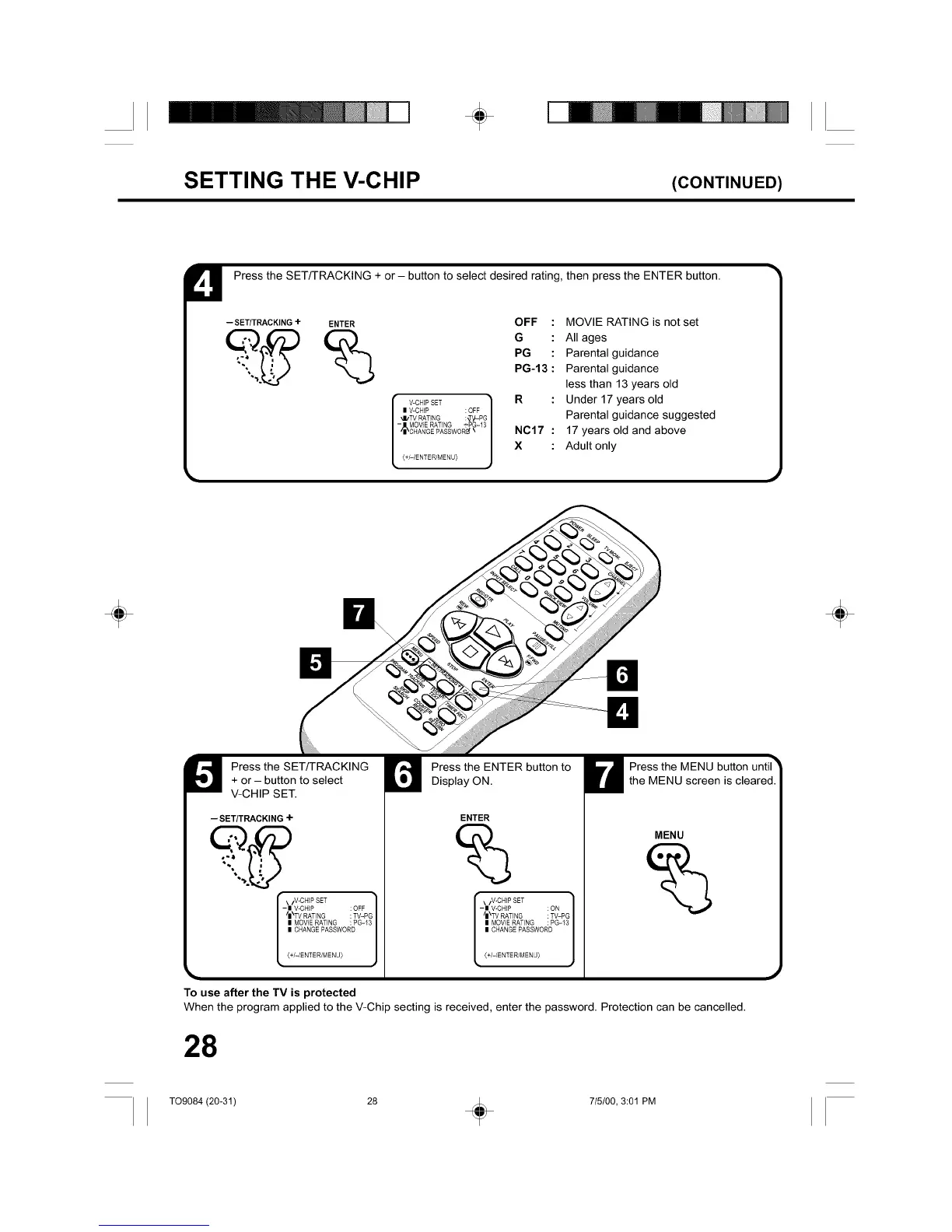
U Press the SET/TRACKING + or- button to select desired rating, then press the ENTER button.
-- SETITRACKING + ENTER
OFF : MOVIE RATING is not set
G : All ages
PG : Parental guidance
PG-13 : Parental guidance
less than 13 years old
V-CHIPSET _ R : Under 17 years old
I V-CHP :OFF
/
_I/TV RATING :_y-PG Parental guidance suggested
[ MOV'SRATING"PO'3/
_CNARGEPASSWOR__ N017 : 17 years old and above
X : Adult only
[ <÷/-/ENTER/MENU>j
÷ ÷
Press the SET/TRACKING
+ or - button to select
V-CHIP SET.
Press the ENTER button to
Display ON.
-- SET/TRACKING+
-| V-CHP : OFF
/I\TV RATING : TV-PG
I MOVIE RATING : PG-13
I CHANGE PASSWORD
{+/-/ENTER/MENU)
To use after the TV is protected
ENTER
\/V-CHIP SET ]
- I V-CHP : ON
/I\TV RATING : TV-PG
I MOVIERATING : PG-13
I CHANGEPASSWORD
{+/-IENTER/MENU)
Press the MENU button until"
the MENU screen is cleared.
MENU
When the program applied to the V-Chip secting is received, enter the password. Protection can be cancelled.
J
28
T09084 (20-31) 28 _ 715/00, 3:01 PM



 To Next Page