Operating instructions (RED)
4
BAL_SYS20_RED_EN_2V2_REC_102-020110693 13/ 27
Operating instructions (RED)
Selection of operating modes (RED)
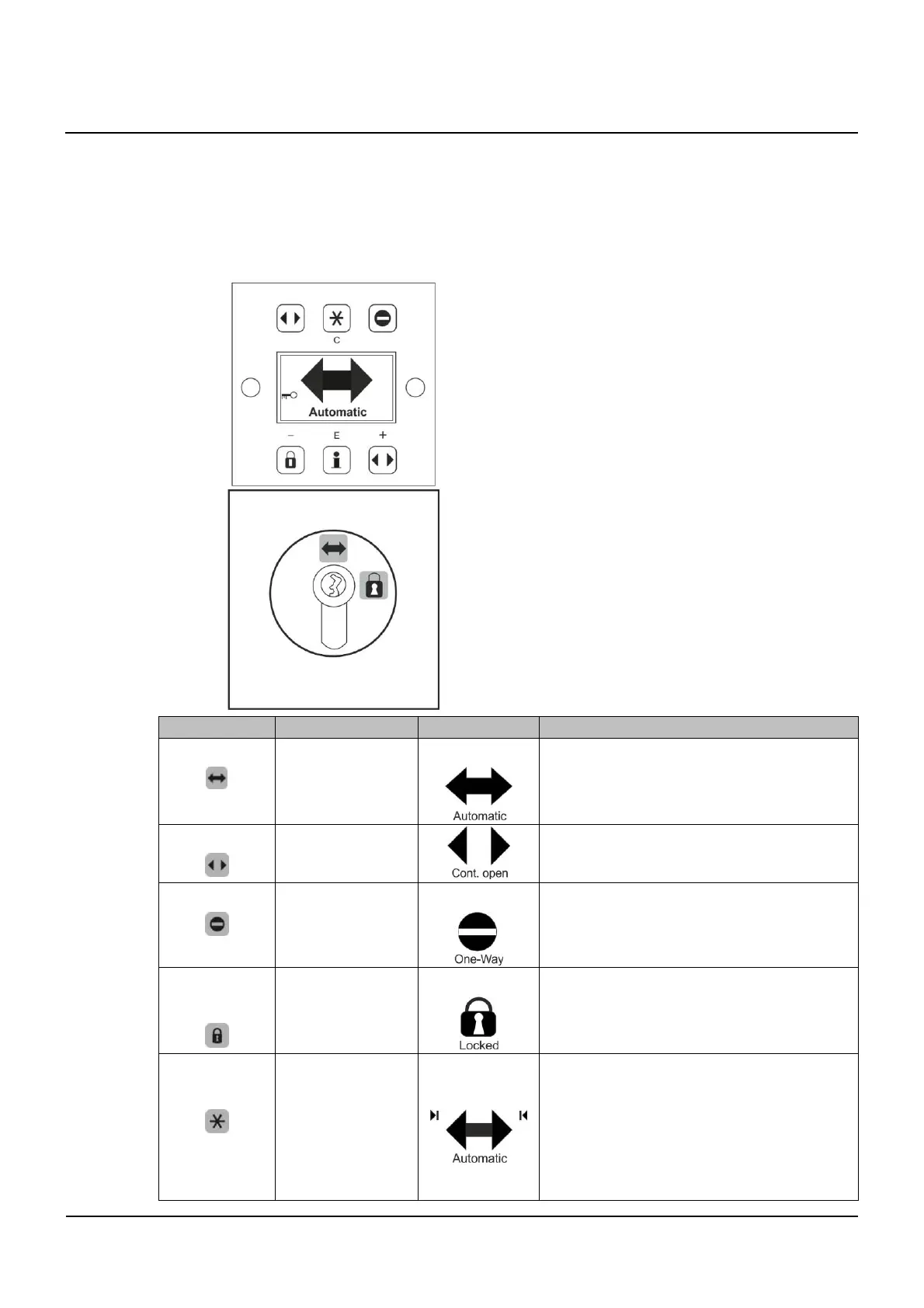
The electronic control unit BDE-D is a user-friendly input and output unit to control and customize (op-
tional) the door operation. The LCD display with backlight gives information about the door status with
symbols and clear text. Error messages are displayed as text.
Control unit BDE-D
▪ Selection of operating modes
▪ Exception: Operating mode Locked can only
be selected by an authorized person via the
BDE-V illustrated below
Control unit BDE-V (night locking)
▪ The door may only be locked by an authorized
person (responsible for the key), after this one
has made sure that nobody else is on the
premises
▪ Locking via external clock timer or control
system is not allowed
Ke
Operatin
mode S
mbol Function
Automatic
▪ Door opens unhindered from inside and
outside
▪ Maximum opening width (summer open-
ing)
Continuously open
▪ Door remains open until other operating
mode is selected
One-Way
▪ Door opens only in one direction (e.g. for
shop closing time)
Locked
▪ Door is closed and locked (if locking sys-
tem has been installed)
▪ Door remains locked even in case of
power failure
Reduced opening
width
▪ Door opens unhindered from inside or
outside
▪ Reduced opening width (winter opening)
▪ Reduced opening width is set to the min-
imum authorized value according to coun-
try-specific guidelines and cannot be fur-
ther diminished via BDE-D
4
4.1



 To Next Page