Behavior in event of faults
8
BAL_SYS20_RED_EN_2V2_REC_102-020110693 22/ 27
Behavior in event of faults
In the event of an irregularity or malfunction, different displays are shown depending on the control
unit connected.
NOTICE
If the door performs a slow opening or closing movement, this can indicate a
deliberate automatic redundancy test.
Display on the control unit
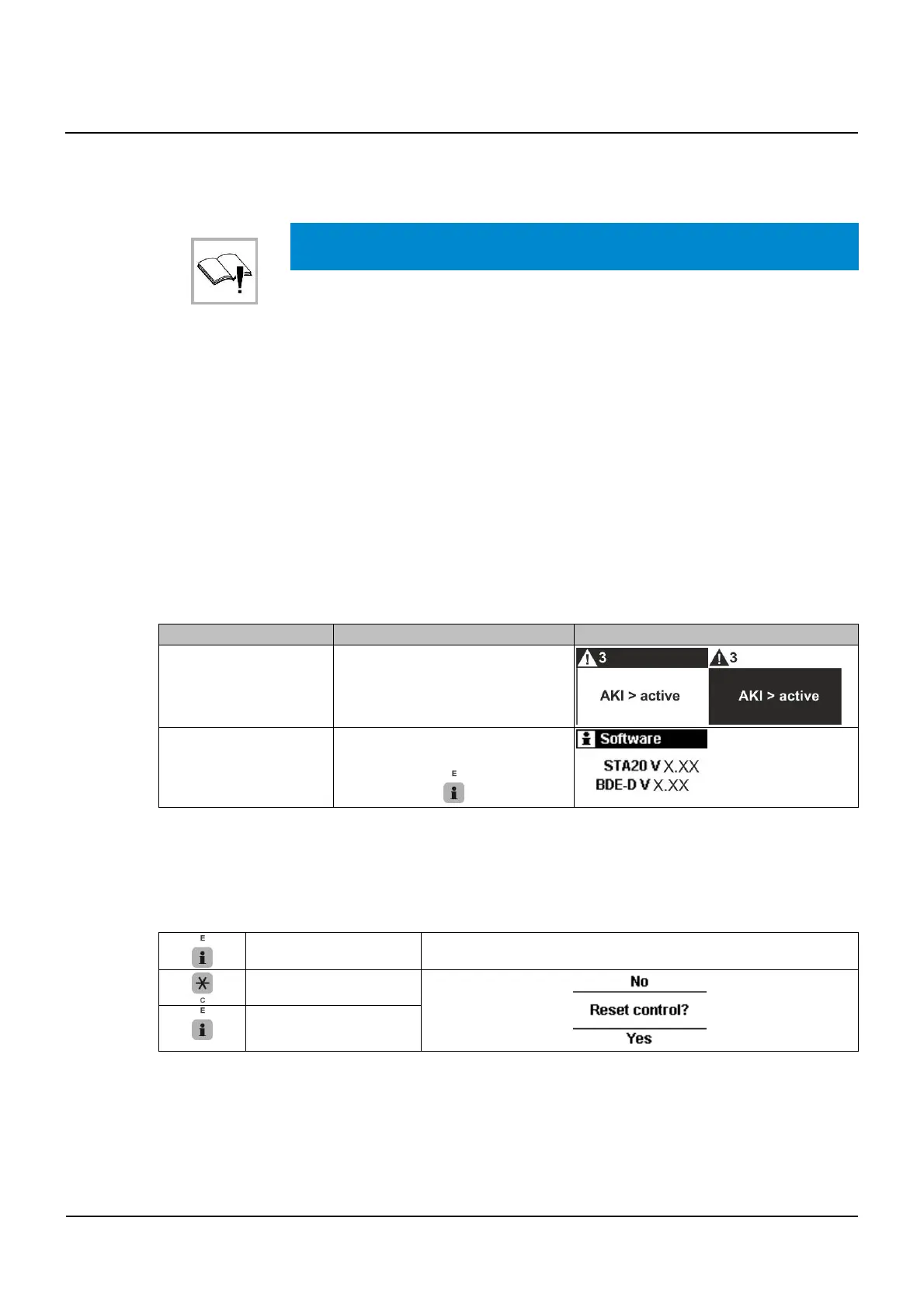
▪ Status messages are displayed with status number and text.
▪ The display changes alternately from white to black.
▪ After 10 seconds, the telephone number of the relevant service center is alternately displayed.
Possible troubleshooting
▪ Based on the status display some errors can sometimes be eliminated
▪ If you are not sure, please contact the relevant service center
▪ Before you call, write down the data displayed on the BDE-D. This information provides the tech-
nician with important information’s for troubleshooting
▪ If several status messages are active at the same time, they are numbered: e.g. error 1 / 2
▪ Pressing the E-button permits to navigate from one error message to the next one
Example:
Which information? Procedure How displa
ed?
Example
Status text and number
▪ It is automatically displayed
on the BDE-D
Software-Versions
▪ Press the following button on
the BDE-D for 2 seconds
Resetting the control module
In some cases, the malfunction may be remedied by restarting the control unit. Please proceed as
described below.
▪ Make sure that the drive cladding is closed and that nobody is obstructing the system or ap-
proaching it, thereby triggering an opening of the system.
Press > 5 seconds
No
Yes
▪ The system will reset
▪ The first movement after a reset occurs at reduced speed
▪ If a fault is still displayed on the control unit after resetting, please contact our service center, stat-
ing the error message.
8
8.1
8.2
8.3



 To Next Page