Emergency opening of the door (RED)
7
BAL_SYS20_RED_EN_2V2_REC_102-020110693 20/ 27
Emergency opening of the door (RED)
Emergency opening with current supply
By activating the emergency opening switch (optional), which must be placed beside the installation,
the door will open as long as the operating mode Locked has not been selected. In this operating
mode the door will remain locked.
To re-start the installation, the emergency opening switch must be reset by hand, either through a ro-
tation or a pulling (different procedures depending on the version of the switch).
Emergency opening in case of power failure with auxiliary battery (RED)
▪ Emergency opening in case of power failure takes place via an auxiliary battery, which triggers a
single opening of the door (except if function Locked has been selected).
▪ Unlocking the door is still possible with the key-operated contact/switch (optional).
Emergency operating using Bowden cable (Option)
This device, available in several versions, is mounted inside and/or outside and allows the unlocking
of the door, according to the procedure below.
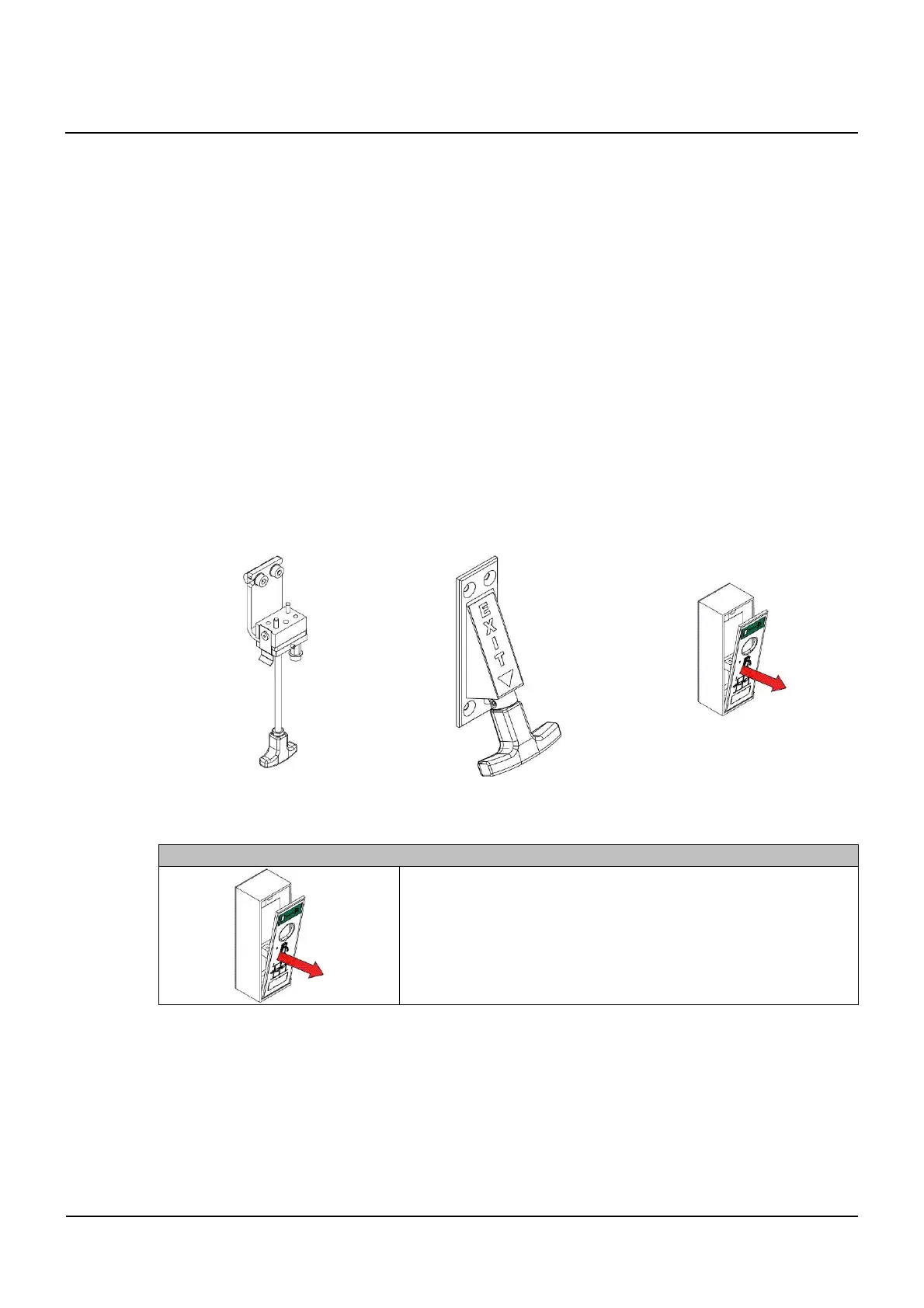
Available versions
The available versions are illustrated below. They are basically identical in their function.
102-020808512 102-020808757 102-014102000
Procedure for an emergency opening
Emer
enc
openin
▪ Open the unlocking flap
▪ Pulling the unlocking flap downwards unlocks the door
▪ Display on the BDE-D
→ Error No. 31 / Emergency stop
▪ The door can be slid open by hand
7
7.1
7.2
7.3
7.3.1
7.3.2



 To Next Page