BlackMax – Installation and Operation Manual
Page 14 of 36
Issue date: 24/11/2023. Version 13.0
As the BlackMax is often installed as an entirely off-grid system it is strongly recommended to have a generator available to
provide extra energy during periods of extended overcast conditions or heavy usage.
A generator can be used to run the loads and charge the batteries if they become depleted during the night, and you do not
want to wait until the morning for the solar panels to start recharging the batteries. You can also top up your batteries with the
generator if you are expecting poor weather conditions or heavy usage.
Note that the default battery charging rate is set to 1.5kW. This can be adjusted depending on the size of the generator
available. Max. 40A constant P/through.
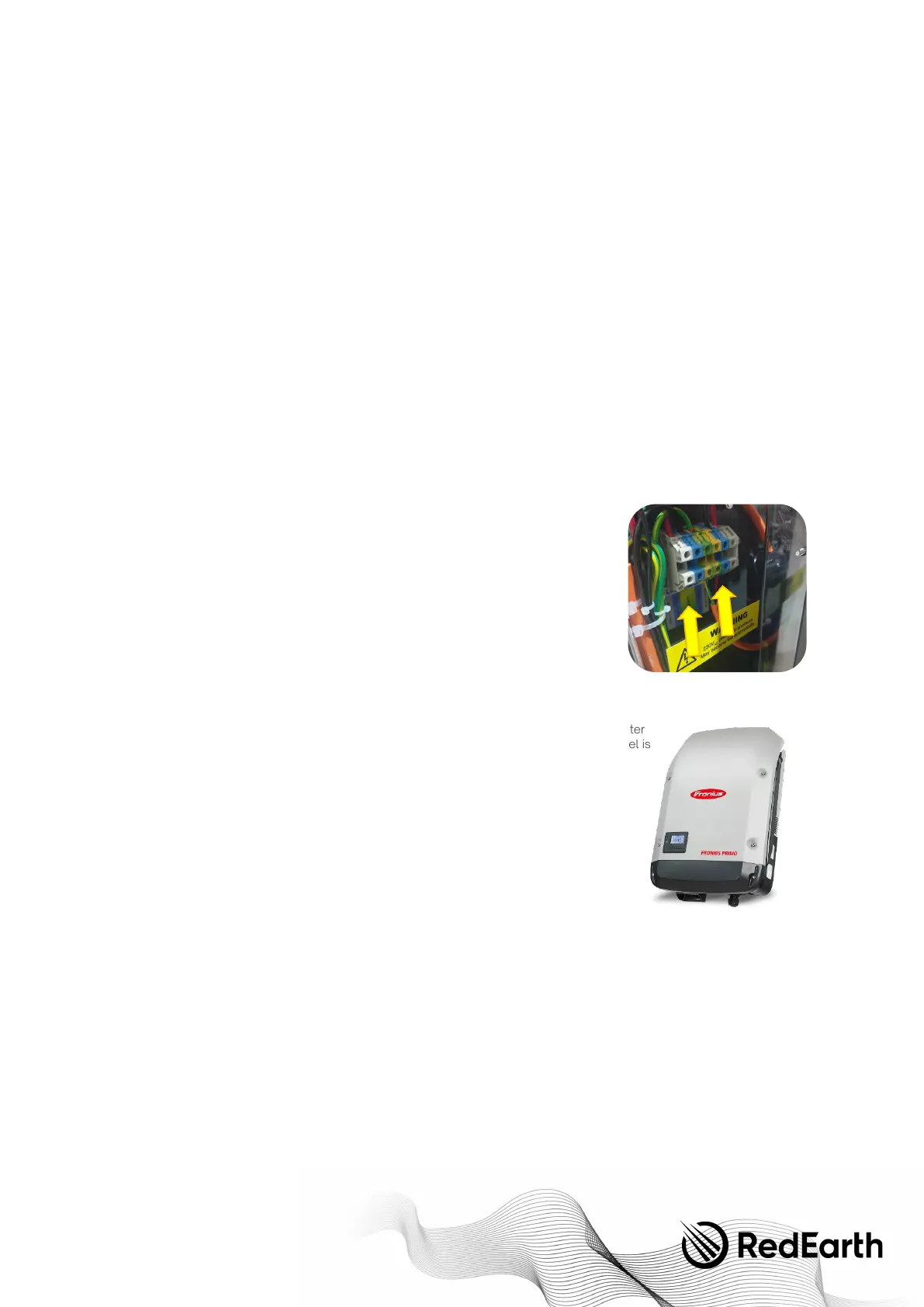
The generator is hardwired to the BlackMax. Simply connect the active, neutral and earth from the generator to these terminal
blocks, via a 25mm gland from the Parts kit. This allows up to 6kVA to be provided by the generator, assuming it is of sufficient
size. See the Commissioning Section - Step 5 below to adjust the amount of power the BlackMax will draw from the generator.
An optional generator auto-start feature is available in the BlackMax if the generator is set-up for 2-wire auto-start, see Section
4.6 below.
The following generator specifications must also be met for a guaranteed compatibility with the inverter. Ideally an Inverter-
Generator is used as these provide more stable output power. RedEarth can also recommend generators that work with the
BlackMax.
- Generator waveform THD: < 10%.
- Generator Vrms range: 180 ~ 264Vac
- Generator voltage crest factor (Vpeak/Vrms): < 1.6
- Generator peak voltage: <380V
- Frequency range: 45Hz ~ 55Hz
- Frequency slew rate: <0.3Hz/sec
4.5.2 Grid connection—to generator terminals inside the BlackMax
When connecting the grid to your BlackMax it is best to think of the grid supply like a
generator. When connecting the grid like a generator the grid will run between a pre-
determined battery voltage range. In other words, the grid will begin charging automatically
when the batteries are low, and automatically stop when the batteries return to a healthy
state of charge. When connecting the grid in this form, no extra connection work is required,
simply connect the grid into the same generator terminals.
NOTE:
The grid is limited to 1.5KW by default, if you wish to increase this, please contact
RedEarth of follow the steps outlined later in the manual. See section "Adjusting the inverter
parameters".
4.5.3 AC-coupled solar inverter connection—to generator terminals inside the BlackMax
Instead of a generator (or the grid) an extra AC-coupled renewables source, like a Fronius inverter
can be used. This may be of interest in remote sites where supplying diesel generators with fuel is
too expensive or difficult.
Having oversized PV generation capacity means that even in overcast periods there is enough
PV being generated to keep the site operating without the need for diesel generator backup.
Note that additional battery capacity may be required.
In this case it is important you adjust the system configuration as by default the BlackMax will
expect a generator connection. To a c c o m m o d a t e t h i s change, follow the steps outlined in
section "Adjusting the inverter parameters" or contact RedEarth support before connecting
any alternative AC Source. Select "Micro Inv Input". This setting utilizes generator input port as
a micro-inverter for grid inverter input (AC coupled). This is compatible with all frequency
shiftable "grid-tied" inverters.
4.5.4 Smart load output connection
Don't have a generator or an AC coupled source? Don't fret, we can customise this port to add more value to your BlackMax
System.
The generator input terminals can also be configured to act as a controlled AC output. It could be used to run an air-conditioner
and be switched off once the battery reaches a pre-set state-of-charge.


 To Next Page