BlackMax – Installation and Operation Manual
Page 8 of 36
Issue date: 24/11/2023. Version 13.0
BlackMax 16 Panels Mounting Kit—Tin Roof
SPLICE PLATE, PV-EZRACK, SUITS ECO RAIL
CABLE CLIP, PV-EZRACK FOR PV PANELS, HOLDS 2 CABLES, BOX OF
900
CLAMP, UNIVERSAL MID/END WITH GROUNDING CLIP
RAIL, PV-EZRACK ECO 4200MM LONG ALU/STEEL, BUNDLE OF 90
SWITCH, ZJ BENY DC ISOLATOR 32A 4 POLE 1200V
CONNECTOR, MC4 BRANCH MALE
CONNECTOR, MC4 BRANCH CONNECTOR FEMALE
CONNECTOR, MC4 STANDARD MALE & FEMALE (1 x BAG = 5)
CABLE, 2C x 4MM2 DC SOLAR (9PV-1F), 0.9/1.8KV
CABLE, 4MM2 SINGLE CORE DC SOLAR (PV-1F)
PALLET, WOOD 2100MM x 1170MM (BlackMax with PV only)
Installation
7 steps to complete your BlackMax installation:
1. Transporting the BlackMax
2. Positioning the BlackMax
3. Solar array sizing
4. Electrical connections to the BlackMax
5. Commissioning the BlackMax
6. Monitoring and communication
7. Finalising installation and customer handover
Step 1. Transporting the BlackMax
The BlackMax system is supplied on a pallet in one of two configurations (just the
BlackMax on a small pallet or as a complete PowerStation kit on a larger pallet) as
shown below.
The BlackMax weighs 203 kg (with 3 batteries installed). Each battery weighs 43kg.
The solar panel kit with 16 solar panel weighs 450 kg shown below.
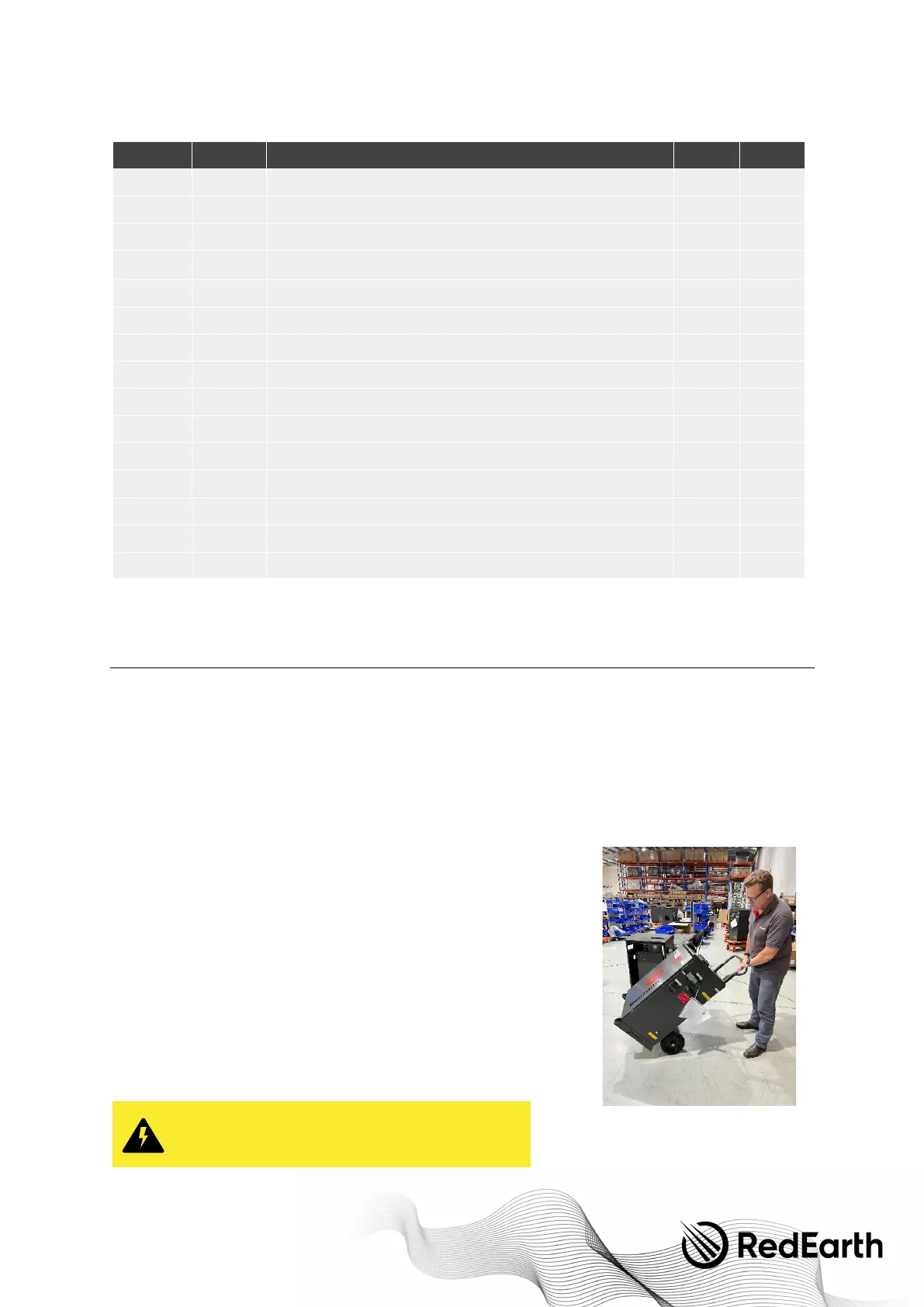
RedEarth’s BlackMax comes fitted with two handles to help with handling. However, it
is a heavy unit and should be handled with a transportation device such as a hand
trolley. (
Note:
if using a hand trolley, you may need to click the bottom vents back into
place after finishing using the trolley).
The lithium batteries can also be removed via the panel in the rear of the BlackMax,
and replaced once the system is in position. Each Troppo battery module weighs
43kg. The empty BlackMax weighs 74kg.
WARNING: Personal Injury
Use safe lifting techniques and standard safety equipment
when working with this equipment


 To Next Page