BlackMax – Installation and Operation Manual
Page 24 of 36
Issue date: 24/11/2023. Version 13.0
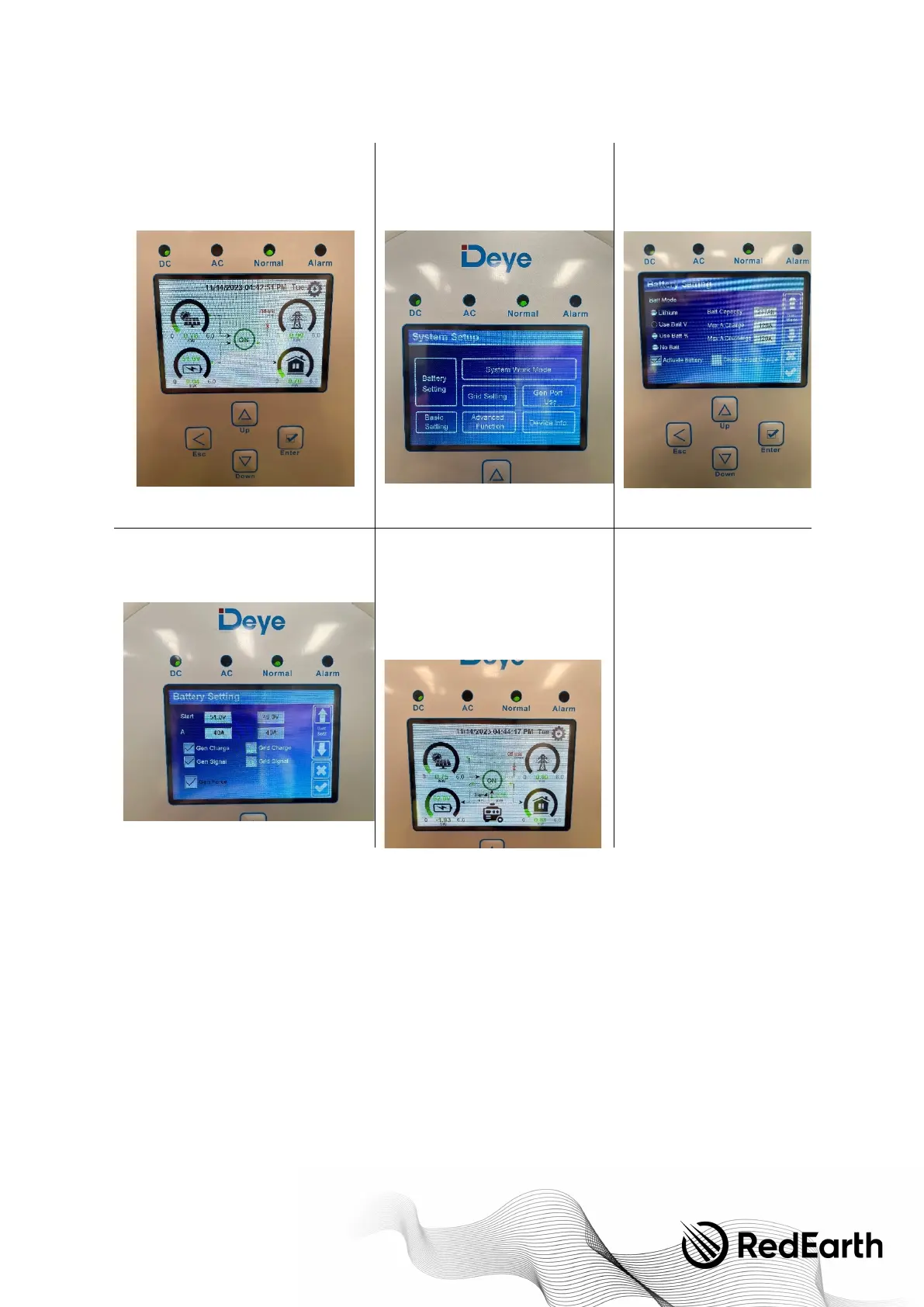
Step 1
. Select the Settings menu in the top
right of the home screen, if you are not at
this screen press "Esc" repeatedly until you
return home.
Step 2.
Then select Battery Settings
Step 3.
Navigate to page 2 with
the down arrow:
Step 4.
Enable "Gen Force" and press the
tick.
Step 5.
Press escape, shortly you will
hear a click which is the generator
autostart contactor closing, you will
then see a generator appear on the
home screen and the generator should
start. If you have any issues, contact
RedEarth support.
Step 6. Monitoring the BlackMax
There are currently two ways to monitor the BlackMax.
1. Locally via the screen on the front of the Inverter
2. Remote monitoring via the RedEarth EMU App (Optional)
OPTION 1. The BlackMax displays:
The BlackMax includes 4 on-board displays to monitor and control the system.
These are the Inverter display and Victron BMV display in the lid and the two load monitors on the left side of the system.
Inverter display
The Inverter display also allows parameters to be adjusted. Icons represent the different operating modes and arrows indicate
the direction of power flow. Below are a few images illustrating some of the most common operating situations. A detailed
explanation of the display icons can be found in the SUN-6K Inverter manual in the Parts kit included with your system.


 To Next Page