BlackMax – Installation and Operation Manual
Page 25 of 36
Issue date: 24/11/2023. Version 13.0
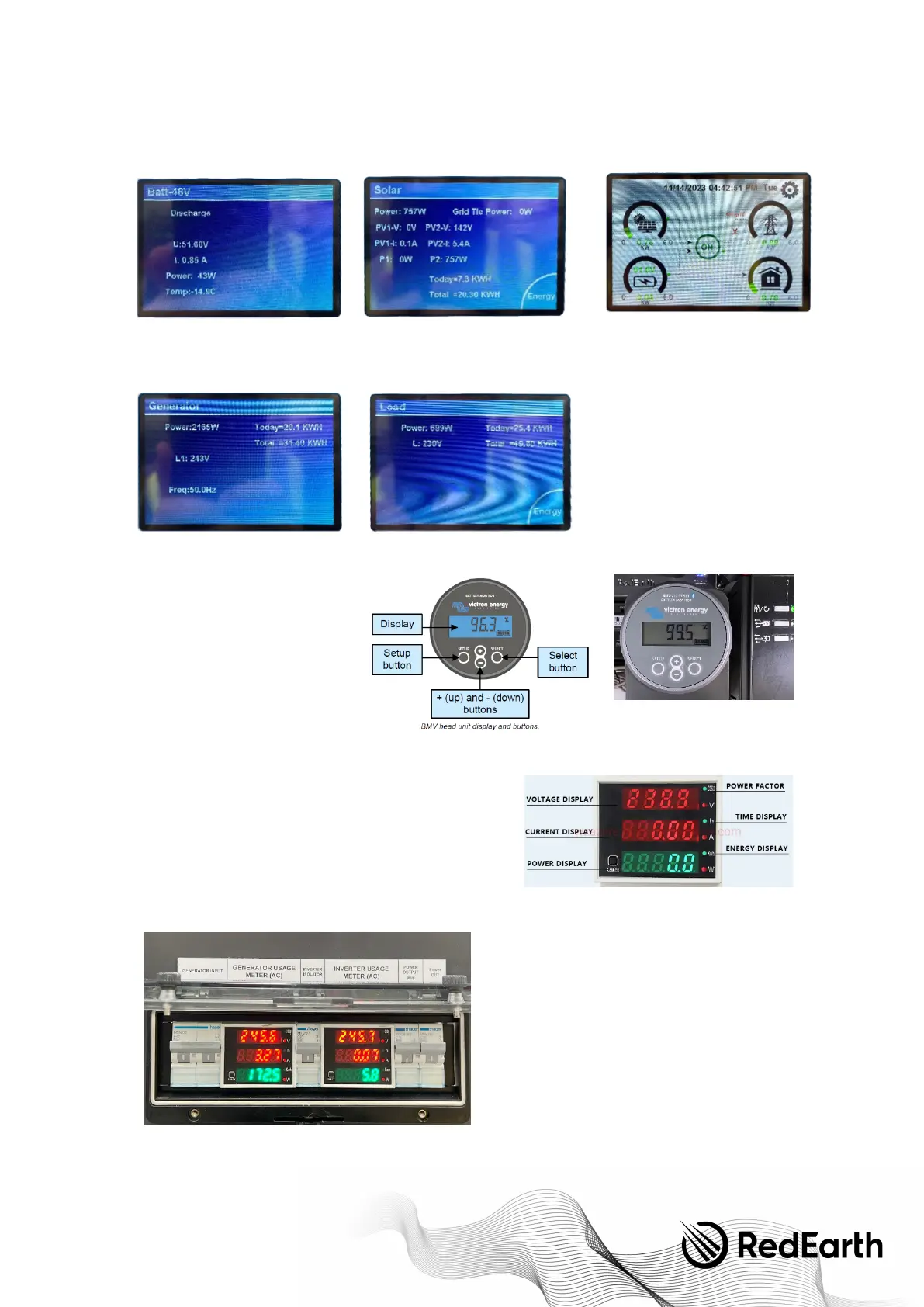
Victron SOC display
The Victron display is set to show the
State-of-charge (SOC) in the factory.
It can show a number of different battery
parameters by pressing the '+' and '-'
buttons.
AC power displays
The two AC displays on the right side of the system show the AC power
coming out of and going into the unit.
When power is available the display turns on.
The normal display shows the AC voltage, the AC current and the total
power in Watts.
If the SAM-CK button on the bottom left of the display is pressed, then
the display changes to showing Power factor, cumulative operating
hours and cumulative AC energy delivered (in kWh). The cumulative AC
energy and operating hours are retained even when the display is turned off.


 To Next Page