BlackMax – Installation and Operation Manual
Page 13 of 36
Issue date: 24/11/2023. Version 13.0
4.4 Load connection
There are two ways to connect the loads.
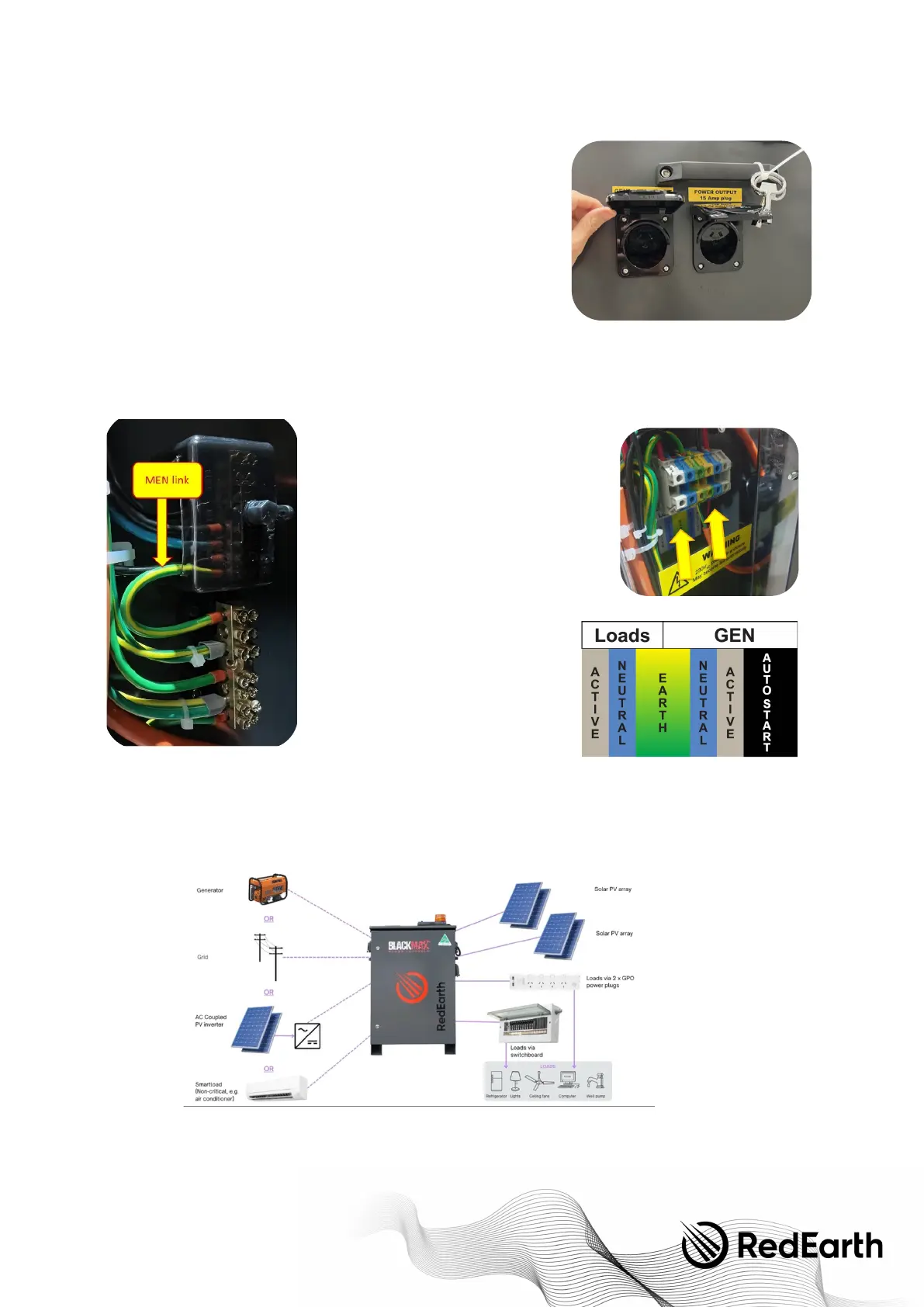
First, via the external 15A and 10A power points. Simply plug in a device to the
GPO's labelled Power Output. Note that each plug can also accept 10A plugs.
Note also that this output is limited to 15 Amps (approximately 3.6kW) and 10A
(approximately 2.4kW).
Alternatively, an external switchboard can be hard-wired to the BlackMax by attaching the active, neutral and earth to the
terminal's blocks labelled “Loads” on the inside of the unit. See pictures at right. This provides access to the full 6kVA rating of
the BlackMax. An example of an external generator connected to the BlackMax is shown here.
If the BlackMax is hardwired into a switchboard,
RedEarth recommends it be connected to an
appropriately rated circuit breaker. This MCB should be
installed on the far left- hand side of the switches on
the DIN rail inside the switchboard. It should also
contain the MEN link and a suitable Earth. The MEN link
inside the BlackMax is then removed (see image).
NOTE:
This Switchboard must contain all
necessary stickers and traffolytes, i.e., PV and
ES. These can be found in the Parts Kit box.
4.5 AC source connection
There are several options for connecting AC sources to the BlackMax.
A unique feature of the BlackMax is that the generator input port is very versatile and can also be factory configured to act as
an AC output port.
4.5.1 Generator solar connection—to generator terminals inside the BlackMax


 To Next Page