42 REFUsol 40K / 46K-MV REFU Elektronik GmbH
6
Configuration
Pos: 59 /Inverter M anuals/Konf iguration/M enüsprache änd ern/WR @ 1\ mod_1405075 987423_641. docx @ 7113 @ 2 @ 1
6.1
Changing the Menu Language
The language selection has no effect on the country code. Proceed as follows to change the menu language:
1. Press
F1
to open the menu.
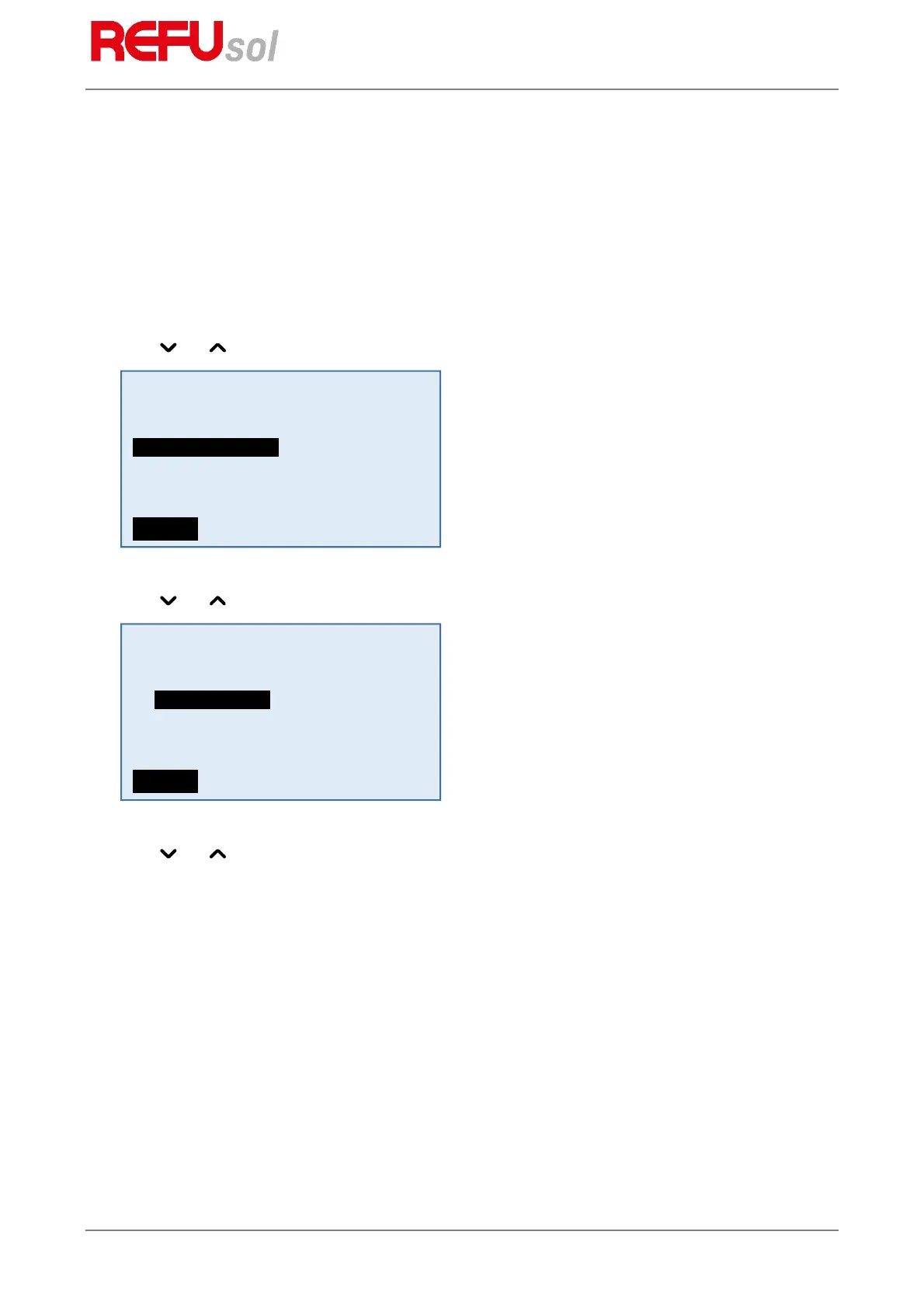
2. Use the and keys to select the fourth menu item “Configuration”.
3. Press
OK
to confirm.
4. Use the and keys to select the first menu item “Languages”.
5. Press
OK
to confirm.
6. Use the and keys to select the desired menu language.
7. Press
OK
to confirm.
The menu switches to the selected language. The display is initially empty.
8. Press
ESC
to return to the menu.
Pos: 60 /Inverter M anuals/Konf iguration/Re duzierung de r Ausgangs leistung/WR @ 1\m od_1405 076075015_64 1.docx @ 7119 @ 2 @ 1
6.2
Limitation of the Power Output
Proceed as follows in order to limit the power output of the inverter:
1. Using the
F1
key, select the menu item “Configuration” and confirm with the
OK
key.
2. Select the sub-menu “PAC Limit” and confirm with the
OK
key.
3. Enter the invert power output as percentage of the nominal power and confirm with the
OK
key.
The power limit is immediately applied.
Pos: 61 /Inverter M anuals/Fern überwachun g/Data Commun ications Ov erview/WR @ 2\mod_14740 37244081_64 1.docx @ 249 74 @ 2 @ 1
Actual values
Failure memory
Configuration
Device information
Menue
Country
Power
Languages
Limitation PAC
Communication
Date / Time
Menue


 To Next Page