16
Chapter 5
Using MerCruiser Basic Axius System- Joystick Control
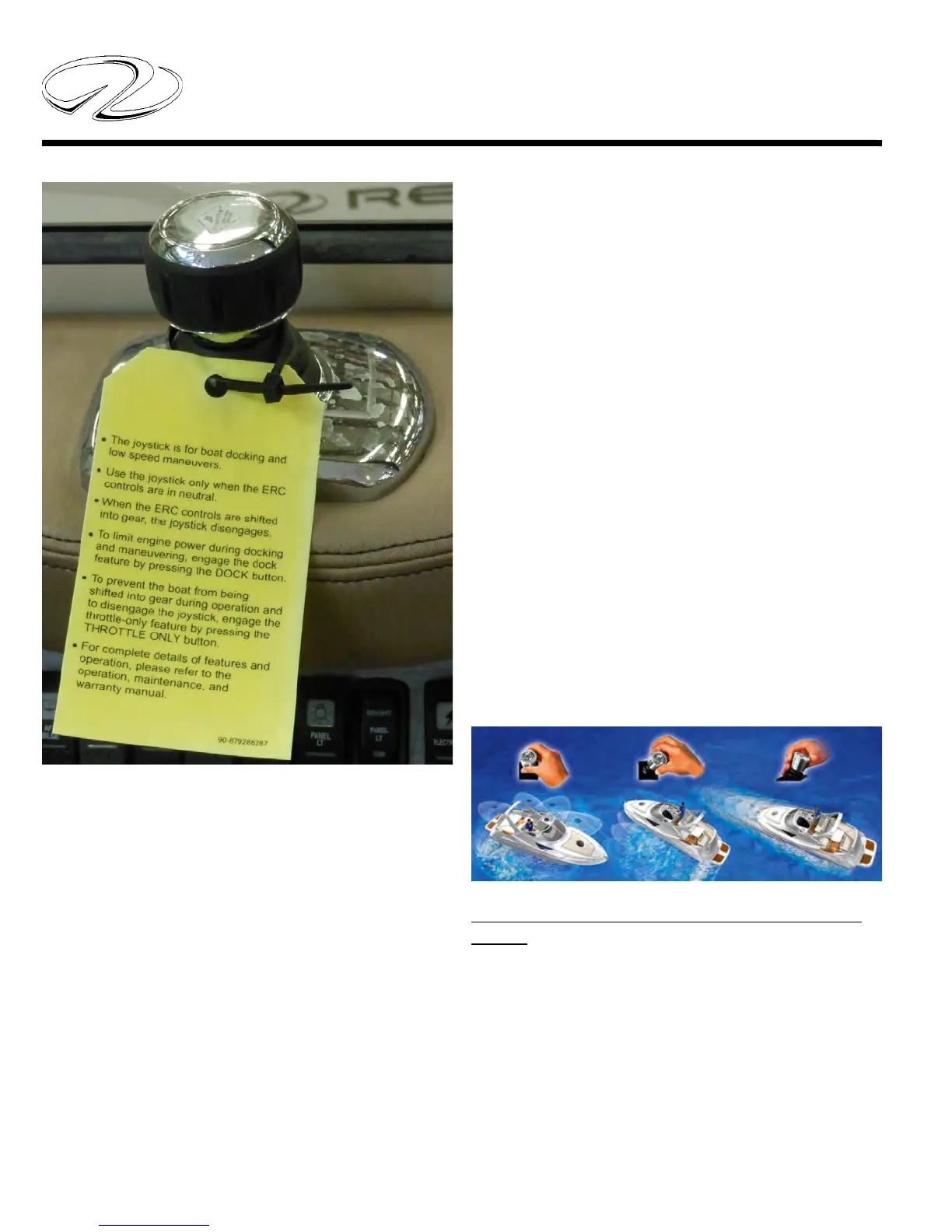
Read and understand the Axius joystick before attempt-
ing to use the component. Practice maneuvering in an
open area until you become acquainted with the device.
Pressure on the joystick control determines the speed of
the vessel. With the DTS remote control in neutral the
joystick can be activated.
It functions with 360 degree control of the vessel maneu-
vering forward and aft, diagonally, or side to side. Be sure
to read and understand the yellow tag above.
Simply twist the Axius joystick to turn the boat around.
Move the joystick to the right, left or at any angle to move
the boat exactly where you want it.
Move the joystick toward the bow or stern of the boat to
move directly forward or backward.
Note: With the Axius Premier system option additional
features are available such as auto pilot and auto head-
ing.
For more detailed functions read the engine operation
manual.
The Axius joystick system features your ability to control
low speed maneuvering power and location of the vessel
with your fi ngertips. Allows docking of your boat in a
safe and relaxed manor regardless of close quarters, cross
currents, or side winds.
Need to go to starboard? Push the joystick to the right.
Need to power fast to the port? Push the joystick further
to the left. The Axius system uses thrust proportional to
the amount of joystick movement- the more you push the
joystick in one direction the more thrust is applied. This
is especially useful in slow speed maneuvering/docking
situations.



 To Next Page