RENA XPS-80/90
User Guide
5-17
Unsatisfactory test print symptoms/possible causes:
• Entire image is fuzzy.
– Carriage height may be set too high.
• The test print reveals gaps – some print nozzles are clogged.
– Nozzles may be sprayed clear using the “head recovery”
feature.
– Manual cartridge cleaning may be necessary (XPS-80).
Clean the print nozzles as described in this section.
– The wipers may need to be serviced/cleaned (XPS-90).
• The test print does not start as expected at the paper edge.
– Was the media width set and “local locked”?
– Was the correct media width measured by the printer?
• The solid black line, printed at the beginning of the test print,
shows misalignments between cartridges.
– Calibrate the print units as described in this section.
Cleaning the print nozzles (XPS-80 only):
If fine white lines interrupt the print image, clogged nozzles could
be the cause. Use only micro fiber (lint free) cloths and distilled
water to clean the nozzles as described below:
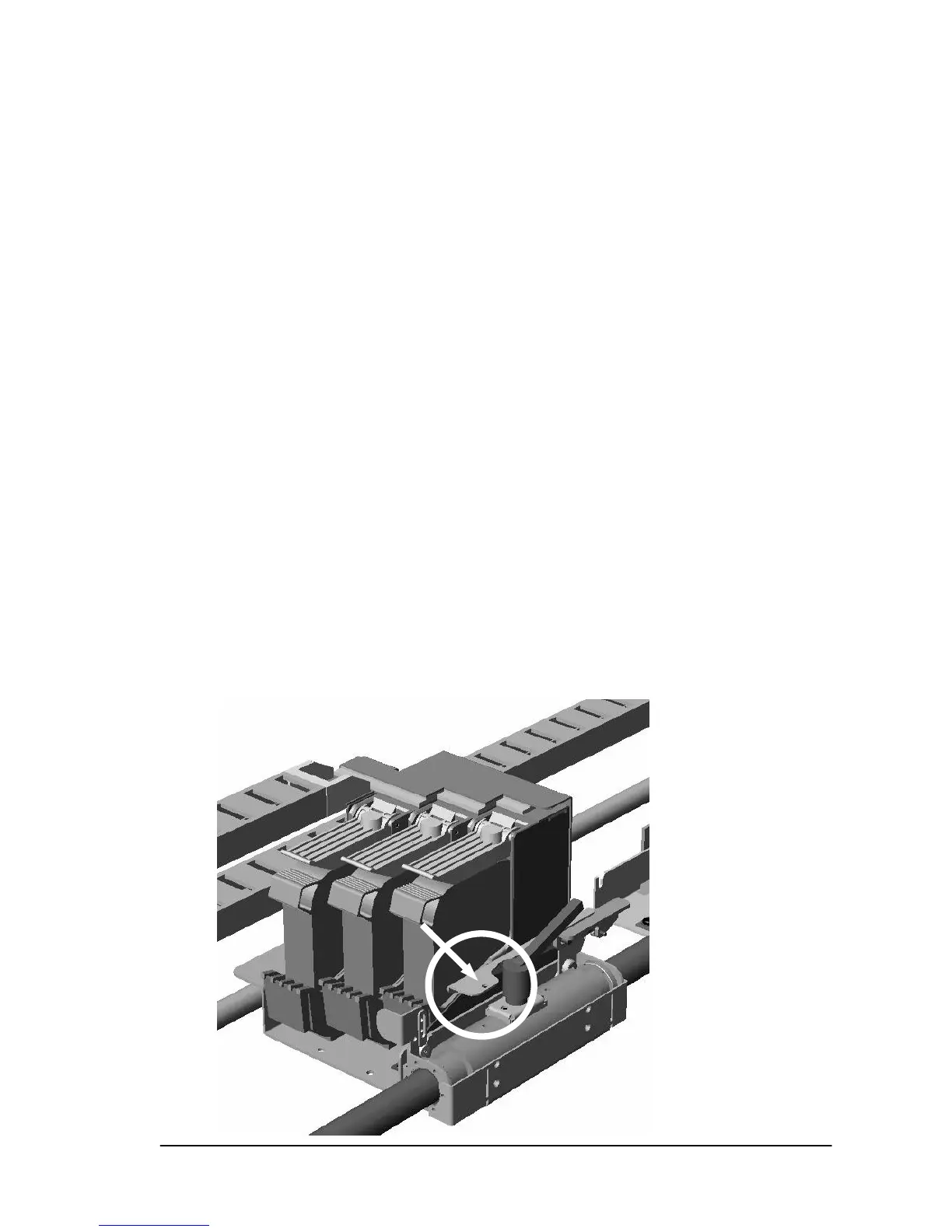
• Unlock the print unit by pushing down on the lever (L1).
L1



 To Next Page