RENA XPS-80/90
User Guide
5-42
Test print
When the print job has been designed to your satisfaction, you
may carry out a test print.
• Click on
in the lower button bar to start the test print.
Printing
When you enter the print command, by clicking on the printer icon
or by opening the “File” menu and selecting “Print”, the print dia-
log box appears. A number of printer-specific settings will now be
described (for more detailed information, consult the FlexMail
manual).
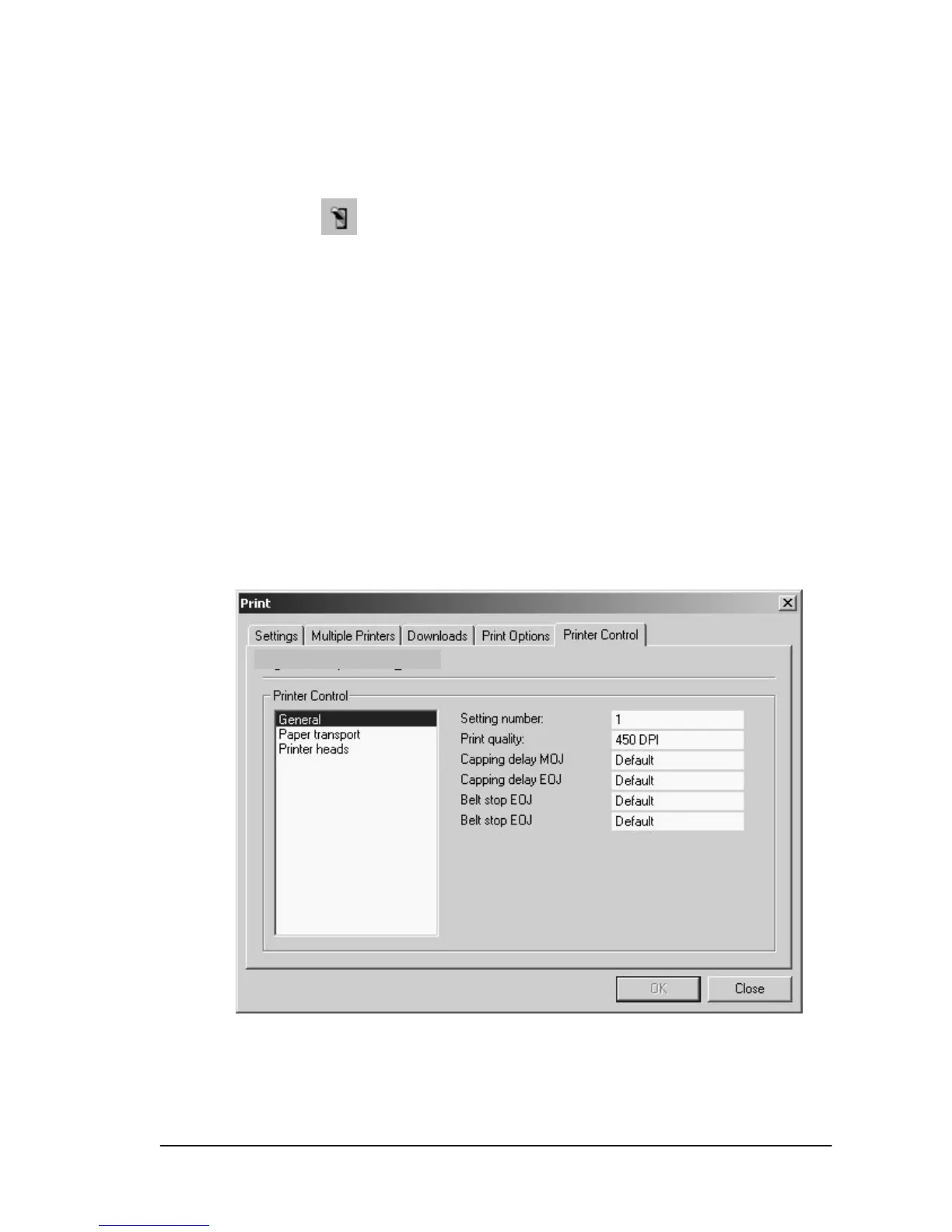
Printer Control
Under the tab labeled “Printer Control”, the printer configuration
and “Print quality:” may be set via the option labeled “General“.


 To Next Page