1.11
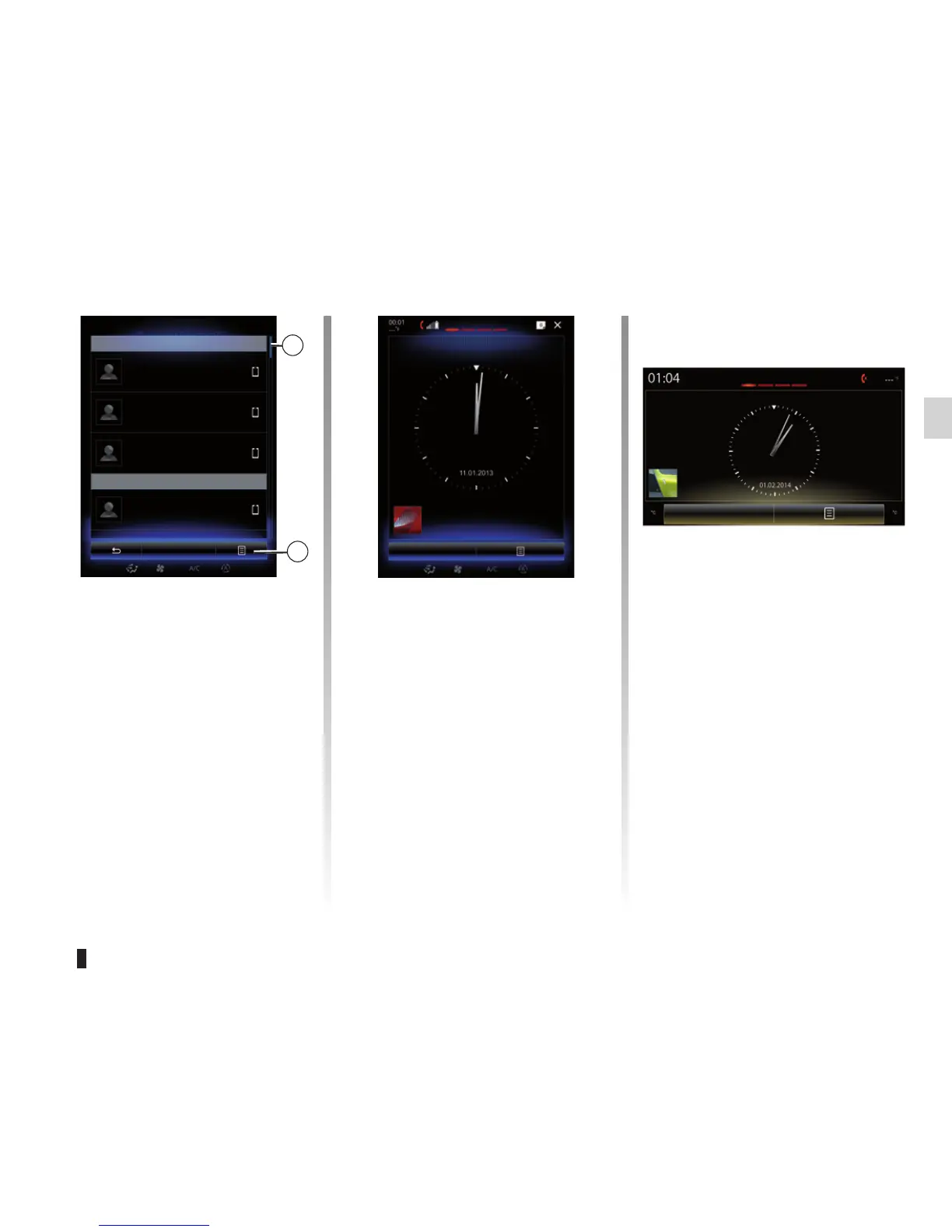
Scroll bar
The bar 9 shows the position of the
current screen in the page. Sweep
the touchscreen up or down to scroll
through the list and move around the
page.
Pop-up menu
Available from most system menus, the
pop-up menu 10 grants access to sub-
menus (delete favourites, change cur-
rent navigation itinerary, settings, etc.).
OPERATING PRINCIPLES (4/5)
Introduction to the home
pages
The home pages are the default
screens for your multimedia system.
Your multimedia system has four home
pages, three of which are customis-
able, including a number of widgets
leading to functions, such as naviga-
tion, radio, etc. These widgets grant
you direct access to the main screen for
the function or, in certain cases, enable
you to directly control them from one of
the main screens (change the radio sta-
tion, for example).
Menu
Phonebook
Search
C
Catherine
Daisy Wiston
10
Caroline Felini
D
Cody Hecquet
9
Camille
For a description of the home page,
please refer to the “General descrip-
tion” section.
Note: You can change the configura-
tion of the home page. Please refer to
the “Add, manage widgets” section for
further information.
Camille
Menu



 To Next Page