3.6
LISTENING TO THE RADIO (5/8)
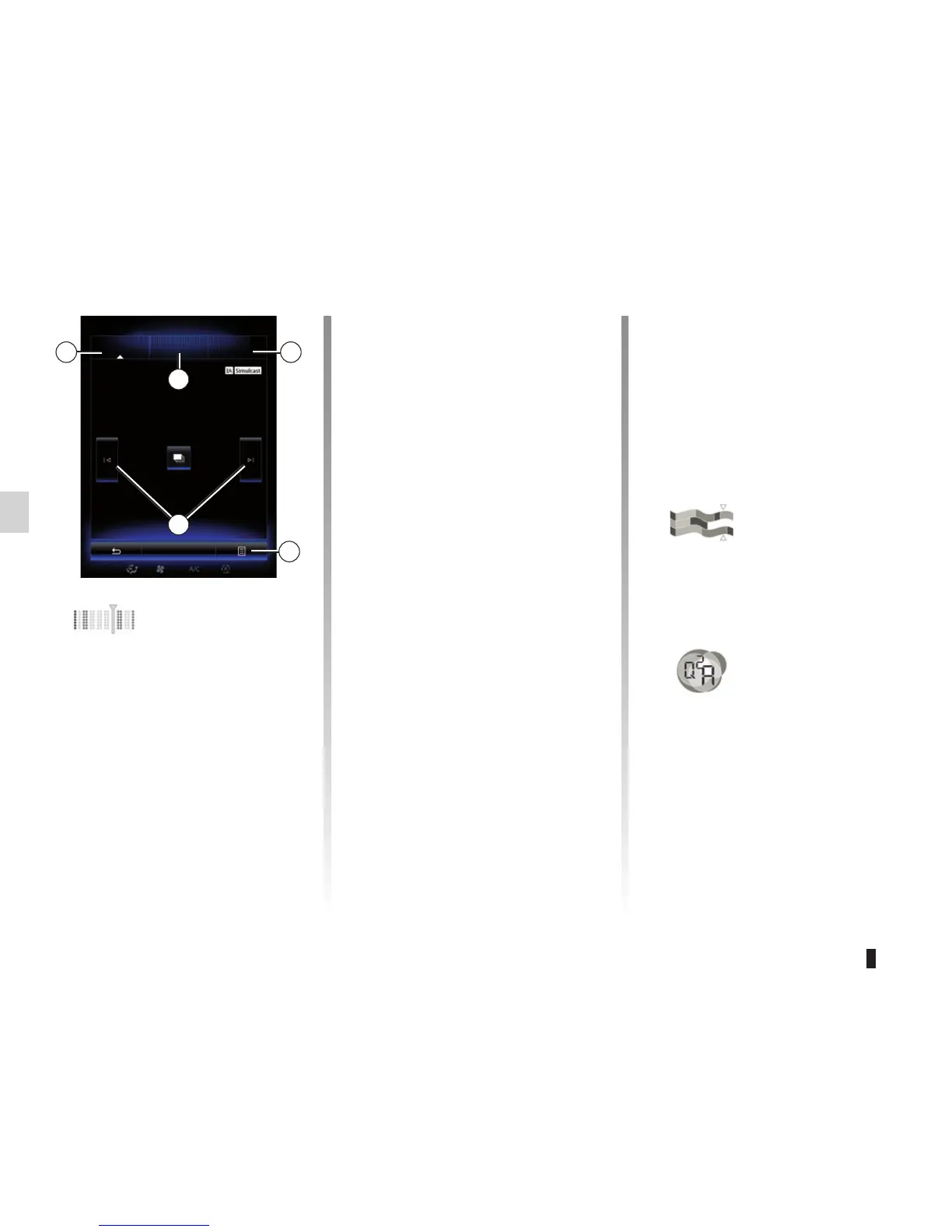
“Channels” mode
This mode allows the user to manually
search for station by scanning, press-
ing one of the buttons 14.
“Stations” and “Presets” mode
Please refer to information “Stations”
mode and “Presets” mode above.
Pop-up menu 13
Depending on the mode you are in, by
pressing 13 you can:
– access “Interactive”;
– “Change source” (Radio, USB, etc.);
– “Save as preset”;
– “Update list”;
– access “Settings” for DR mode.
– access “Sound settings”.
10
11
12
14
13
Channels Stations Presets
Band
DR
« DR »
(depending on the ve-
hicle)
Choosing a DR station
(digital radio)
There are different modes for choos-
ing a radio station. After choosing
DR, select the mode by pressing one
of the three available tabs:
– “Channels” mode 10;
– “Stations” mode 11;
– “Presets” mode 12.
“Interactive”
Press 13 then “Interactive” to:
– access “EPG”;
– access “Intellitext”;
– access to BWS;
– access “Graphic service”.
“EPG”
(EPG)
This menu is used to check DR pro-
gramme schedules.
“Intellitext”
Some digital radio stations broad-
cast text information relating to their
programmes (e.g.: song titles).
Note: This information is only avail-
able for certain DR stations.



 To Next Page