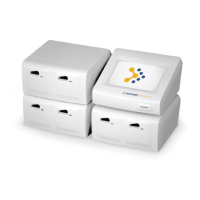
Operator’s Manual, RAMP
®
Reader i
Table of Contents
1.0 INTRODUCTION ......................................................................................................................... 1
1.1 Overview .................................................................................................................................. 1
1.2 Intended Use ............................................................................................................................ 1
1.3 RAMP
®
System Description ..................................................................................................... 1
1.4 How the RAMP
®
System Works ............................................................................................... 3
1.4.1 RAMP
®
Reader ................................................................................................................. 3
1.4.2 RAMP
®
Assay/Test Kit Components ................................................................................ 3
1.4.3 Accessories ....................................................................................................................... 3
1.5 Warnings and Precautions ....................................................................................................... 4
1.5.1 Symbols and Definitions ................................................................................................... 4
1.5.2 Summary of Warnings and Precautions ........................................................................... 5
1.6 Unpacking and Installation ....................................................................................................... 6
1.6.1 Unpacking ......................................................................................................................... 6
1.6.2 RAMP
®
Reader Contents .................................................................................................. 6
1.6.3 Optional Accessories Contents ......................................................................................... 6
1.6.4 Installation ......................................................................................................................... 6
1.6.5 Initial Start-up .................................................................................................................... 7
1.6.6 Optional Accessories ........................................................................................................ 7
2.0 RAMP
®
SYSTEM OPERATION ................................................................................................ 10
2.1 Keypad Function and Use ...................................................................................................... 10
2.2 RUN/OPTIONS Menu ............................................................................................................ 12
2.3 Using Lot Cards ..................................................................................................................... 12
2.4 Running an Assay .................................................................................................................. 14
2.4.1 Entering User ID ............................................................................................................. 14
2.4.2 Entering User P.I.N. – “User Lock-out” Mode (P.I.N. Enabled) ...................................... 15
2.4.3 Entering Sample ID ......................................................................................................... 15
2.4.4 Inserting a Cartridge ....................................................................................................... 16
2.5 Using the OPTIONS Menu ..................................................................................................... 19
2.5.1 Output Results ................................................................................................................ 19
2.5.2 View Results ................................................................................................................... 22
2.5.3 Run Internal Quality Control (IQC) .................................................................................. 24
2.5.4 Run Liquid Quality Control (LQC) ................................................................................... 25
2.5.5 System Settings .............................................................................................................. 25
2.5.6 Exiting OPTIONS Menu .................................................................................................. 25
2.6 Using the SYSTEM SETTINGS Menu ................................................................................... 26
2.6.1 Accessing the SYSTEM SETTINGS Menu..................................................................... 26
2.6.2 Set Master P.I.N. ............................................................................................................. 27
2.6.3 Setting the System Clock ................................................................................................ 27
2.6.4 Enable User ID/P.I.N....................................................................................................... 28
2.6.5 Edit User ID/P.I.N. ........................................................................................................... 28
2.6.6 Print Settings ................................................................................................................... 29
2.6.7 Transfer Users ................................................................................................................ 31
2.6.8 Erase Memory ................................................................................................................. 32
2.6.9 Set IQC Timer ................................................................................................................. 33
2.6.10 Set LQC Timer ................................................................................................................ 33
2.6.11 Reset LQC Timer ............................................................................................................ 34
2.6.12 Test Counters ................................................................................................................. 35
2.6.13 Connectivity .................................................................................................................... 35
2.6.14 Enable Sound ................................................................................................................. 35
2.6.15 Exit Menu ........................................................................................................................ 36



 To Next Page