Troubleshooting Guide
Operator’s Manual, RAMP
®
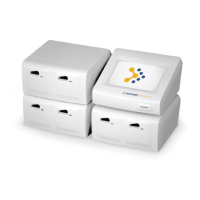
Reader 42
4.4 Test Run Messages
LCD Message Data Print Out
Message
Cause Action
CARTRIDGE ERROR!
CONSULT MANUAL
The lower line of the
message alternates
between “CONSULT
MANUAL” and
“REMOVE
CARTRIDGE”
CTG ERROR May be due to:
Cartridge not pushed completely to
the back of the insertion port of the
Reader.
Error may be due to a defect in the
Cartridge.
Cartridge is automatically
ejected.
Remove Cartridge.
Please contact Response
Biomedical Technical
Support and report the
problem.
‡
Repeat Test with a
fresh set of
components.
HIGH BACKGROUND
SEE PACKAGE
INSERT
The lower line of the
message alternates
between “SEE
PACKAGE INSERT”
and “REMOVE
CARTRIDGE”.
HRB May be due to:
Interfering substances in sample.
Cartridge is automatically
ejected.
Remove Cartridge.
Operator should refer to
the Test Kit Instructions
for Use for further
instructions.
‡
Repeat Test with a
fresh set of
components.
LOW SIGNAL
CONSULT MANUAL
The lower line of the
message alternates
between “CONSULT
MANUAL” and
“REMOVE
CARTRIDGE”.
LOW SIGNAL May be due to:
Insufficient sample being
transferred to Cartridge.
Insufficient mixing of sample.
Cartridge is automatically
ejected while alarm
message is displayed.
Remove Cartridge.
Operator should refer to
the Test Kit Instructions
for Use for further
instructions.
‡
Repeat Test with a
fresh set of
components.


 To Next Page