Operator’s Manual, RAMP
®
3.1 Overview
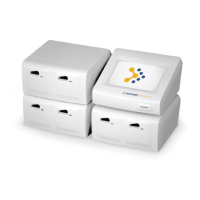
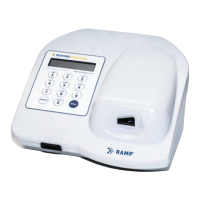
The Reade
r does not require routine maintenance other than occasional cleaning
surfaces.
CAUTION!
The instrument contains no operator
the custom-
built battery pack must only be performed by authorized service t
3.2 Cleaning and
WARNING!
Unplug and power off the Reader before cleaning.
WARNING!
Do not immerse the Reader in water.
To clean and decontaminate the Reader, wipe down the exterior surfaces of the Reader using a soft
cloth
containing a solution of 0.5% bleach, 70% isopropyl alcohol, 70% ethanol, or a non
disinfectant (containing not more than 0.5% bleach). Do not spray the Reader with disinfectant or
attempt to clean any internal parts or surfaces.
Cartridge into the Reader.
If the Reader should require
instructions prio
r to repackaging and shipping.
WEEE (Waste Electrical and Electronic Equipment)
Do
not dispose of this product in municipal waste. Please contact Response Biomedical
Technical Support to arrange disposal and recycling.
3.3 Battery Care
The service life of the internal custom battery pack depends on the amount of time the Reader is run
on the battery.
To maximize battery performance, the Reader should always be recharged (optimally for 24 hours)
when the Low Battery indicator first appears. The Reader may be operated with the AC Adapter
during battery recharging. The user may choose to
discharge.
While this can be done, it will reduce the service life of the battery and will temporarily
reduce battery capacity.
3.0 MAINTENANCE
r does not require routine maintenance other than occasional cleaning
The instrument contains no operator
-
serviceable components. Replacement of
built battery pack must only be performed by authorized service t
Unplug and power off the Reader before cleaning.
Do not immerse the Reader in water.
To clean and decontaminate the Reader, wipe down the exterior surfaces of the Reader using a soft
containing a solution of 0.5% bleach, 70% isopropyl alcohol, 70% ethanol, or a non
disinfectant (containing not more than 0.5% bleach). Do not spray the Reader with disinfectant or
attempt to clean any internal parts or surfaces.
Any spills shoul
d be cleaned away before inserting a
or replacement, it must be decontaminated
r to repackaging and shipping.
WEEE (Waste Electrical and Electronic Equipment)
not dispose of this product in municipal waste. Please contact Response Biomedical
Technical Support to arrange disposal and recycling.
The service life of the internal custom battery pack depends on the amount of time the Reader is run
To maximize battery performance, the Reader should always be recharged (optimally for 24 hours)
when the Low Battery indicator first appears. The Reader may be operated with the AC Adapter
during battery recharging. The user may choose to
recharge the battery before reaching full
While this can be done, it will reduce the service life of the battery and will temporarily
37
serviceable components. Replacement of
built battery pack must only be performed by authorized service t
echnicians.
To clean and decontaminate the Reader, wipe down the exterior surfaces of the Reader using a soft
containing a solution of 0.5% bleach, 70% isopropyl alcohol, 70% ethanol, or a non
-organic
disinfectant (containing not more than 0.5% bleach). Do not spray the Reader with disinfectant or
d be cleaned away before inserting a
not dispose of this product in municipal waste. Please contact Response Biomedical
The service life of the internal custom battery pack depends on the amount of time the Reader is run
To maximize battery performance, the Reader should always be recharged (optimally for 24 hours)
when the Low Battery indicator first appears. The Reader may be operated with the AC Adapter
recharge the battery before reaching full
While this can be done, it will reduce the service life of the battery and will temporarily


 To Next Page