EasyManua.ls Logo

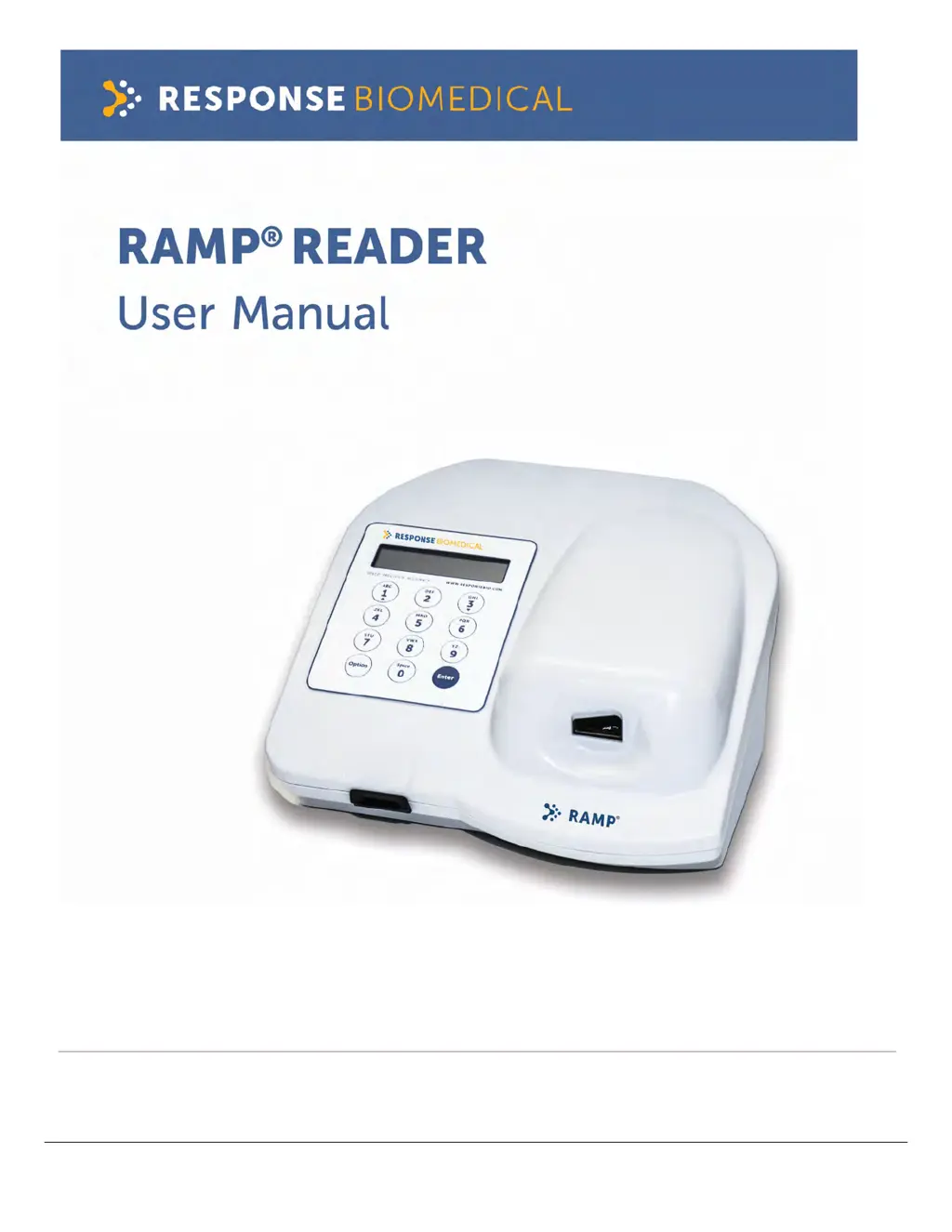
Response Biomedical RAMP READER - User Manual

Response Biomedical RAMP READER
54 pages
Print Icon
To Next Page IconTo Next Page
Loading...
WWW.RESPONSEBIO.COM | SPEED. PRECISION. ACCURACY.
24-HOUR TECHNICAL SUPPORT
Tel: 1-866-525-7267 (toll free) Tel: 1-604-219-
6119 (int’l)
Email:
techsupport@responsebio.com
RESPONSE CORPORATE OFFICE
Tel: 1-888-591-5577 (toll free) Tel: 1-604-456-
6010 (int’l)
Email:
customersupport@responsebio.com
C1100-1.5
OCTOBER 2019

Table of Contents

Questions and Answers

Summary

1.0 Introduction

1.1 Overview

The RAMP® System is a rapid, quantitative immunochromatographic system for performing in vitro diagnostic analyses.

1.2 Intended Use

The RAMP® Reader is a general use fluorometer that analyzes results produced by immunoassays manufactured by Response Biomedical Corp.

1.3 RAMP System Description

Explains how the RAMP® System utilizes disposable test cartridges with immunochromatographic strips for analysis.

1.4 How the RAMP System Works

Details the RAMP® Reader's function, assay/test kit components, and available accessories like printers and barcode wands.

1.5 Warnings and Precautions

Covers symbols, definitions, and a summary of critical warnings and precautions for safe operation.

1.6 Unpacking and Installation

Provides instructions for unpacking the Reader, its contents, optional accessories, and initial installation steps.

2.0 RAMP System Operation

2.1 Keypad Function and Use

Explains the function and usage of the RAMP® Reader's alphanumeric and function keys for user interaction.

2.2 RUN;OPTIONS Menu

Describes the initial RUN/OPTIONS Menu and the actions available upon powering on the Reader.

2.3 Using Lot Cards

Instructions on how to insert Lot Cards to load lot-specific data and expiration information into the Reader.

2.4 Running an Assay

Comprehensive guide on performing an assay, including entering User ID, Sample ID, and inserting the cartridge.

2.5 Using the OPTIONS Menu

Outlines functions available through the OPTIONS Menu, such as outputting results, viewing results, and running QC tests.

2.6 Using the SYSTEM SETTINGS Menu

Details how to access and utilize various system settings for configuration and management.

3.0 MAINTENANCE

3.1 Overview

General overview of Reader maintenance, primarily focusing on external cleaning procedures.

3.2 Cleaning and Decontamination

Step-by-step instructions for cleaning and decontaminating the RAMP® Reader's exterior surfaces safely.

3.3 Battery Care

Guidelines for maximizing battery performance, proper recharging, and service life.

4.0 TROUBLESHOOTING GUIDE

4.1 Power-On Self-Test Messages; IQC Messages

Lists common messages during self-tests or IQC, their causes, and recommended actions.

4.2 Lot Card; Barcode Messages

Troubleshooting messages related to Lot Card reading, barcode errors, and expired cartridges.

4.3 Transport Messages

Addresses mechanical and transport mechanism errors encountered during assay scanning.

4.4 Test Run Messages

Information on error messages that appear during the actual assay run process.

4.5 General Messages

Covers miscellaneous general error messages and their corresponding solutions.

5.0 READER SPECIFICATIONS

APPENDIX A: Connecting the RAMP Reader to Accessories

Printer; Computer Connections

Instructions for connecting the Reader to printers or computers via the RS-232 serial port for data transfer.

Reader-to-Reader Connections

Details on linking two Readers for transferring User IDs and P.I.N.s using a specific cable.

Barcode Wand Connections

Guidance on connecting an optional Barcode Wand accessory to the Reader for data input.

APPENDIX B: User Agreement and Warranty

Return Policy

Outlines the policy and conditions for returning purchased RAMP® products.

Receipt of Delivery

Purchaser's responsibility to inspect delivered items for damage or discrepancies upon receipt.

Exchange Policy

Details the procedures and terms for exchanging RAMP® items under warranty or due to errors.

Warranty

Specifies the limited warranty terms and conditions for the RAMP® Reader and its accessories.

Exclusions

Lists the conditions and circumstances that are excluded from RAMP® warranty coverage.

Liability Limitations

Defines the extent of Response Biomedical's liability for damages arising from RAMP® usage.

Recall Policy

Explains Response's process for product recalls and the purchaser's responsibilities.

End User License Agreement

Sets forth the limited license terms for using the RAMP® Reader Software.

Software Updates

Information regarding the availability and terms of software updates for the RAMP® System.

Feedback

Policy on how users can provide feedback, suggestions, or report issues to Response.

Governing Law

Specifies the governing laws and jurisdiction applicable to the user agreement.

APPENDIX C: Contact Information

Response Biomedical Customer Service

Contact details and phone numbers for general customer service inquiries.

Response 24-hour technical support

Provides contact information for technical support assistance for the RAMP® System.

Response Biomedical Corporation

Mailing address and website for Response Biomedical Corporation.

European Authorized Representative

Contact information for the authorized representative in Europe.

Response Biomedical RAMP READER Specifications

General IconGeneral
CategoryLaboratory Equipment
Assay TypeImmunoassay
Detection MethodFluorescence
Sample TypeWhole blood, plasma, or serum
Power Requirements100-240 V AC, 50-60 Hz
Operating Temperature15-30°C
Humidity Range20-80% non-condensing
Time to ResultApproximately 15 minutes