Troubleshooting Guide
Operator’s Manual, RAMP
®
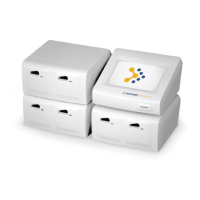
Reader 39
LCD Message Cause Action
RUN TEST: <Enter>
*** LOW BATTERY! ***
(Message accompanied by
intermittent “chirp”.)
During Power-On Self-Test,
IQC, RUN/OPTIONS or RUN
LQC/EXIT prompt, Reader
detects low battery voltage. 1
to 2 tests remain before Reader
will cease operation due to a
fully discharged battery.
Plug in AC Adapter/Charger.
NOTE: 24 hours of continuous
charging is required to
completely charge battery.
Tests may be run during
charging.
*OPTICS FAULT!
CONSULT MANUAL
The lower line of the message
alternates between “CONSULT
MANUAL” and “PRESS KEY
TO PROCEED”.
*Critical Failure – see note
An optics failure was detected
during Power-On Self-Test or
IQC.
Press any key to return to the
RUN/OPTIONS or
RUN LQC/EXIT prompt.
Contact Technical Support.
*READER CALIBR FAULT!
CONSULT MANUAL
*Critical Failure – see note
A “checksum” mismatch was
detected in Reader calibration
data during Power-On Self-Test
or IQC.
Contact Technical Support for
re-calibration servicing.
REMOVE CARTRIDGE! A Test Cartridge is detected in
the Reader during the Power-
On Self-Test or IQC.
Remove Test Cartridge. Reader
displays the RUN/OPTIONS
Menu. If no Cartridge is
present, this error may be
caused by a bright light shining
on the Reader. Shade Reader
to see if this corrects the error.
REMOVE LOT CARD! A Lot Card is detected during
Power-On Self-Test or IQC.
Remove Lot Card. Reader
displays RUN/OPTIONS Menu.
SERVICE REQUIRED
PRESS KEY TO PROCEED
Critical Failure was detected
during Power-On Self-Test or
IQC. Access to running
samples and LQC is blocked.
Press any key to return to the
RUN/OPTIONS or
RUN LQC/EXIT prompt.
Contact Technical Support.
Results in memory can still be
viewed, printed or downloaded.
*Critical Failure – detected during Power-On Self-Test or IQC. Leads to “SERVICE REQUIRED”
message, and access to running test samples and LQC is blocked. The results in memory can still
be viewed, printed or downloaded.


 To Next Page