Introduction
Operator’s Manual, RAMP
®
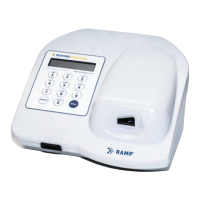
Reader 2
Instructions for Uses for more details. The use of the RAMP
®
Ratio significantly reduces variation
due to sample, operator and membrane differences.
The assay result is displayed on the Reader’s LCD (liquid crystal display) following test development.
The result is stored and can be printed, uploaded to a PC, or deleted.
Lot specific information for each Kit lot is entered using a pre-programmed Lot Card, included with
each Kit. Prior to running assays from a new Kit, the Lot Card is inserted into a slot on the front of the
Reader just below the keypad. The Reader automatically uploads information, including the lot
number, expiration (Use-by) date, and lot-specific parameters for that Kit.
The Reader scans the barcode graphic on the bottom of the Cartridge. This allows the Reader to use
the barcode information to select the lot-specific data stored in the non-volatile memory of the
instrument.
Built-in Internal Quality Control (IQC) performs an automated test of all Reader analytical systems at
start-up and on a scheduled or operator-determined basis to provide a record of proper Reader
functionality.


 To Next Page