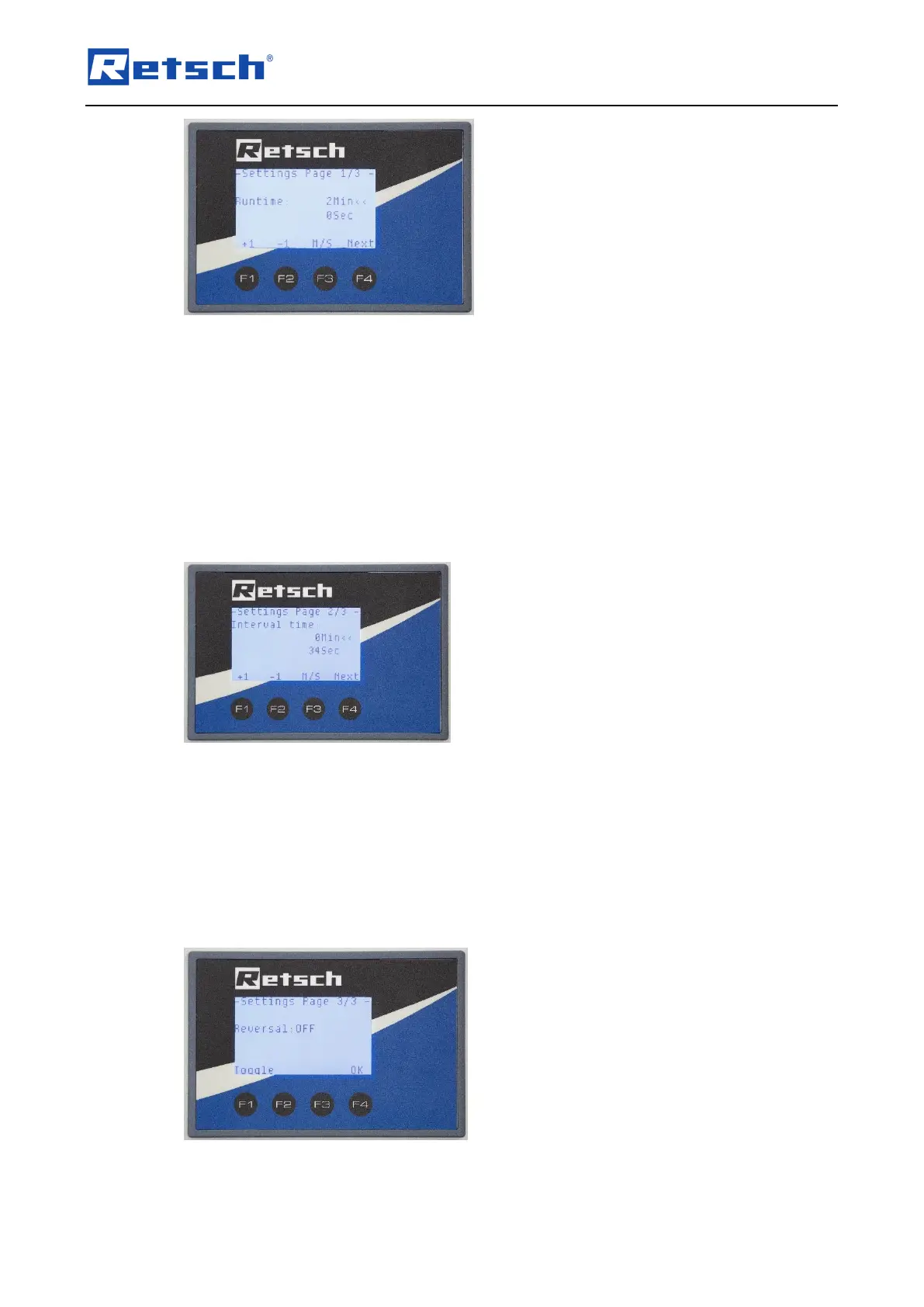
Fig. 26: Options menu 1/3
Settings menu 1/3
Runtime (desired runtime)
F1: Increase runtime
F2: Decrease runtime
F3: Options menu in minutes or seconds
F4: Next window
After setting the desired grinding time (maximum of 59 minutes and 59 seconds), press button
F4 to go to the next options menu.
Fig. 27: Options menu 2/3
Interval time
F1: Interval time / increase interval time
F2: Interval time / reduce interval time
F3: Select minutes / seconds
F4: Next
Pressing button F4 takes you to the last options menu.
Fig. 28: Options men 3/3 (reversal: OFF)
Using button F1 here enables you to switch the direction reversal on / off.



 To Next Page