2020 rf IDEAS Inc rfIDEAS Configuration Utility User Manual P a g e 30
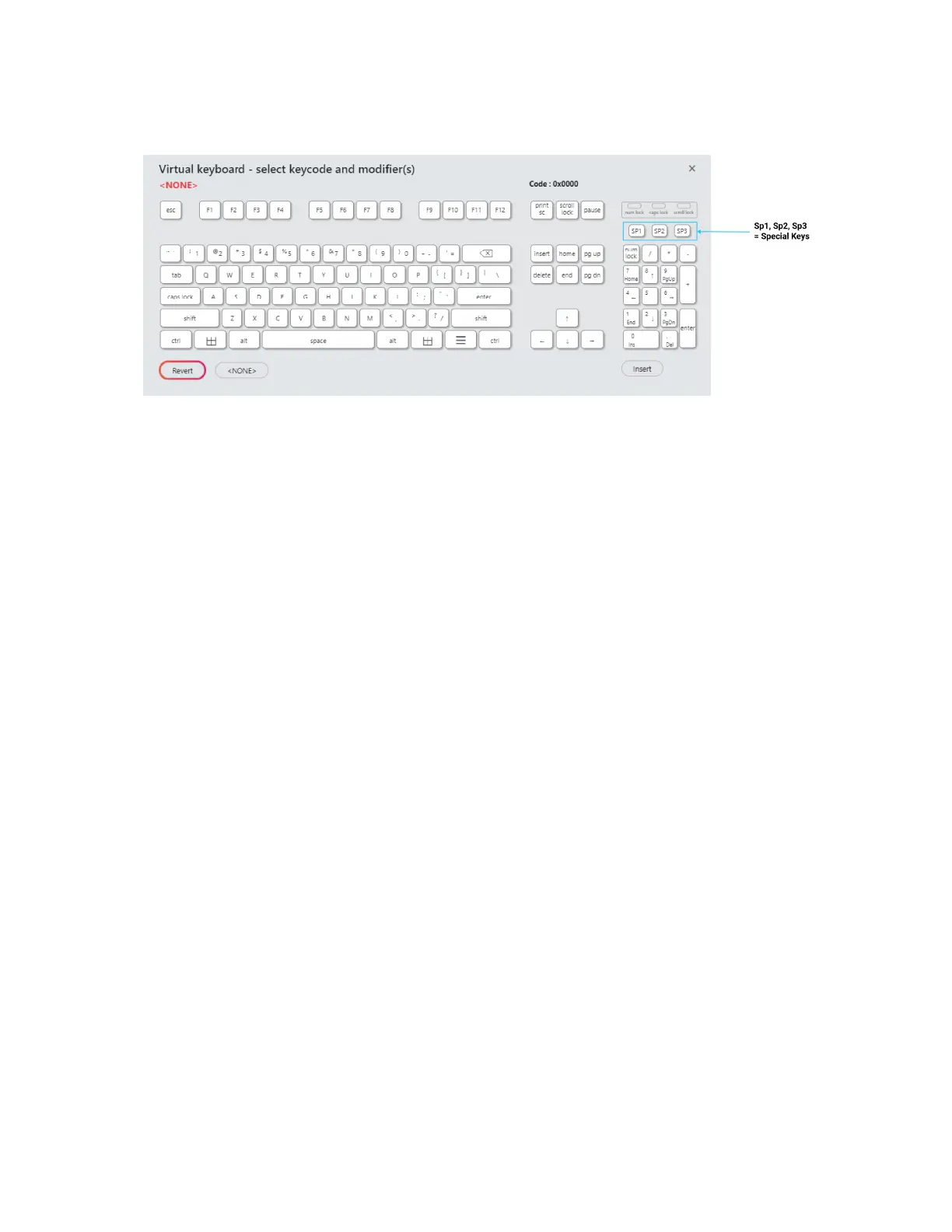
Image 34: Delimiter Keyboard
The Delimiter Keyboard is used to select user defined delimiters keys Once opened users
can:
Left Click: Selects desired delimiter key
Revert: Takes user back to previously inserted delimiter choice
None: Deletes any selectedinserted delimiter
Insert: Applies selected delimiter to be used
Special Keys Sp1 Sp2 and Sp3
There are some additional measures that can be taken to make it more difficult for
unauthorized users to reproduce passwords such as by adding additional keystroke
characters to the card information that is difficult to reproduce while configuring the data
These additional characters are labelled Sp1 Sp2 and Sp3 on the delimiters Virtual
Keyboard The Sp1 Sp2 and Sp3 keys are used only for keystroking environments to send
unprintable characters to a specified application
Extended Tab
The Extended feature gives the user the ability to break the raw card data into multiple fields
create pre and post delimiters for each field and perform data conversion on the raw data in
each field The user can create up to 31 delimiters depending on the number of enabled fields
and the number of delimiters per field Please note that only one mode can be enabled at a
time out of Data Format Extended



 To Next Page