Operation
CGS-240 Manual 6/15/2021
Page 33 of 148
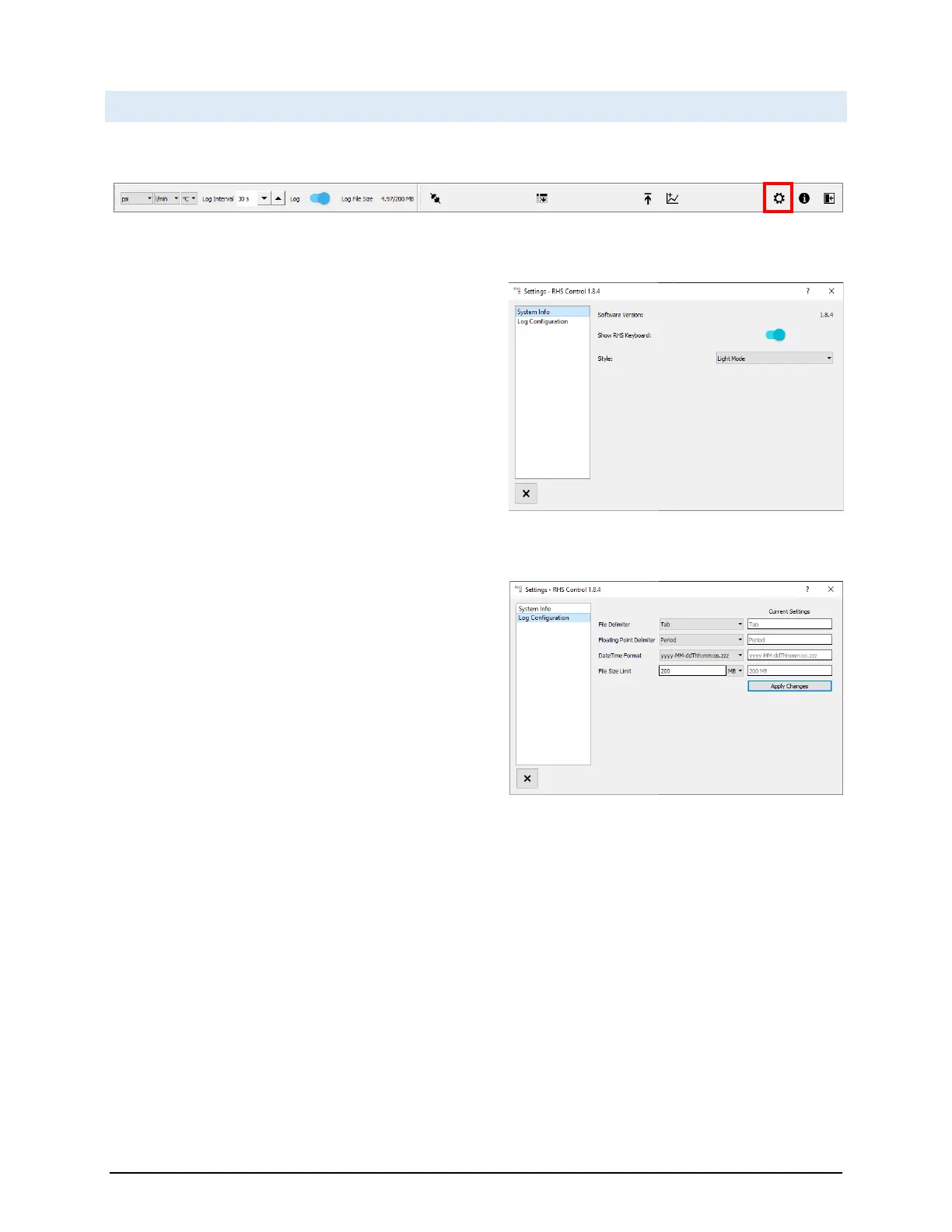
4.9 SYSTEM SETTINGS
The Settings button provides access to the Settings Window.
System Info allows for selection/deselection of the on-
screen keyboard. It also allows for a light and dark mode
theme (light mode is shown throughout this manual).
Log Configuration allows for changes to the log file data
formatting options. It also allows setting the maximum log
file size. Once the size is reached, the file will close and a
new log file will automatically be generated.


 To Next Page