Calibration
CGS-240 Manual 6/15/2021
Page 47 of 148
Vent
Valve
5.2.1 TEMPERATURE PROBE REMOVAL
1) Power down the CGS-240:
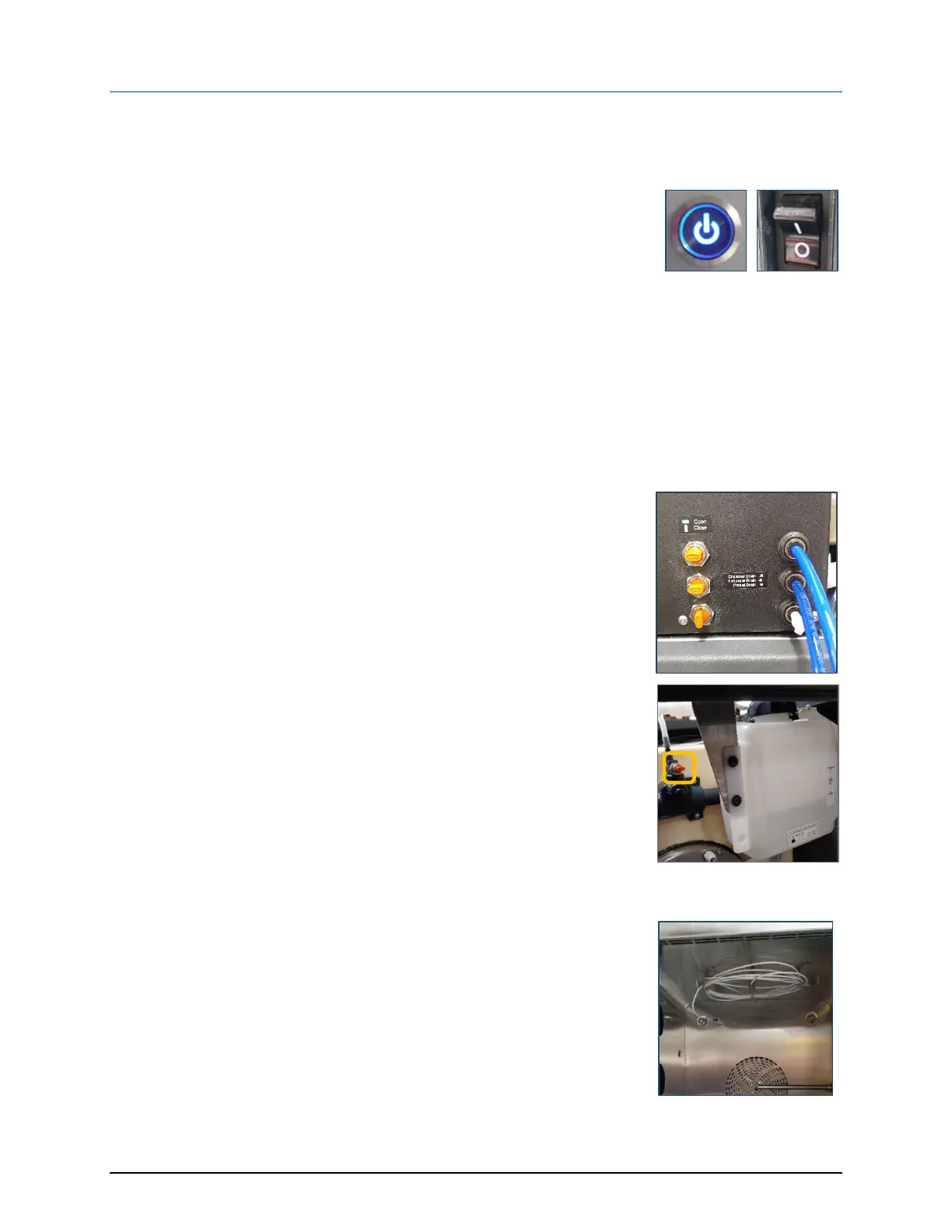
a. Press the front panel power button and wait for the unit to
complete shutdown.
b. Switch the main power Off.
2) Remove the back, top, and right-side panels.
Tools are not required for the removal of any access panels.
As they are retained by a spring clip, a light pull is all that is necessary.
3) Before removing the temperature probes, drain one gallon of the
water/glycol mixture:
a. Remove the white drain plugs and connect tubing to the Chamber
and Saturator Drain Ports.
b. Open the Vent Valve.
c. Open the Chamber and Saturator drain valves
d. Collect one (1) gallon of the fluid into a clean container to retain
for later use during reinstallation of the probes.
e. Close the Chamber and Saturator drain valves.
4) Open the chamber door to access the Chamber temperature probe
[Tc].


 To Next Page