Original Orientation and Scan Area
39
3
Original Orientation and Scan Area
To correctly display the top/bottom
orientation of a scanned original on a
client computer, original orientation
and page flow must be set when plac-
ing the original.
When using the e-mail function, the
Scan to Folder function, the Docu-
ment Server function, and the net-
work delivery scanner function,
settings are made on the control panel
of the machine. When using the ma-
chine as a network TWAIN scanner,
settings are made with the TWAIN
driver.
Note
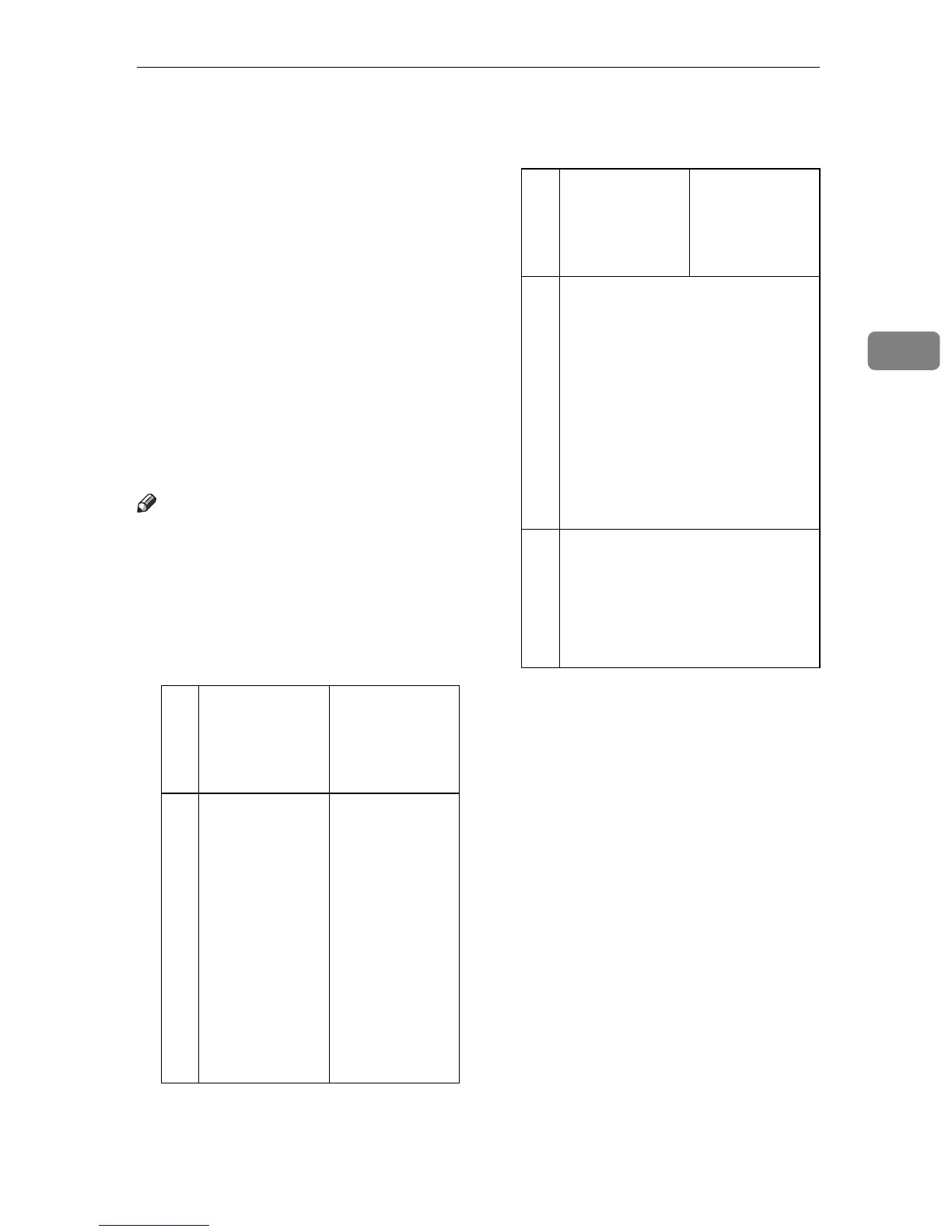
r The difference between scanning
with the TWAIN scanner function
and the e-mail function, the Scan to
Folder function, the Document
Server function, or the network de-
livery scanner function is shown in
the following table:
TWAIN Scan-
ner
E-mail/Scan to
Folder/Docu-
ment Server/
Network Deliv-
ery Scanner
Auto Detect Non-Mixed Original Sizes
A whole batch
of originals is
scanned using
the size of the
first original.
Auto detection
is used to deter-
mine the size of
each original
placed on the
exposure glass.
A whole batch
of originals set
in the ADF will
be scanned by
the maximum
size original.
Auto Detect Mixed Original Sizes
Auto detection is used to deter-
mine the size of each original.
Size Specification
When an original is smaller than
the specified size, a blank space ap-
pears in the resulting image.
TWAIN Scan-
ner
E-mail/Scan to
Folder/Docu-
ment Server/
Network Deliv-
ery Scanner



 To Next Page