Connecting to a Local Printer
27
2
E
EE
E
Attach the card slot cover that
comes with this machine.
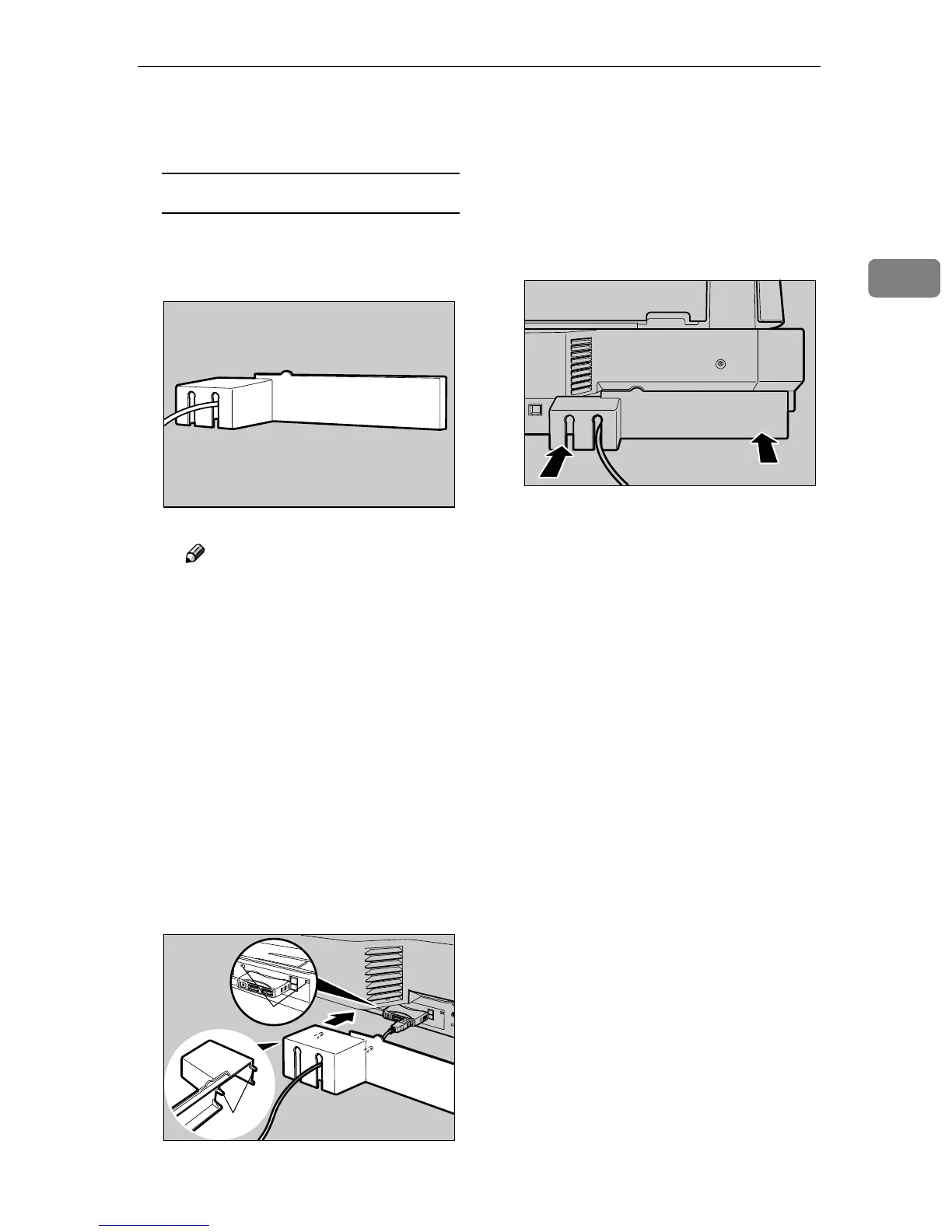
To attach the card slot cover
A Reeve the USB cable through
one of the slits of the card slot
cover.
Note
❒ When you connect two print-
ers to this machine, reeve one
of the USB cables through a
slit, and the other USB cable
through the other slit.
❒ This step is not necessary
when you use an optional
wireless LAN card instead of
the USB interface card.
B Align the two prongs of the
card slot cover with the two
prong holes located at the up-
per left and right of the PC card
slot.
1. Prong holes
2. Prongs
C Insert the prongs to the prong
holes, and then push both
sides of the card slot cover un-
til it is secured to the rear panel
of this machine.
ADG008S
ADG009S
2
1
ADG010S


 To Next Page