EasyManua.ls Logo

Ricoh IS300e - Page 53

Ricoh IS300e
224 pages
Print Icon
To Next Page IconTo Next Page
To Previous Page IconTo Previous Page
Loading...
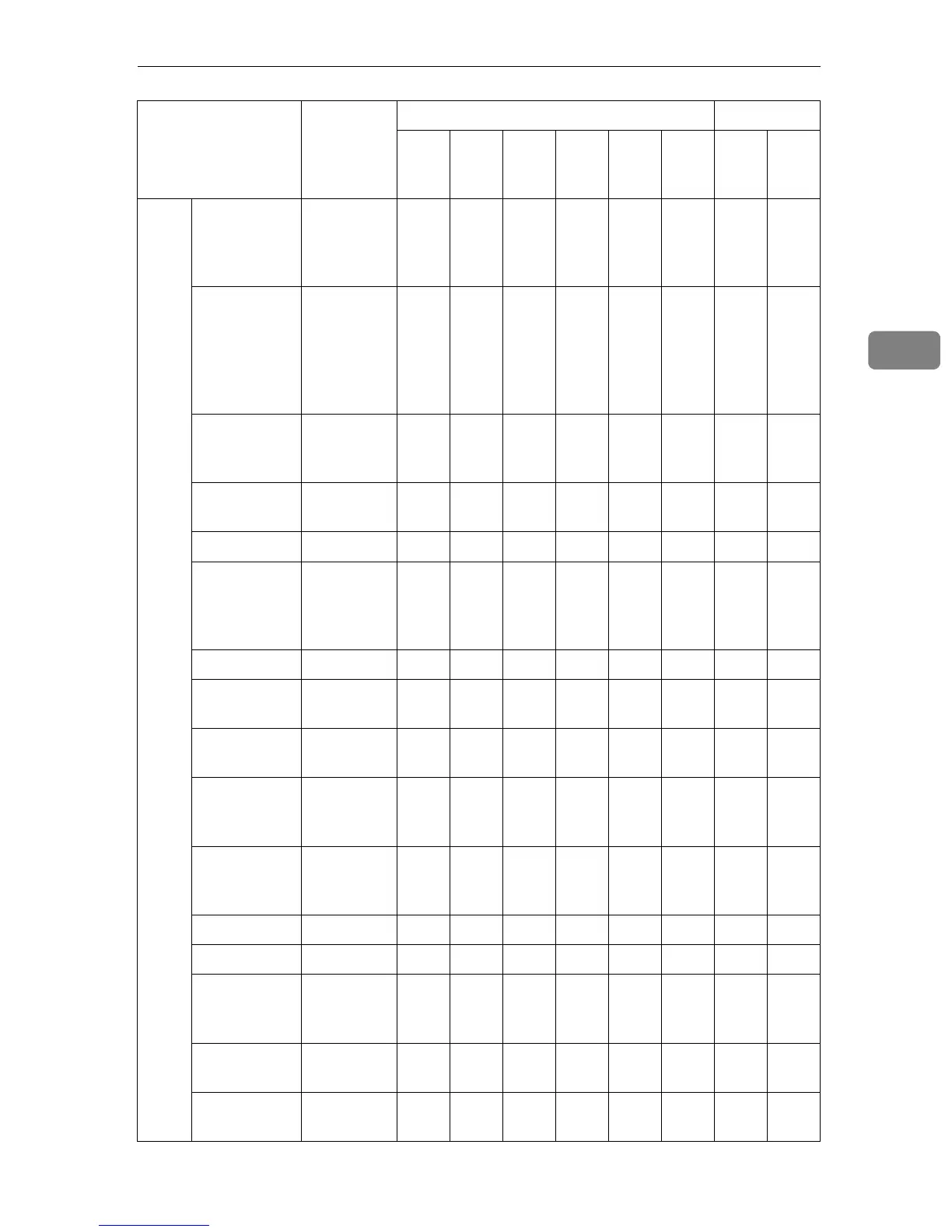
Initial Scanner Setup
45
3
Scan-
ner
Compres-
sion (Gray
Scale/Full
Colour)
Normal
Compres-
sion
bbbb bb
Function
Options
(Web Status
Monitor), Se-
lect Method
(Scanner)
Send
File/TWAI
N
bbbbbbbb
Auto Update
Destination
List
Off bbbbb bb
Unit of
Measure
mm bbbbb bb
sRGB Off bbbb bb
End of Scan
Option
Clear Set-
tings after
Each Scan
Job
bbbb bb
Border Erase 0mm bbbb bb
Language
Select
English bbbbbbbb
ADF Thin
Paper
Off bbbb bb
Job Delivery
Data Max.
Setting
On (1MB) b
×
*7
Wait Time
for Addition-
al Scanning
3 second(s) bbbb × b
Select Title Alphabets bbbb × b
Time Zone GMT b × b
Scanned
Sheet Coun-
ter
(Display
only)
×
Scanned
Page Counter
(Display
only)
×
ADF Pad
Counter
(Display
only)
×
Setup Item
Factory
Default
Value
Purpose Method
Deliv-
ery
Server
Mail SMB FTP Print
TW
AIN
Scan
ner
Web

Table of Contents