Configuring the Scanner Settings
68
3
B
BB
B
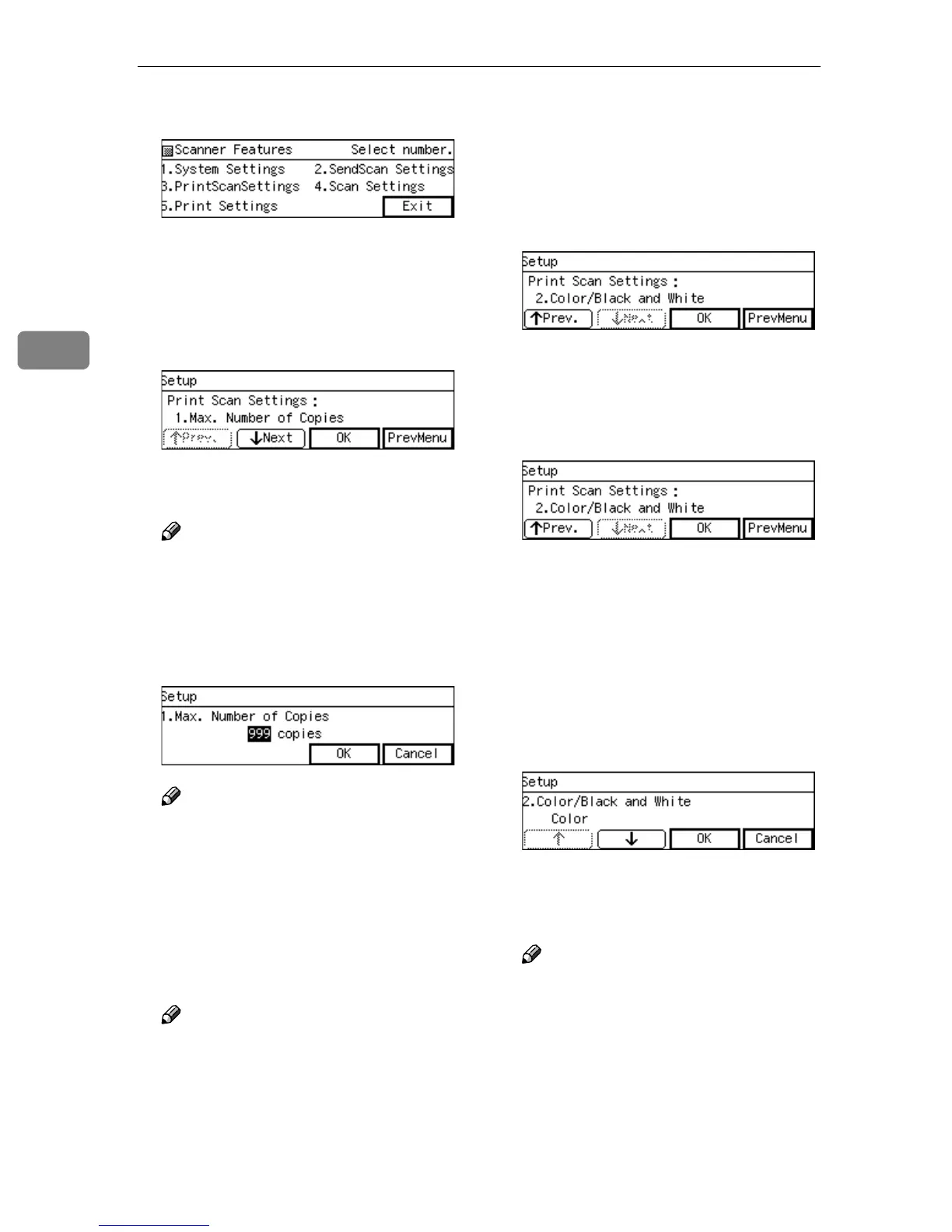
Press the {
{{
{3}
}}
} key.
The Print Scan Settings menu is
displayed, and "1. Max. Number of
Copies " appears as the setup item
currently selected.
C
CC
C
Press [OK].
The setting screen for "1. Max.
Number of Copies " appears.
Note
❒ Pressing [PrevMenu] returns to
the parent menu screen.
D
DD
D
Input maximum number of cop-
ies you want to set using the
number keys.
Note
❒ To correct the number, press
{
{{
{Clear/Stop}
}}
} key to clear the
number you have entered.
E
EE
E
Press [OK].
This saves the setting you have
made, and returns to the Print Scan
Settings menu.
Note
❒ Pressing [Cancel] discards the
entered value, and returns to
the previous screen.
F
FF
F
Press [Next].
"2. Colour/Black and White " ap-
pears as the setup item currently
selected.
G
GG
G
Press [OK].
The setting screen for "2. Col-
our/Black and White " appears.
H
HH
H
Select "Color" or " Colour/Black
and White ".
• The option that is currently se-
lected is displayed first.
• "*" mark appears along with the
option currently selected.
• Use [↑
↑↑
↑] and [↓
↓↓
↓] to display the
option you want to select.
I
II
I
While the option you want to se-
lect is displayed, press [OK].
This saves the setting you have
configured, and returns to the
Print Scan Settings menu.
Note
❒ Pressing [Cancel] discards the
selected option, and returns to
the previous screen.



 To Next Page