2.Replacement and Adjustment
27
5. Insert the other two screws in their holes while continuing to relieve tension on the springs with the
wrench.
6. After all the screws have been attached, tighten them one by one by about one full turn until they
are all tightened completely.
7. Attach the provided plastic sheet to the new blade.
Blade Cradle
1. Remove the trimming blade cover. (Trimming Blade Cover)
2. Remove the trimming blade. (Trimming Blade)
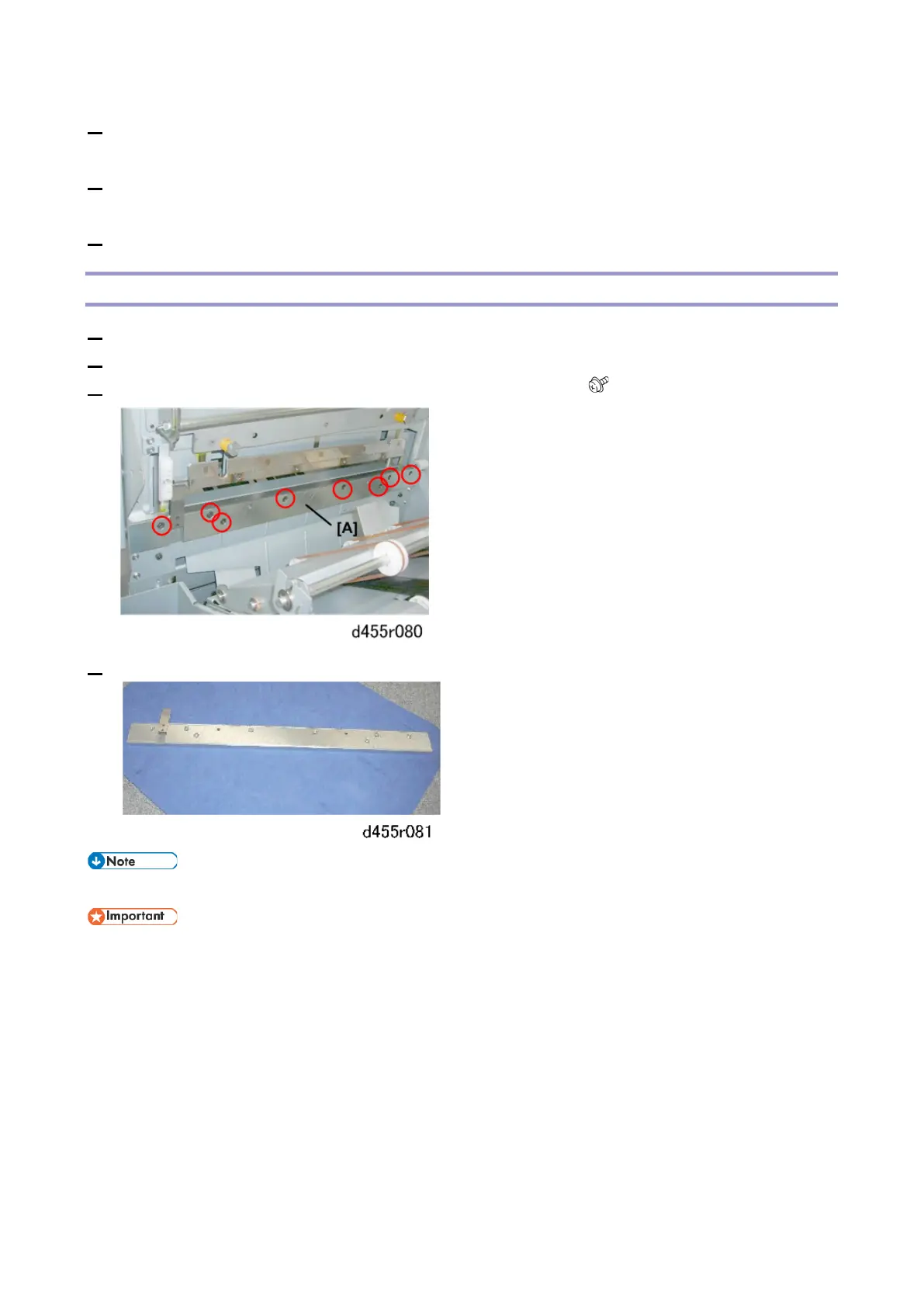
3. Use an Allen key to remove the hex bolts of the blade cradle [A] ( x8)
4. Remove the cradle and set it on a flat surface.
• Attach a film sheet to the blade cradle.
• Obey local laws and regulations regarding the disposal of items such as the blade cradle.



 To Next Page