2.Replacement and Adjustment
46
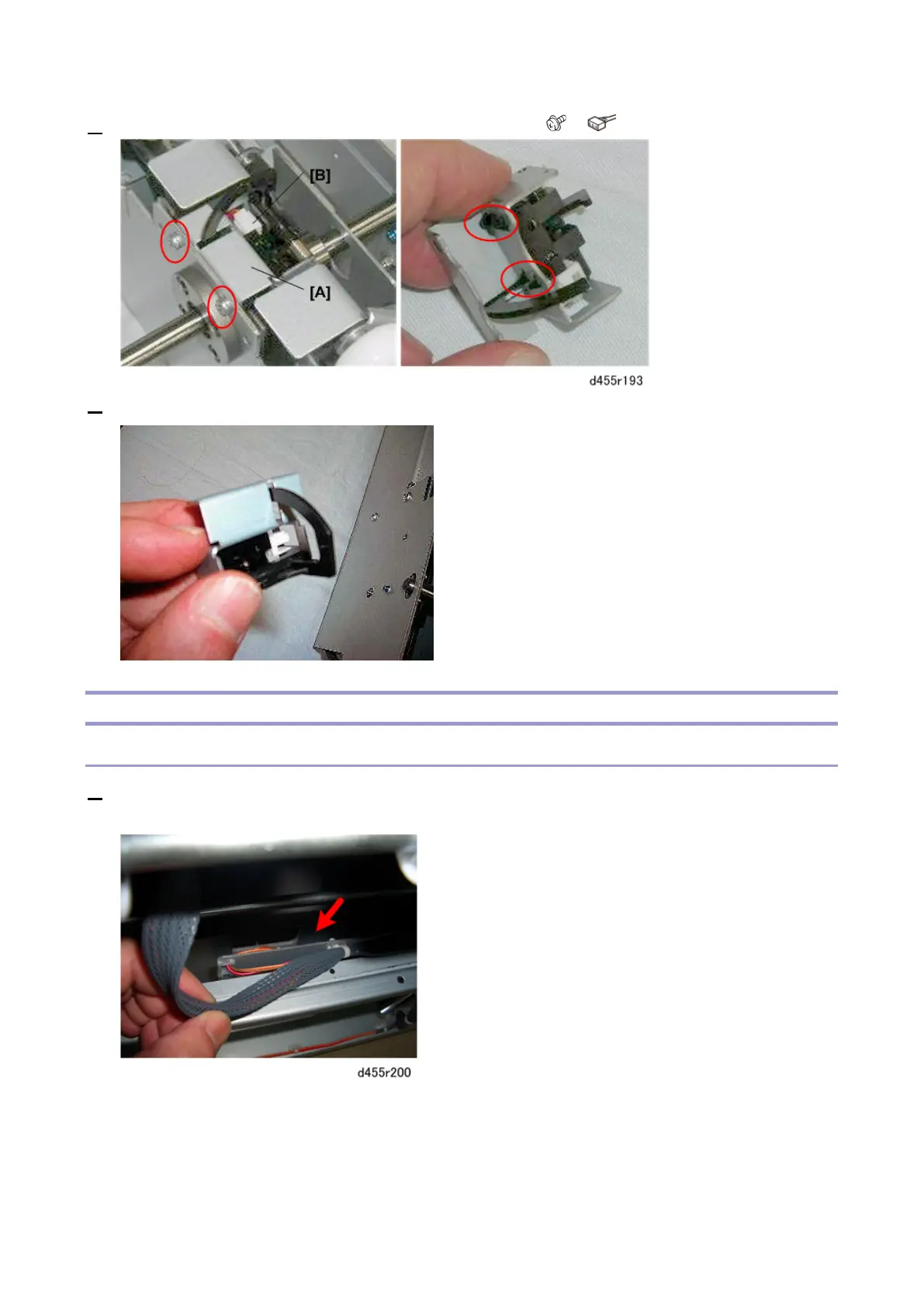
4. Disconnect the sensor bracket [A] and sensor harness [B] ( x2, x1).
5. Remove the sensor from the bracket.
Trimming Unit
Scrap Hopper Full Sensor
1. Remove the feed unit. (Feed Unit)
The scrap hopper full sensor is on the right side of the trimmer unit, below the entrance.



 To Next Page