2.Replacement and Adjustment
37
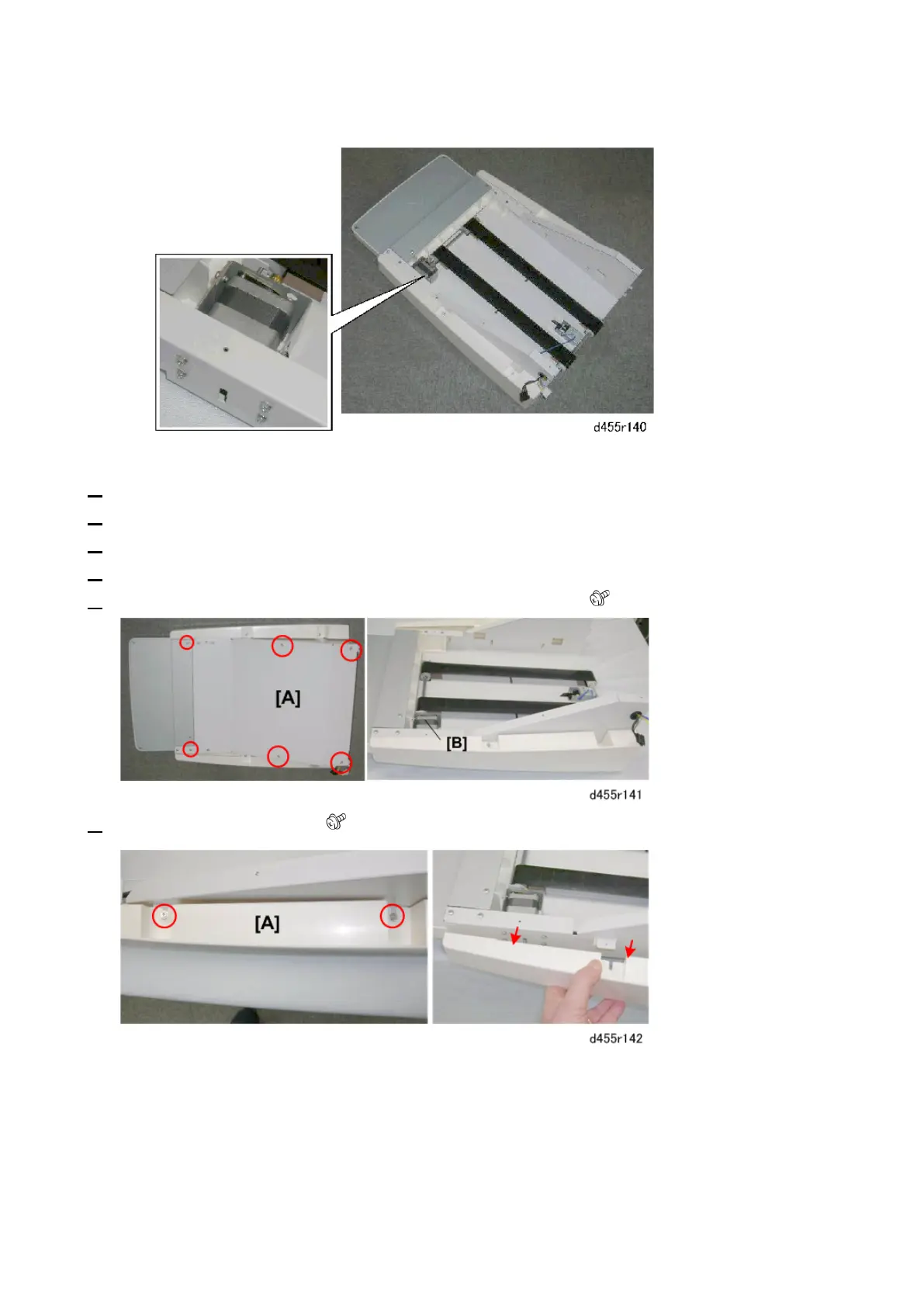
below shows the tray unit with its bottom plate removed.)
1. Remove the left upper cover. (Left Upper Cover)
2. Remove the left lower cover. (Left Lower Cover)
3. Remove the tray unit. (Tray Unit)
4. Turn over the tray unit and lay it down on a flat surface.
5. Remove the bottom cover [A] so that you can see the motor [B]. ( x 6)
6. Remove the side panel [A]. ( x 2)



 To Next Page