2.Replacement and Adjustment
53
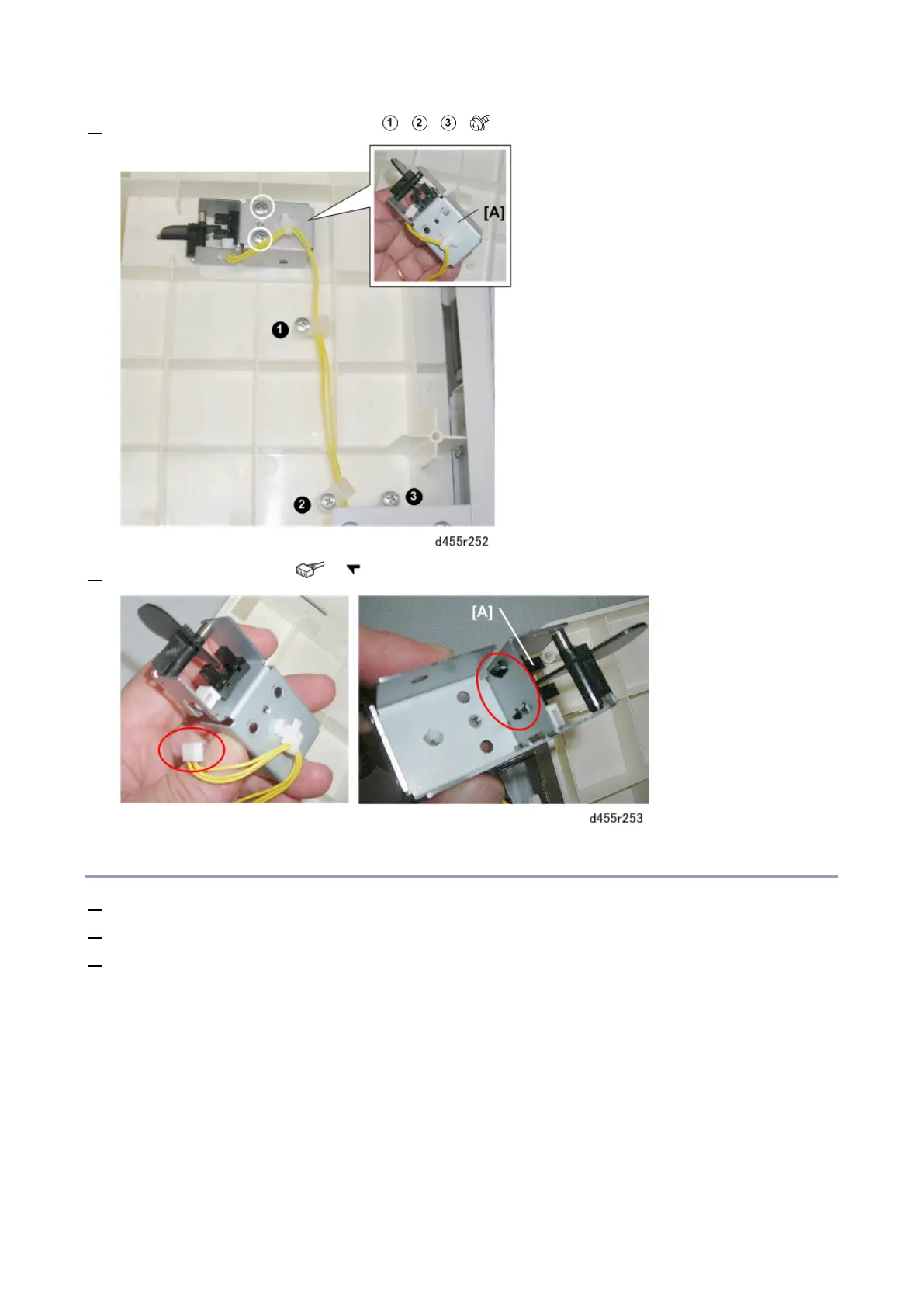
4. Remove the harness clamp screws , , ( x3).
5. Remove the sensor [A] ( x1, x5).
Exit Tray Sensor 2
1. Remove the left upper cover. (Left Upper Cover)
2. Remove the ledt lower cover. (Left Lower Cover)
3. Remove the tray unit. (Tray Unit)
The sensor is located under the bottom cover of the tray unit.



 To Next Page