1.Detailed Descriptions
5
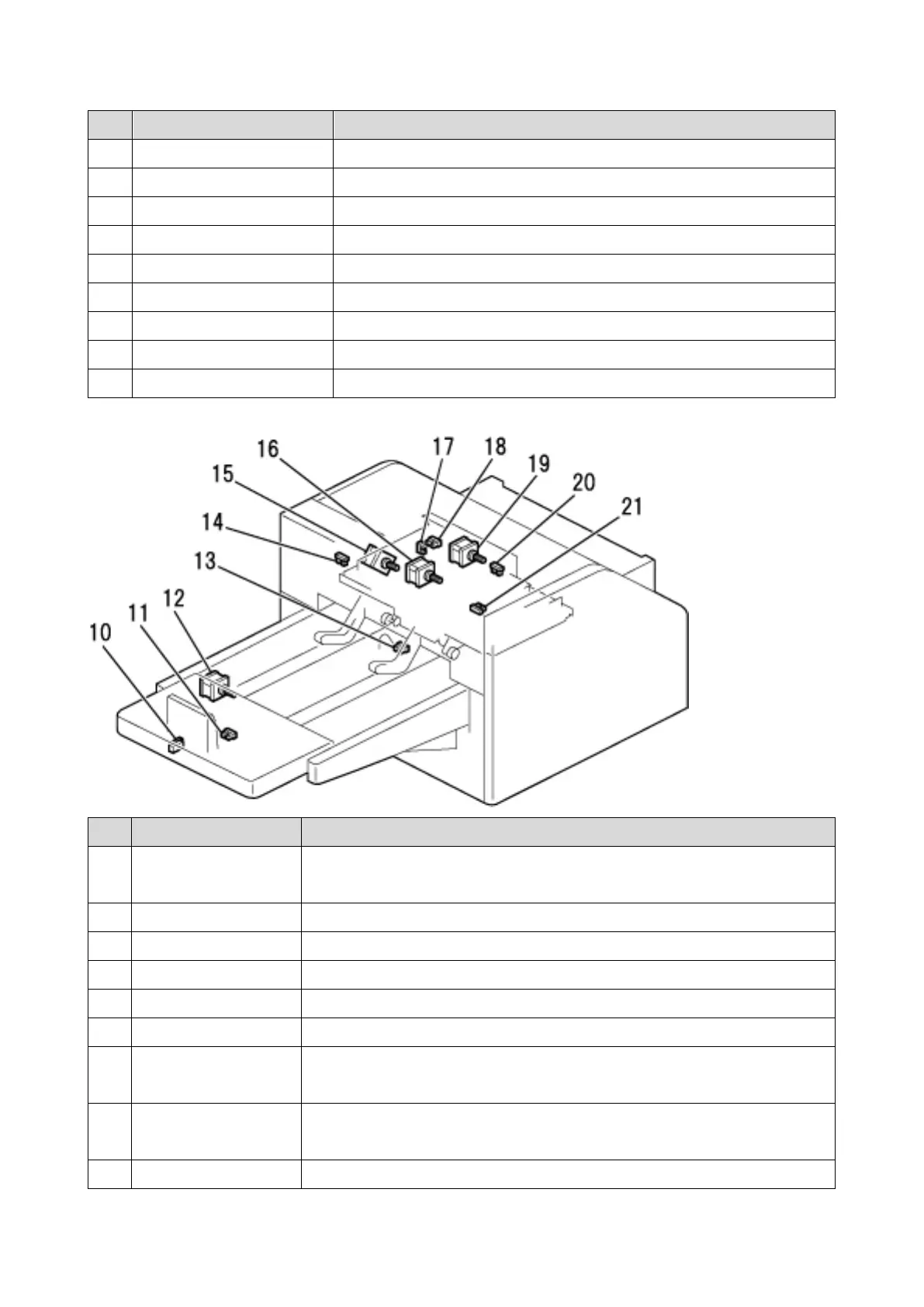
No. Part Description
1 Cut HP sensor Detects the home position of the movable blade of the cutter unit.
2 Exit sensor Detects that a trimmed paper stack is output to the paper tray.
3 Exit motor Transports the trimmed paper stack to the output tray.
4 Feed motor Moves the transport belt in the feed unit.
5 Scrap hopper HP sensor Detects the home position of the scrap hopper.
6 Entrance sensor Detects the feeding of paper.
7 Scrap hopper full sensor Detects when the scrap hopper is full.
8 Door switch Detects when the door is open, and cuts off the power voltage.
9 Cutter motor Drives the cutter unit.
No. Part Description
10 End Fence Switch Turns off when the user removes the stopper, and automatically
switches to limitless mode.
11 Exit tray sensor 3 Third sensor detecting exit tray full.
12 Tray motor Moves the transport belt of the tray.
13 Exit tray sensor 2 Second sensor detecting exit tray full.
14 Exit tray sensor 1 First sensor detecting exit tray full.
15 Cut position Motor Moves the stopper that determines the trim position of the booklet.
16 Press Stopper motor Lowers/ raises the stopper plate. Also presses the folded end of the
booklet after the trim position is determined.
17 Stopper assembly
HP sensor
Detects the home position of the stopper assembly.
18 Press Stopper HP Detects the home position of the press stopper and the pressure plate.



 To Next Page