35
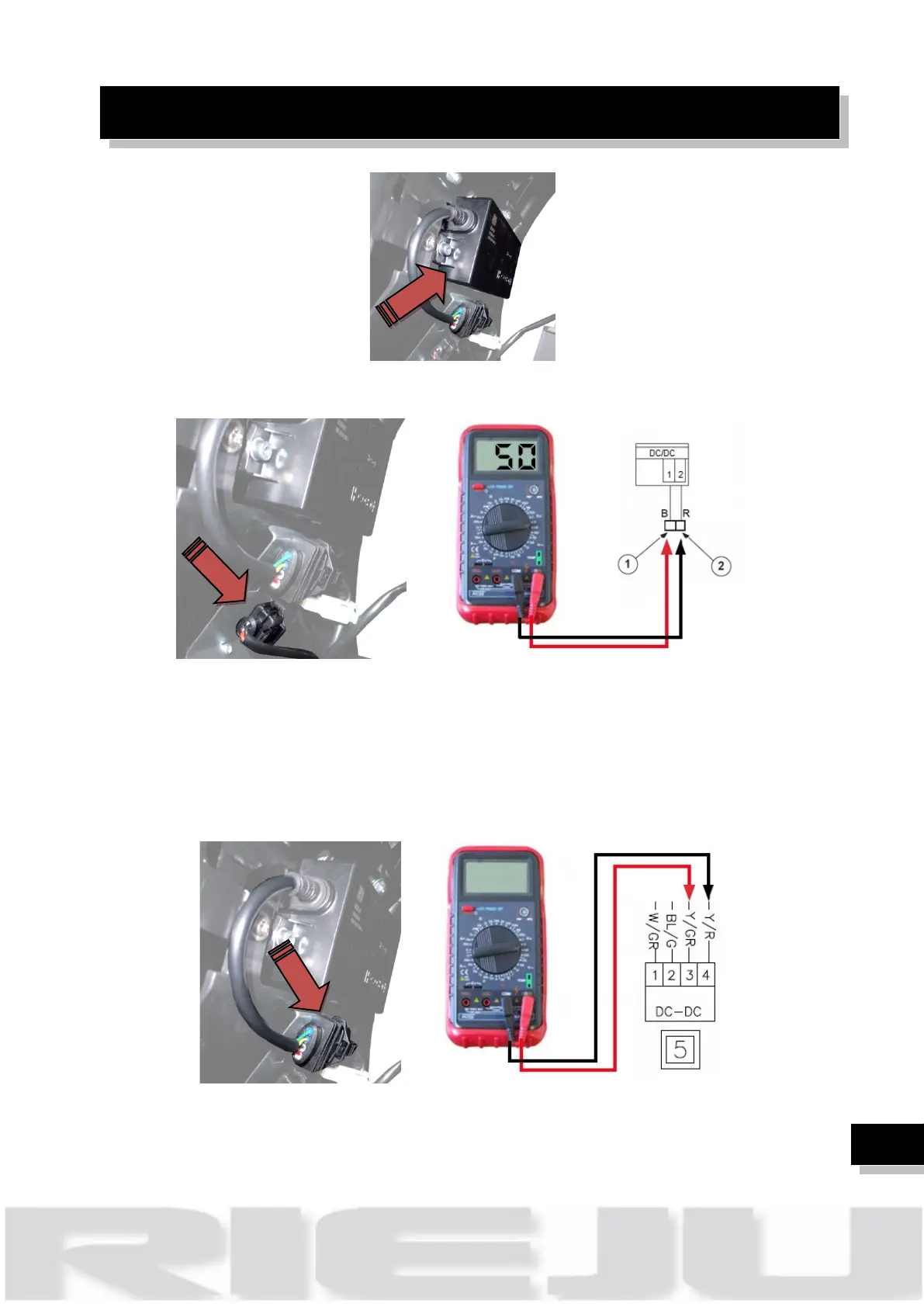
1. Check connector 2 wires (cables black / red) is connected
2. Connect the multimeter on the wires black (1) and red (2) of the DC/DC
converter.
3. With the multimeter on 200 DC V position measure the voltage.
4. Multimeter will shows 50V, if voltage is NOK check wires continuity
5. Check connector 4 wires (cables black / red / Green / Yellow) is
connected
6. With the multimeter on 20 DC V position measure the voltage.
7. Multimeter will shows 13,5V between cables Red / Black of DC/DC.
8. Multimeter will shows 9,75V between cables green / yellow.



 To Next Page