20160576
32
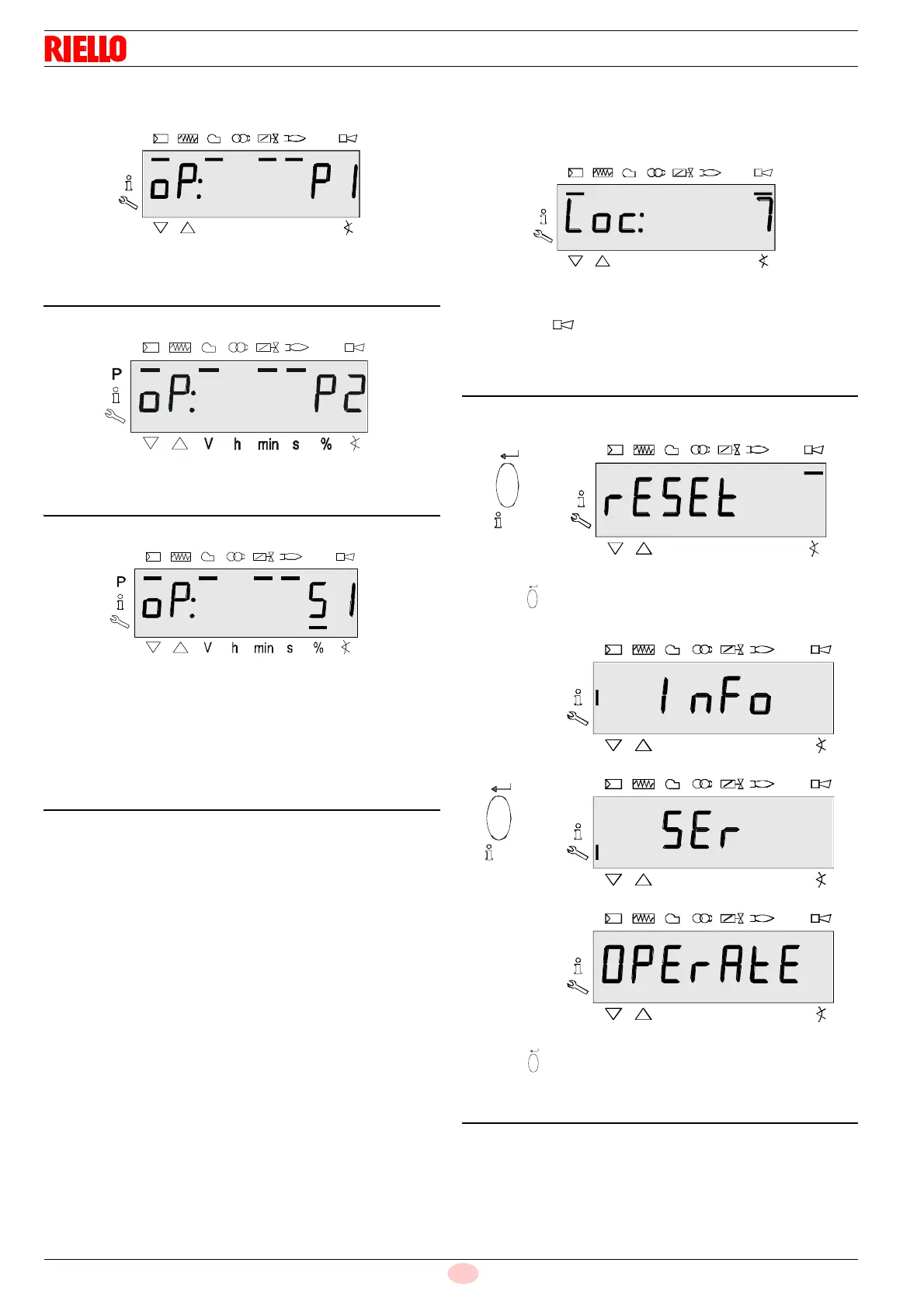
6.3.2 Displaying the operating position
Displaying oP: P1 means the 1st stage.
The display after oP is specific to the unit.
Displaying oP: P2 means the 2nd stage.
The display after oP is specific to the unit.
Displaying oP: means modulating operation.
The display after oP: is specific to the unit.
The value shown on the display corresponds to the percentage
of the speed.
0 RPM = displaying 0%
RPM MAX = displaying 100%
6.3.3 Fault messages, display errors and
information
Displaying errors (faults) with lockout
The display shows Loc. The bar under the fault status
The message is displayed.
The unit is in a lockout position. The corresponding error code is
displayed (see chapter Table of blink codes).
Example: Error code 7.
Reset
Pressing “i/reset” for 1 second displays rESEt on the
display. When the button is released, the base unit is reset.
Pressing “i/reset” for > 3 seconds, displays InFo, SEr and
then OPErAtE.
When the button is released, the base unit is reset.
Note:
for the meaning of the error and the diagnostic codes, See “List
of error codes with operation using AZL21 Display ...” on
page 58. When an error has been acknowledged, it can still read
in the chronology of errors.
reset
< 3 s
P
Vh
mi n
s%
P
Vh
mi n
s%
P
Vh
mi n
s%



 To Next Page