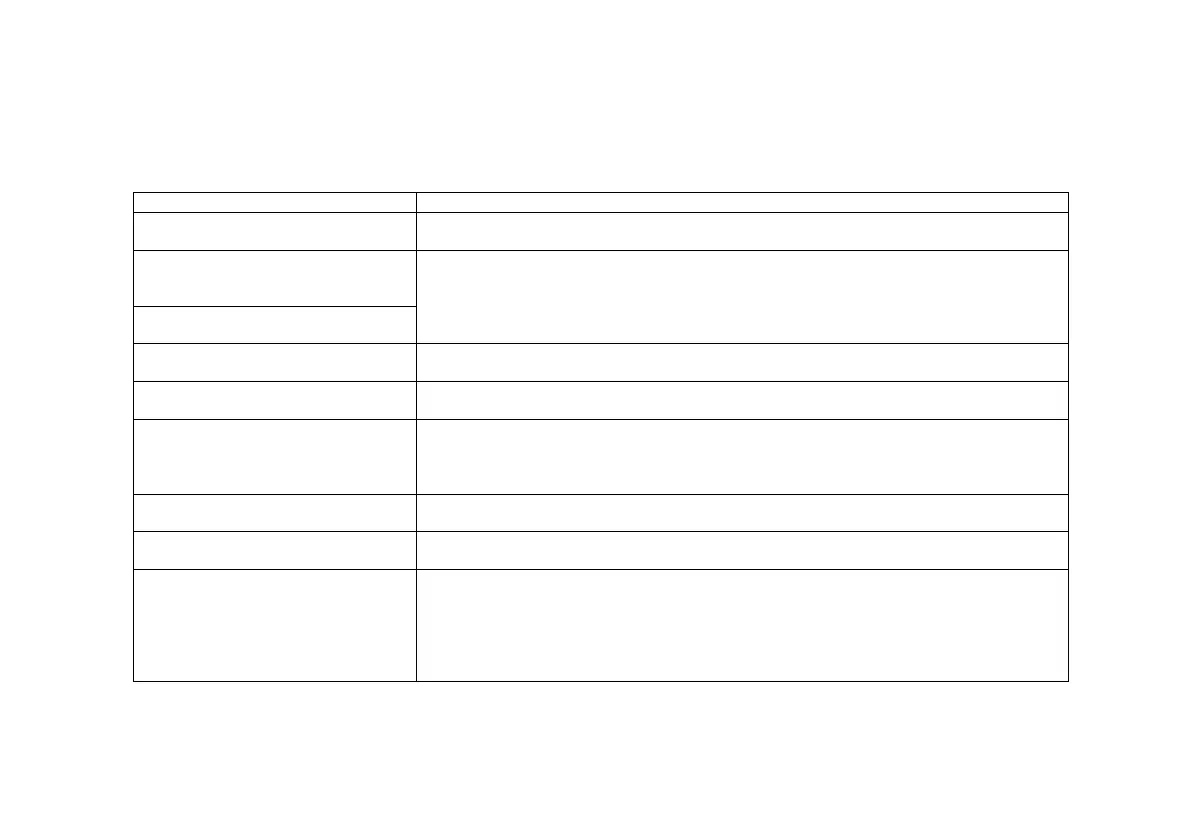
TROUBLESHOOTING
Before contacting your Installer, please consult the Troubleshooting Guide below, and also the Owner’s Manuals accompanying
your heating or cooling equipment.
Table 7: Troubleshooting Guide
An error message appears on the
Networker
Refer to the section on Error Codes and follow the check lists.
Display shows “Fan run hours
indicate it is time for a service call –
For assistance call xxxx”
When the operating hours logged for an appliance exceeds the predetermined period, the
NC-6 displays this message.
- “Contact Brivis to have your equipment serviced”.
- Press Key “4” while message is scrolling to reset.
‘Spanner’ icon flashes once every
second
The Networker display is blank
No batteries are required.
Check that the Heater is plugged in and power is available.
The system turns on and/or off when
I don’t want it to
- Check if the “Auto Program” is activated.
You may need to change the “Auto Program setting or change to “Manual” operation’
The fan runs continuously
- Check that the ‘fan only; option has not been selected on the Networker
- Check that sufficient vents are open
- Check that return air and/or filter has been cleaned
- Check the ductwork has not been crushed and/or collapsed.
There is no air coming out of some
vents
It is highly probable that this is an installation related issue
- please contact your installer in the first instance
The padlock appears on the screen
This indicates that the child proof lock has been activated.
Refer to the section on “Unlocking the Networker”
The refrigerated air conditioning
outdoor unit continually turns Off and
On
This cycling may be normal operation to prevent the system from freezing during periods
of low airflow. Check to ensure adequate airflow:
- ensure minimum number of zones or outlets are operating
- check and clean filter
- ensure system minimum airflow design requirement with installer – fan speed may be


 To Next Page