2.6 Automatic Operation
The Networker allows you operate your system automatically in
accordance with a predetermined “Comfort Schedule” (also
known as the “Auto Program”).
The Networker has a pre-set (default) Comfort Schedule for
Heating and Cooling already stored in its memory. This “Auto
Program” covers the entire week and is based on the average
operating time of the unit with all temperatures for Heating and
Cooling set to 20°C. The “Auto Program” default settings are
detailed in Table 3.
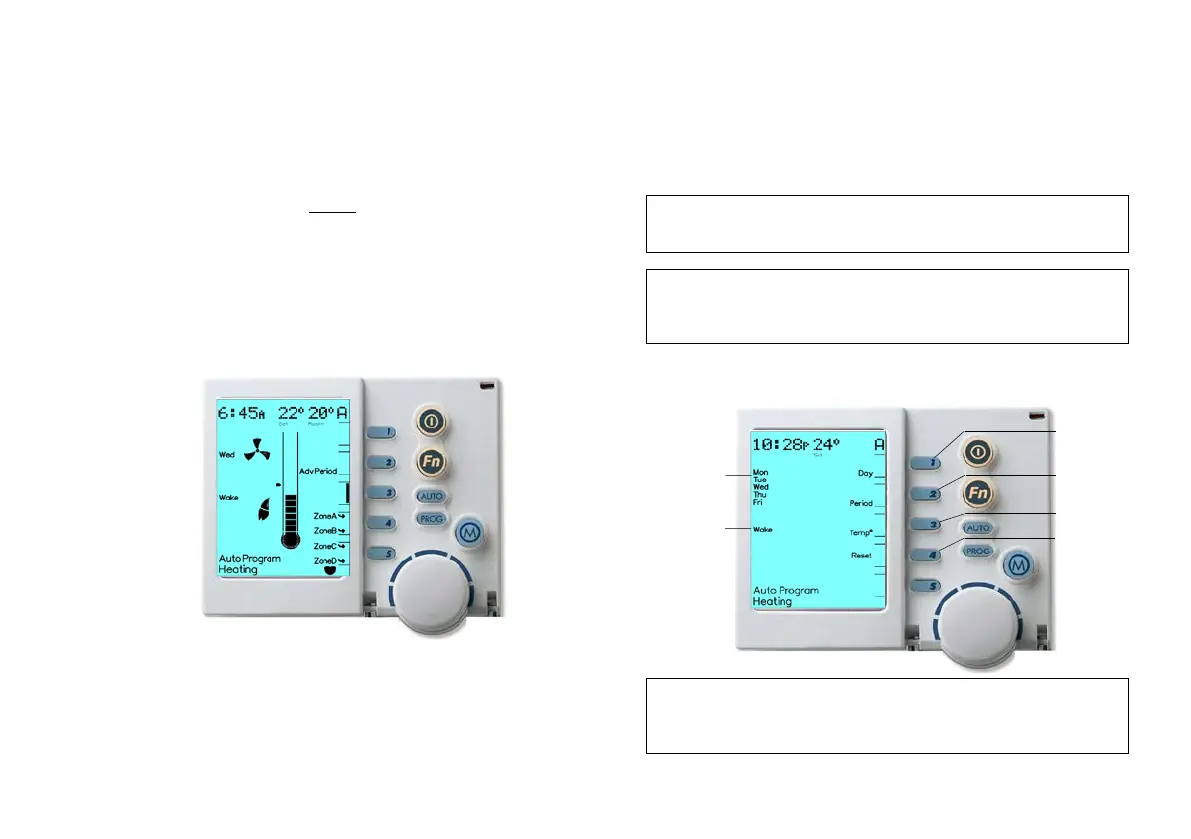
Diagram 8: NC-6 Auto Program Display
2.6.1 Programming Your Comfort Schedule
You may alter the default “Auto Program” to suit your
requirements.
This will require you to enter the Period start time, desired Heating (and
Cooling) temperatures for each “Period”, “Day” Block and zone. For
an example of this please refer to Table 4. Take a few moments to
complete the MTSP Comfort Schedule template in the Appendix
prior to accessing the “Auto Program”.
Diagram 9: NC-6 Programming Comfort Schedule Display
Note: When accessing the Comfort Schedule of another zone,
the “Set Temperature” value (22° in Diagram 8) on the LCD
may temporarily display “??”.
Note: If at any time you wish to reset the entire Comfort Schedule
(Time & Temperature for all Periods) for the associated zone,
press Key “4”, the “Reset” Key.
Note: A MTSP ZonePlus system can operate zones in either
“Auto” or “Manual” simultaneously.


 To Next Page