Rinnai 29 HW_CF OIM
Additional Programming & Activation Requirements
?
1
Are there four water controllers connected?
IF NO:
You have three (or fewer) water controllers, go to Question 2.
IF YES:
You will need to activate the fourth water controller as follows:
STEP 1:
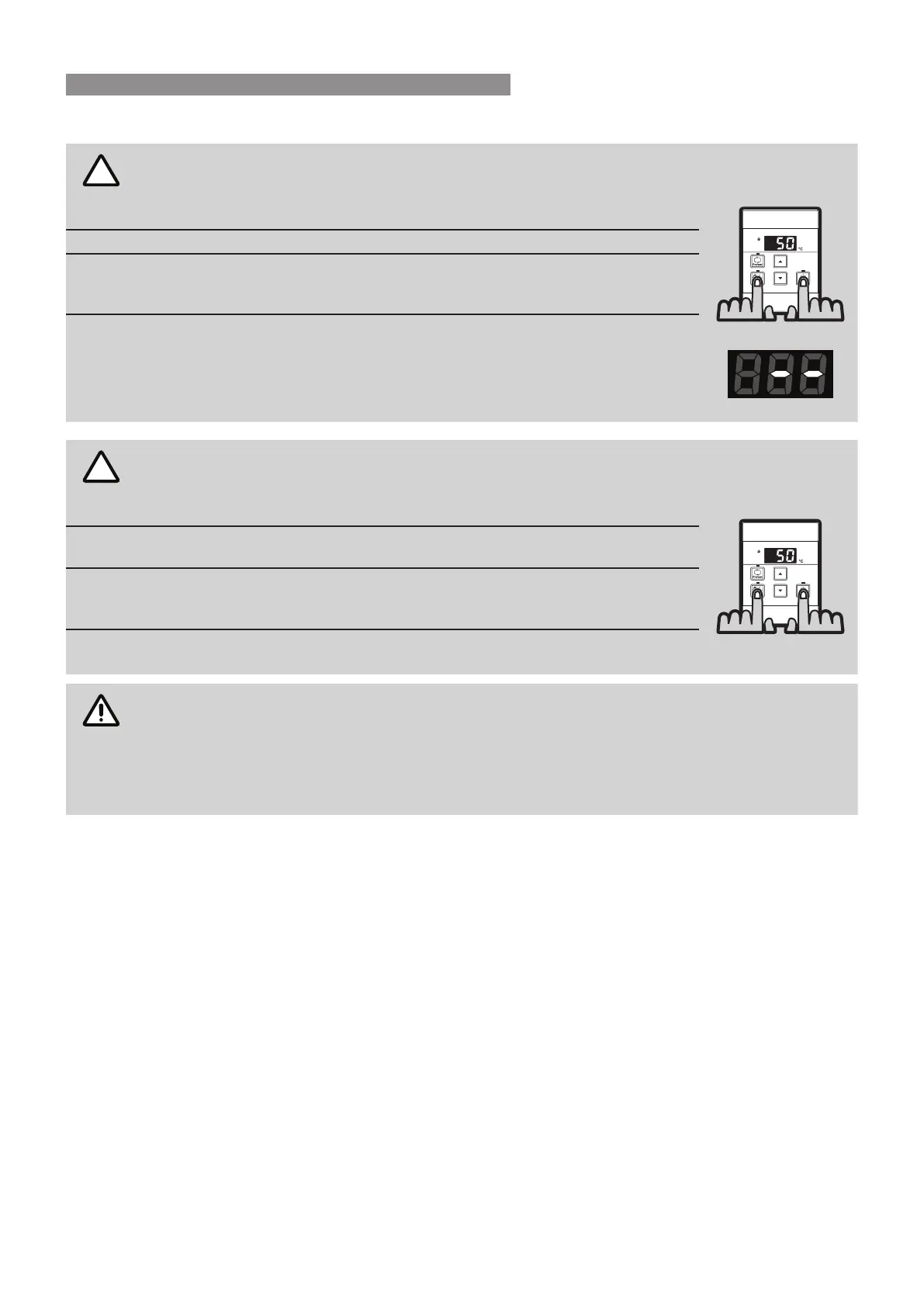
For the water controller in the KITCHEN ONLY, press and hold the ‘Priority
Transfer’ and ‘On/O’ buttons simultaneously (see Fig. 1) until a ‘beep’ is heard
(approximately 5 seconds).
STEP 2:
Check that the display on ALL FOUR water controllers is lit and displaying a
temperature when ‘switched on’. If any ONE of the water controller displays
two dashes (see Fig. 2) repeat STEP 1.
This completes the activation procedure for the fourth water controller, you
may ignore Question 2.
?
2
Is the water heater marked to state it delivers water not exceeding 50°C?
IF YES:
No further action required..
IF NO:
You will need to program the kitchen water controller to enable selection of
temperatures higher than 50°C.
STEP 1:
For the water controller in the KITCHEN ONLY, press and hold the ‘Priority
Transfer’ and ‘On/O’ buttons simultaneously (Fig. 3) until a ‘beep’ is heard
(approximately 5 seconds).
STEP 2:
When the water controller tted in the KITCHEN is switched On, it should be
possible to select temperatures higher than 50°C. If not, repeat STEP 1.
If the water controller in the kitchen is replaced, repeat STEP 1 for the replacement water
controller.
If the water controller in the kitchen is swapped with another water controller (for example, the
water controller tted in a bathroom), repeat STEP 1 for the water controller moved from the
kitchen to the bathroom. Then perform STEP 1 for the water controller moved from bathroom
to the kitchen.
Fig. 1
Fig. 3
WATER CONTROLLER INSTALLATION





 To Next Page