- 18 -
DELUXE BATHFILL TEMPERATURE CONTROLLERS
Setting the Sound Volume
The ‘Sound Vol.’ Button located behind the flip panel is not used when one Kitchen Controller
is connected.
Using Hot Water
The hot water delivery temperature can be controlled
from the Kitchen Controller (MC-70-2A).
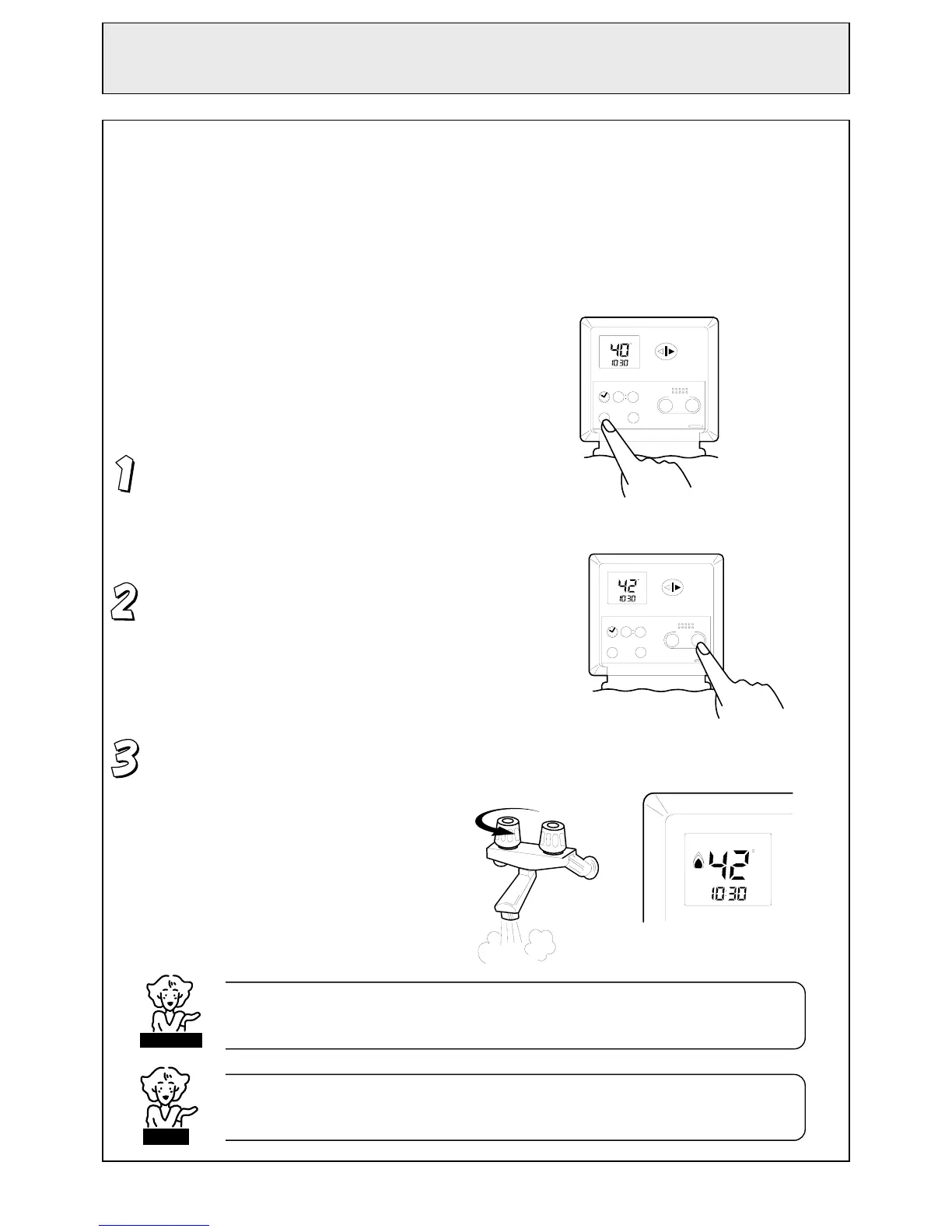
Ensure the system is switched ON. If not,
press the ‘ON/OFF’ button behind the flip
panel once. The ‘Transfer’ button will light up.
Select the desired temperature using the ‘Hot
water temp.’ buttons. The selected
temperature will be displayed on the controller
monitor.
Open the hot water tap. The hot water unit will
activate and the red combustion symbol will
light up on the monitor.
Clock Hour Min.
Vol.
C
AM
Hot water
temp.
00 00
ON/OFF
MC -70 -1A
Transfer
Sound
Cooler Hotter
Clock Hour
Min.
Vol.
C
AM
Hot water
temp.
00 00
ON/OFF
MC -70 -1A
Transfer
Sound
Cooler Hotter
HOT
COLD
CHECK WATER TEMPERATURE BEFORE USE.
A parent should always check the temperature before a child is placed in contact with hot water
.
CAUTION
When any hot water tap is open, temperature cannot be adjusted except between 37°C and 43°C.
For safety reasons, temperature ‘priority’ cannot be transferred between controllers when a hot
water ta
is o
en
NOTE



 To Next Page