18 ProSYS User's Manual
Control Keys
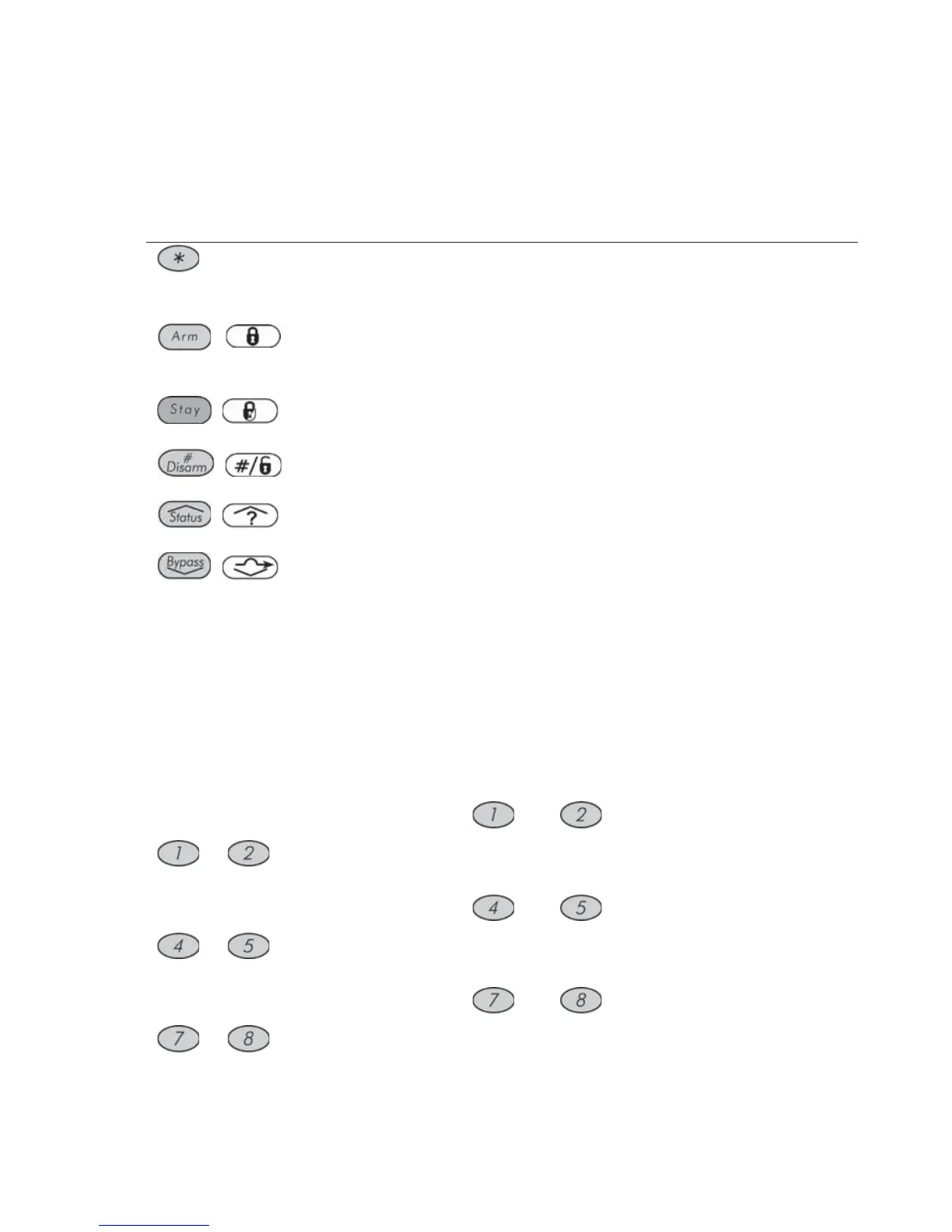
The functions of the control keys on the keypad vary according to the mode
being used. The following table lists the functions of the keys in Normal
Operation mode and when using the User Functions menu:
Key Normal Operation User Functions
Activates the User
Functions mode.
Exits from the current menu
and returns to Normal
Operation mode.
/
Activates the Away mode,
Group Arming and Quick
Arming.
Changes data.
/
Activates the Stay mode
and Quick Arming.
Changes data.
/
Disarms the system after
the user code is entered.
Terminates commands and
confirms data to be stored.
/
Provides the system status.
Scrolls up a list/moves the
cursor to the left.
/
Bypasses zones and
provides information on
bypassed zones (must be
pressed after entering a
user code).
Scrolls down a list/moves
the cursor to the right.
Emergency Keys
Your keypad provides three sets of emergency keys, which can be pressed
whenever the police, fire department, or auxiliary assistance is required.
Police Emergency
Pressing and simultaneously, and for at
least two seconds, will activate a
Police Emergency alarm (Panic alarm).
Fire Emergency
Pressing and simultaneously, and for at
least two seconds, will activate a Fire Emergency
alarm.
Auxiliary Emergency
Pressing and simultaneously, and for at
least two seconds, will activate an
Auxiliary Emergency alarm.



 To Next Page