40 ProSYS User's Manual
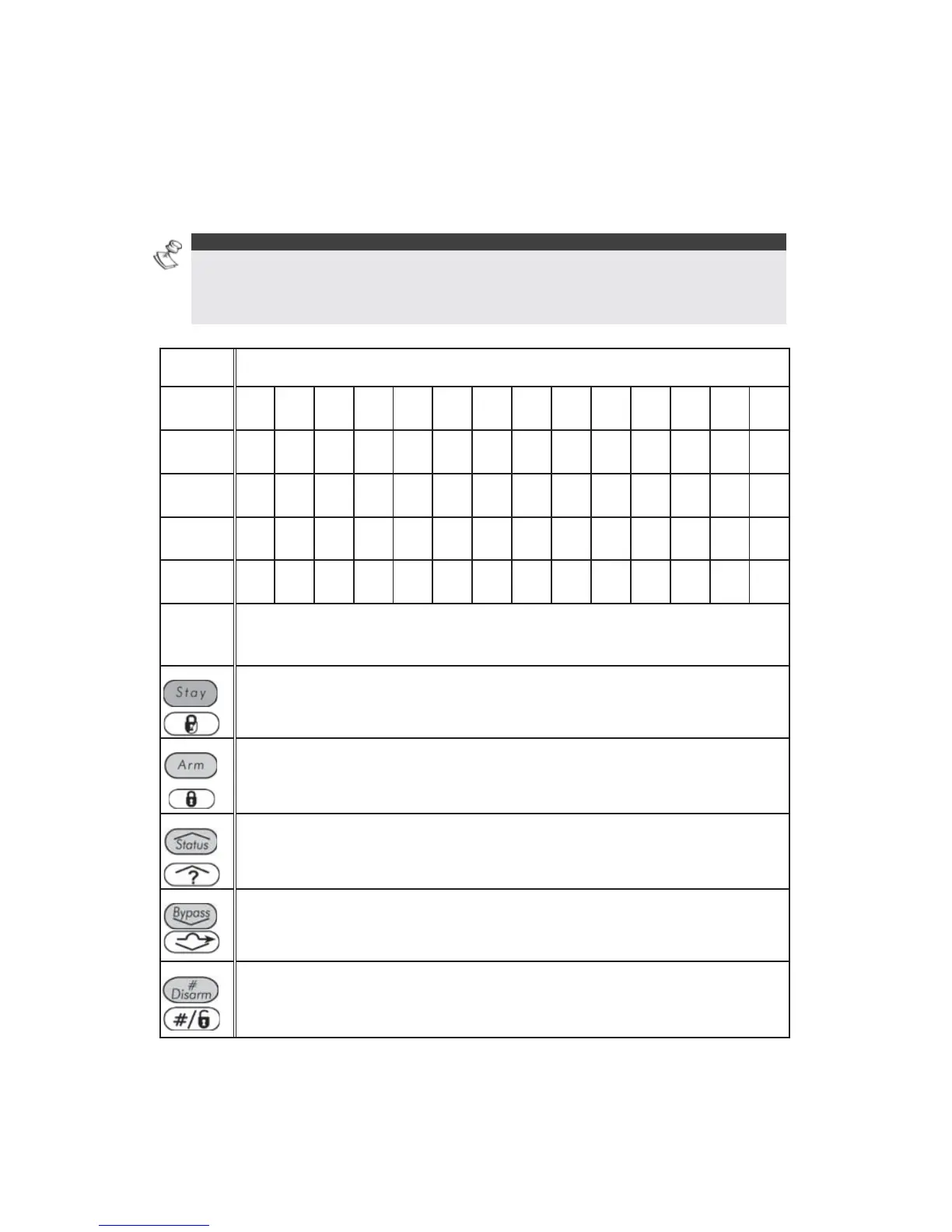
Character Table
Use the keys on the keypad to produce characters according to the table
below. Pressing a particular key toggles between the characters available
for that key. The ProSYS permits a total of 74 characters (letters, numbers,
and symbols) for use in labeling.
NOTES:
The data sequence of each key in the following table is suitable only for the
English version.
You can use a maximum of 10 characters per user label.
KEY DATA SEQUENCE
1
1 A B C D E F G H I J K L M
2
2 N O P Q R S T U V W X Y Z
3
3 ! '' & ' : – . ? / ( )
4
4 a b c d e f g H i j K l m
5
5 n o p q r s t U v w X y z
6 - 0
Each of these keys toggles between producing their
number and a blank space.
/
Use this button to toggle forward through the available
characters.
/
Use this button to toggle backward through the available
characters.
/
Use this button to move the cursor to the left.
/
Use this button to move the cursor to the right.
/
Use this button to enter a completed label into the system.



 To Next Page