ProSYS User's Manual 23
Arming Multiple Partitions
Only users that have been defined to operate multiple partitions during the
system installation can operate more than one partition and arm/disarm all
partitions at once.
¾ To arm multiple partitions:
1)
Check the Ready /
LED on your keypad. If it is lit or flashing, the
system is READY to be armed.
If the Ready /
LED is NOT lit or flashing, the system is NOT ready
to be armed. In this case, secure or bypass the violated zone(s), as
described on page 30, and then proceed.
2)
THE JONESES
05:42 DEC 16 TUE
THE JONESES
05:42 DEC 16 TUE
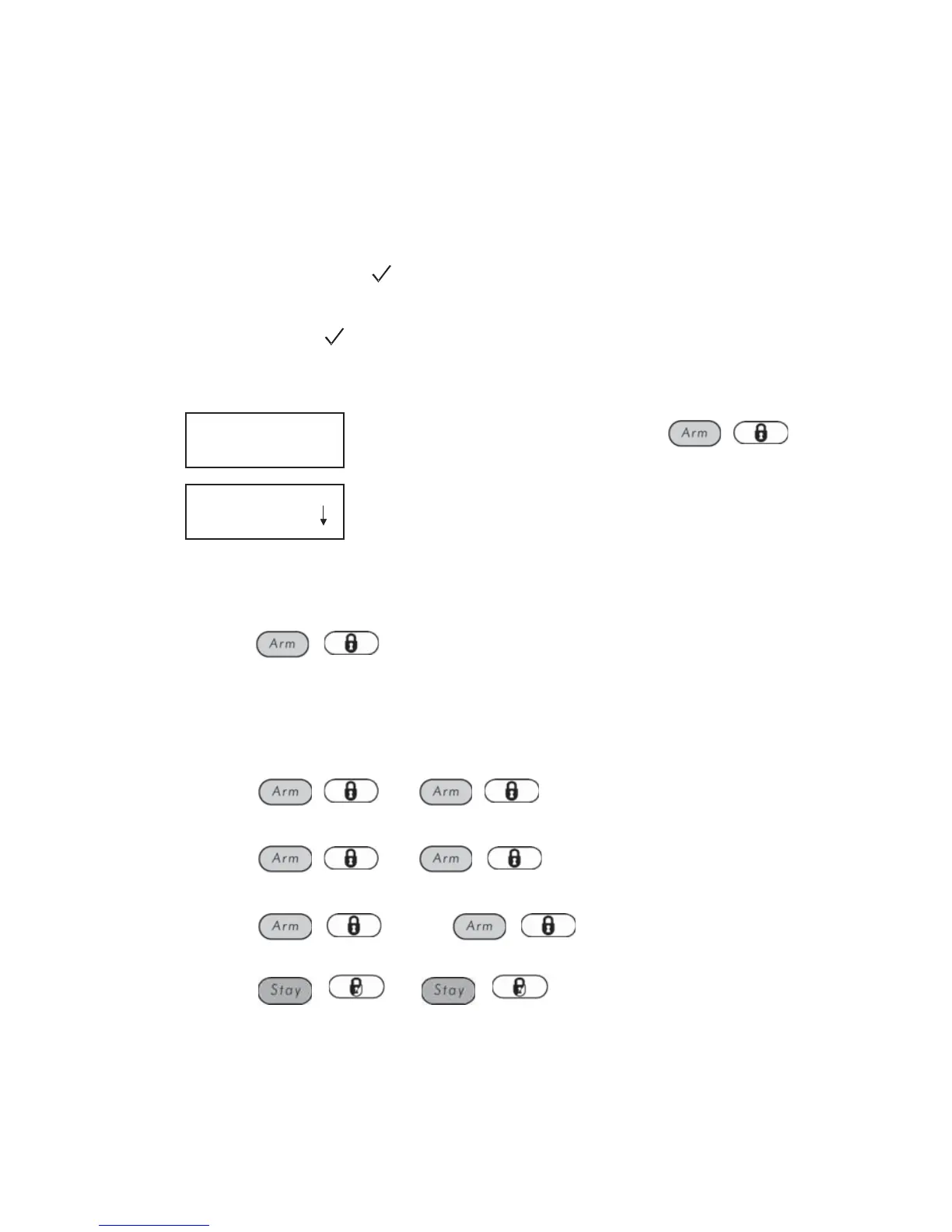
Enter your user code and press
/ .
3)
ARM R -
0) ALL
ARM R -
0) ALL
Select the number of the partition you want to
arm.
-OR-
Select 0 to arm ALL partitions.
4)
Press
/ to arm the selected partition(s).
5)
Repeat the above steps to arm additional partitions.
Examples:
) To arm partition 3 with code 1234:
1-2-3-4
/ [3] /
) To arm ALL partitions:
1-2-3-4
/ [0] /
) To arm partitions 3 and 4:
1-2-3-4
/ [3] [4] /
) To arm partition 3 in Stay mode:
1-2-3-4
/ [3] /



 To Next Page