ProSYS User's Manual 51
6)
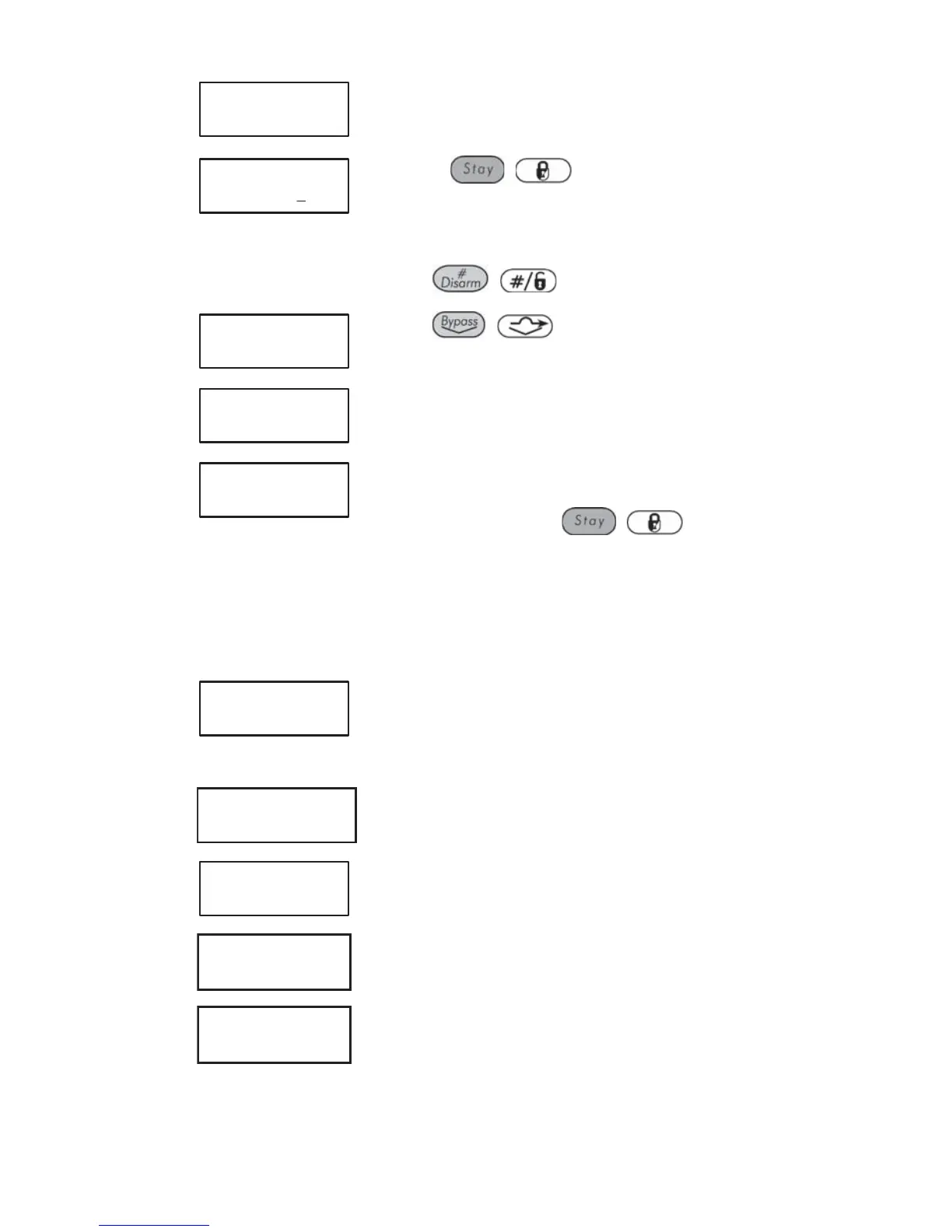
USER LIMIT S:03
1)ON/OFF
Select [1] On/Off.
7)
SCHEDULE 03:
SCHEDULE: ON
Use the / key to define :
On : Automatic scheduling is enabled.
Off : Automatic scheduling is disabled.
Press
/ .
8)
USER LIMIT S:03
1)ON/OFF
Press / .
9)
USER LIMIT S:03
2)USERS NUMBER
Select [2] Users Number.
10)
USER LIMIT S:03
00)USER 00 N
Specify whether or not each user in the list should
be automatically restricted from disarming the
system by using the
/ key to enter
one of the following characters at the end of the
second line in the LCD:
Y: Automatically restricted.
N: Not automatically restricted.
11)
USER LIMIT S:03
2)USERS NUMBER
Select [3]Day/Time.
12)
SELECT A DAY
1) MONDAY
SELECT A DAY
1) MONDAY
Define time windows for the week, as described in
step 16 on page 47.
13)
USER LIMIT S:03
2)USERS NUMBER
Select [4] Label.
14)
SCHEDULE LABEL:
SCHEDULE 03
Enter a name for the weekly schedule, as
described in the table on page 40.
15)
SCHEDULER:
04)SCHEDULE 04
Define additional scheduling programs, as
required.



 To Next Page