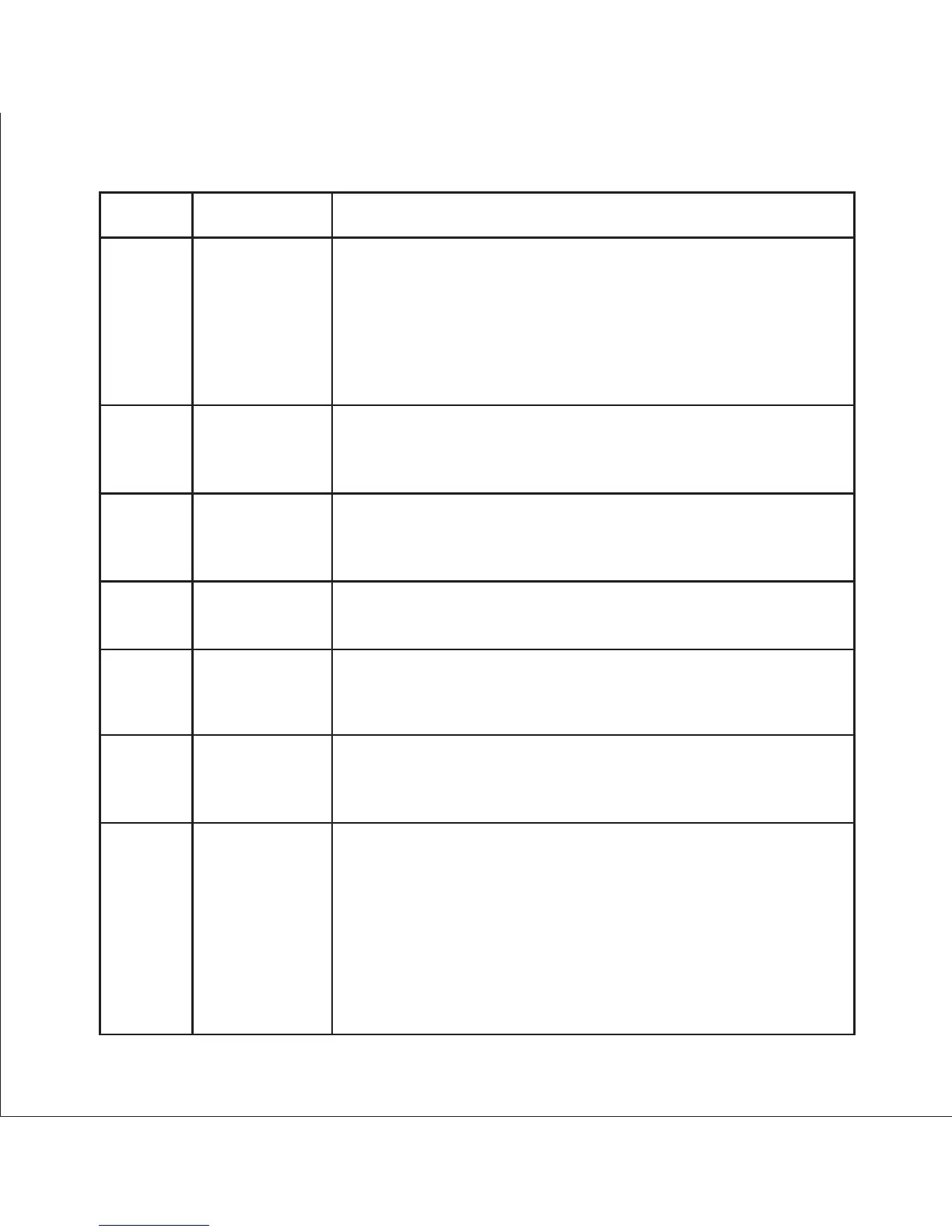
Address Parameter Description
40059 Relay 2
output select
40061
Pulse 2/Limit 2
Parameter
select
This address is used to select the Relay 2 operation as
pulse or Limit.
write one of the following values to this address.
0 = Pulse output on Relay 2
128 (decimal) = Limit output on Relay 2
writing any other value will return an error.
40063 Limit 2
Trip point
This address is used to assign the Parameter to Relay2
If Limit option is selected refer table 2 for parameter number
& if Pulse option is selected then refer table 7.
This address is used to set the trip point in %. Any value between
10 to 100 for Lo- alarm & 10 to120 for Hi-alarm can be written to
this address. Writing any other value will return an error.
This address is used to set the hysteresis between
0.5 to 50 . Writting any other value will return an error.
40065
40067
This address is used to set the Energizing delay between
1 to 10 . Writting any other value will return an error.
This address is used to set the De-Energizing delay between
1 to 10 . Writting any other value will return an error.
Hysteresis
(Limit 2)
Limit 2
Energizing
delay
40069
Limit 2
De-Energizing
delay
40071
Password
This address is used to set & reset the password.
Valid Range of Password can be set is 0000 - 9999 .
1) If password lock is present & if this location is read it will
return zero.
2) If Password lock is absent & if this location is read it will
return One.
3) If password lock is present & to disable this lock
first send valid password to this location then write “0000”
to this location
72



 To Next Page