Before Starting to Use
Basic Process
18
Basic Process
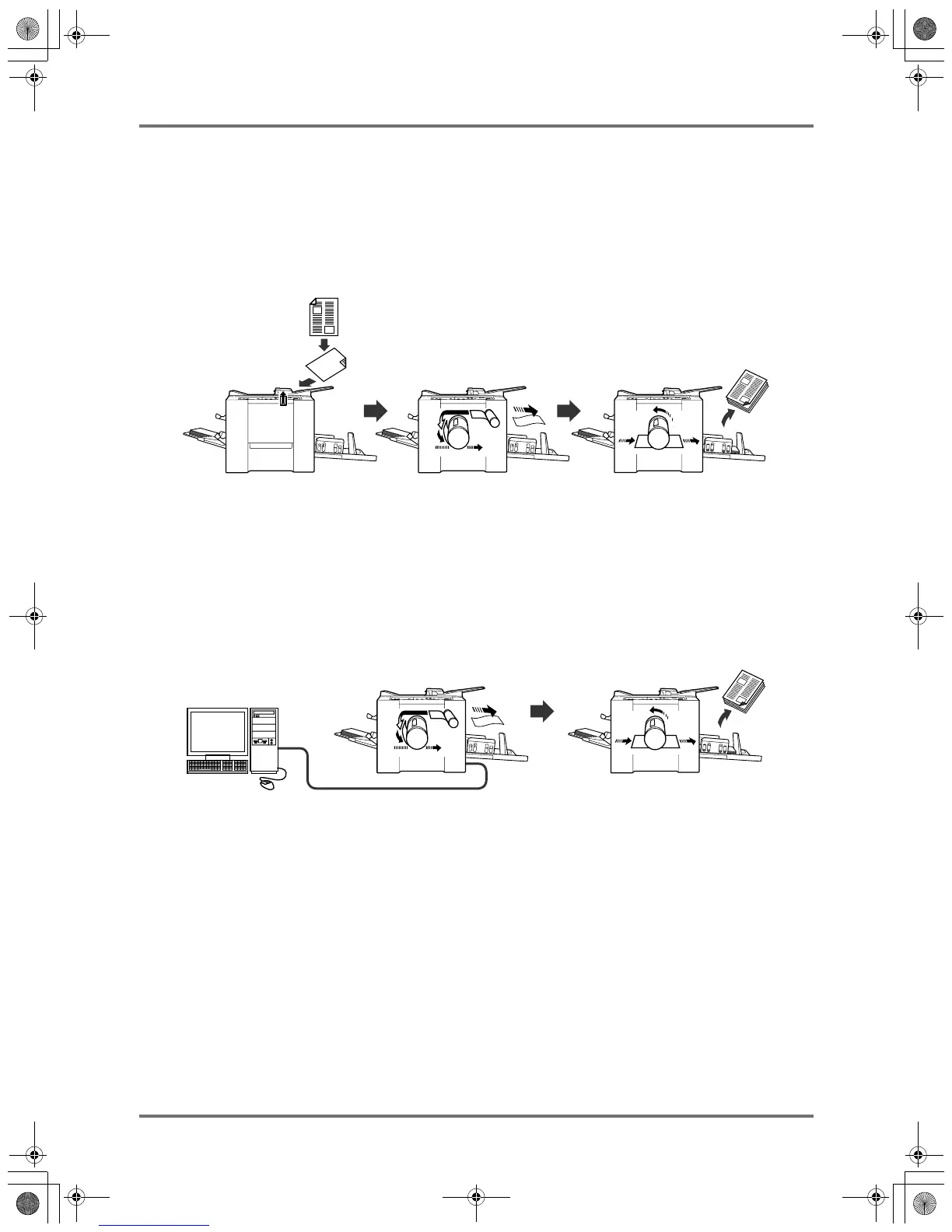
The machine presents the following two basic operational processes:
• Master-making process: to make a master by scanning an original (Master-Making mode)
• Printing process: to actually print the master data on paper (Printing mode)
Process for printing from a paper document
A placed original is scanned by the scanner, and a generated master is rolled around the Print Drum (Cylinder).
After a while, sample copy is performed. After checking the print result, enter the number of pages to be printed
and start printing.
Process for printing with data generated using a computer
Data sent from a computer is transformed into images, and a generated master is rolled around the Print Drum
(Cylinder).
You can send instructions for printing from the computer (through the printer driver).
Important!:
• The interface option is required for connection with a computer. )p.9
KZ30_UG.book Page 18 Monday, December 21, 2009 11:11 AM









 To Next Page