Functions for Master-Making
Enlarging or Reducing Originals by Standard Ratios [Enlargement/Reduction]
28
Enlarging or Reducing Originals by
Standard Ratios
[Enlargement/Reduction]
You can enlarge or reduce originals when making a master.
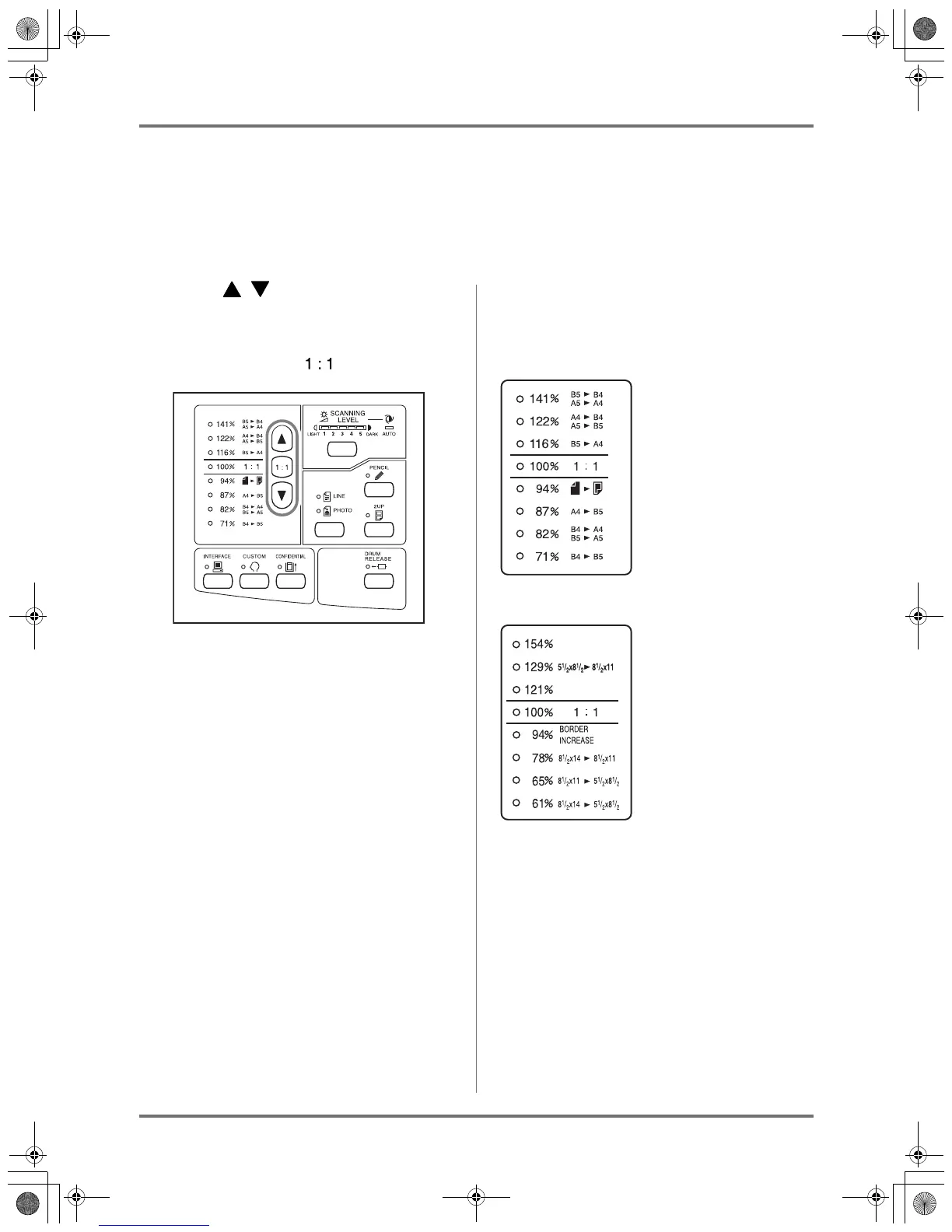
Specify the standard ratio to enlarge or reduce an original.
Press the / key to specify the
enlargement / reduction ratio.
Each time you press the key, the indicator of the
selected ratio lights.
To restore 100%, press the key.
Note:
• An original must have the 10 mm (
3
/
8
") or larger mar-
gin at its top end when it is placed on the Original
Tray. Top margin is not added even if you have
assigned Border Increase (the 94% Reduction).
Tip:
Enlargement / reduction ratio may differ according to
the machine’s specification (Set with unit of “mm” or
“inch”).
Unit with “mm”
Unit with “inch”
KZ30_UG.book Page 28 Monday, December 21, 2009 11:11 AM









 To Next Page