Selecting the Image Processing Mode [Line/Photo/Duo]
26
Functions for Master-Making
Selecting the Image Processing Mode
[Line/Photo/Duo]
In order to make a quality master, select an appropriate mode depending on whether originals contain only Line
(text), photos, or both of them.
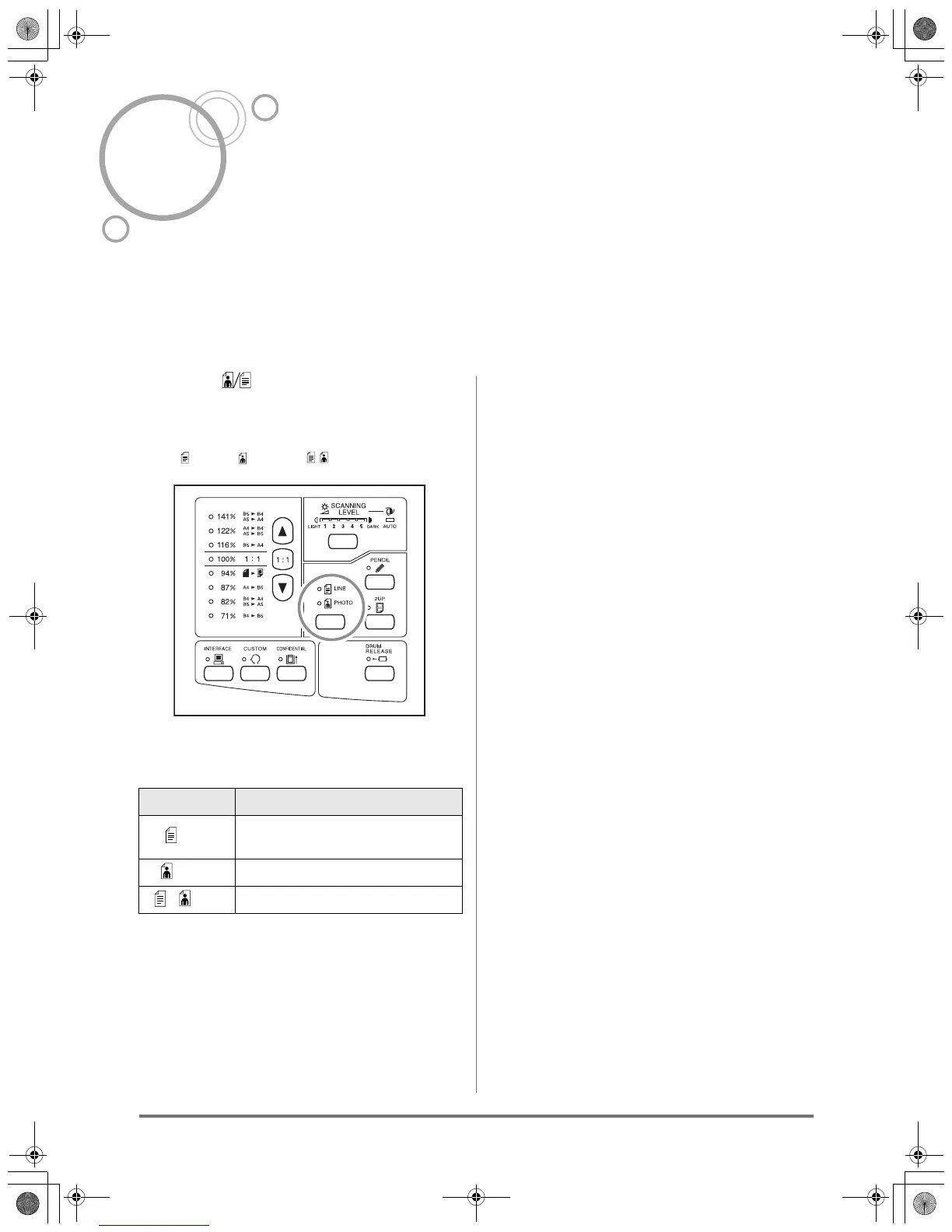
Press the key to select the Image
Processing mode.
Each time you press the key, the indicator lights in the
order: Line → Photo → Duo
The table shows which type of originals is appropriate
for each mode.
Important!:
• With the Photo mode or Duo mode selected, you
cannot select “Auto” for the scanning level. Perform
manual adjustment.
)p.29
• You cannot use the Image Processing mode and
Pencil mode together.
Note:
• Select the Pencil mode when printing from an original
written with a pencil.
)p.27
Mode Type of Originals
Line
Only text contained; e.g., word
processing file printout, newspaper
Photo Only photos contained
Duo Both text and photos contained
KZ30_UG.book Page 26 Monday, December 21, 2009 11:11 AM









 To Next Page