Advanced Features
Protecting Confidential Documents [Confidential]
45
Protecting Confidential Documents
[Confidential]
After printing is completed, the master remains on the Print Drum (Cylinder) and is ready for printing another set of
copies
.
To protect confidential documents from unauthorized duplication, use the Confidential feature to discard the master
after printing.
1
Confirm that printing has ended.
Printing should be completely finished.
2
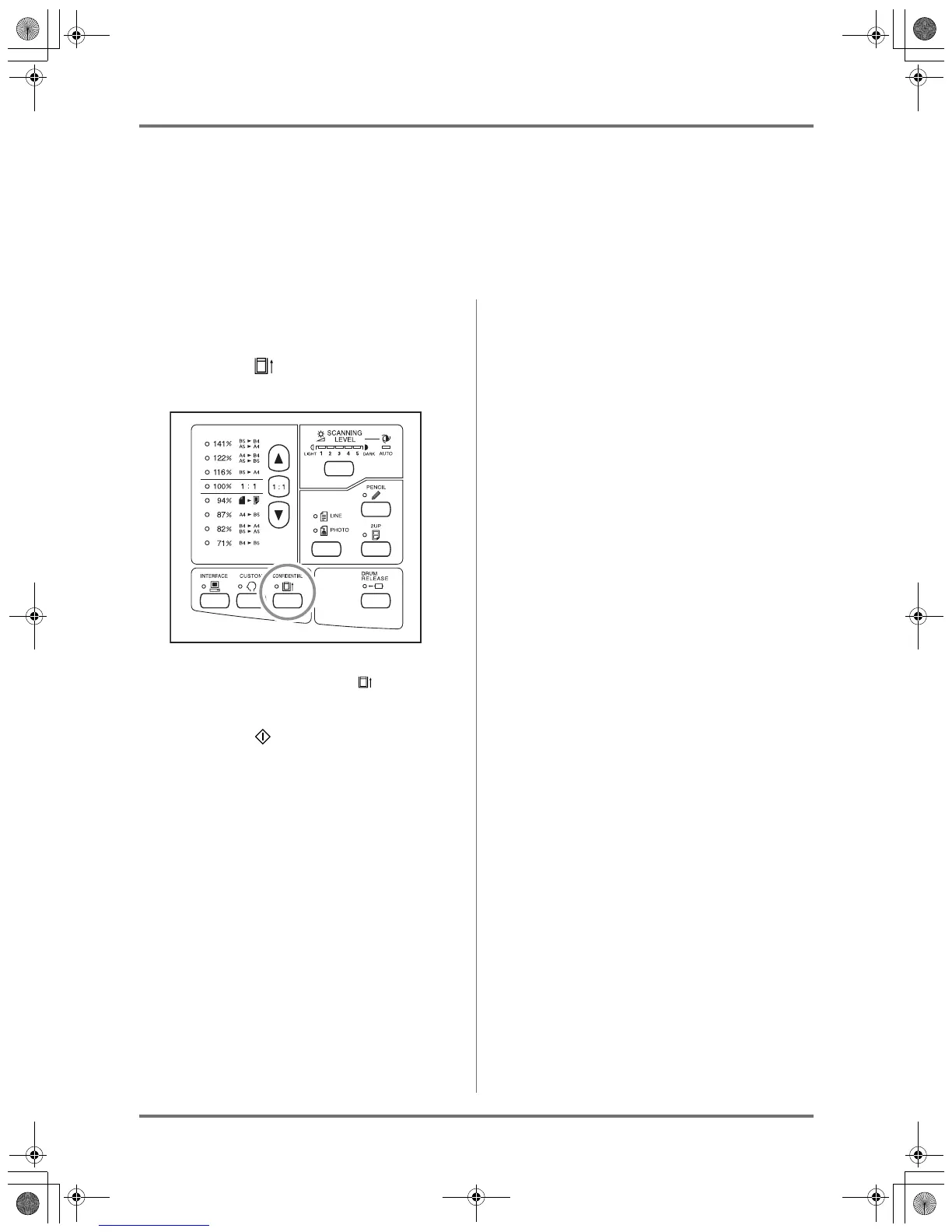
Press the key to turn on its indi-
cator.
Note:
• To clear the mode, press the key to turn off
its indicator.
3
Press the key.
The current master is discarded and replaced with
a blank one.
Note:
• After the discard and replacement, the Confi-
dential mode is cleared.
KZ30_UG.book Page 45 Monday, December 21, 2009 11:11 AM









 To Next Page